


A Guide to Custom Software CRM Development
When you hear software CRM development, what we’re really talking about is building a customer relationship management system from scratch. It’s a ground-up process to create a platform that perfectly mirrors your company’s unique workflows, data structures, and operational quirks. Unlike an off-the-shelf system, a custom CRM gives you total control, turning a simple tool into a powerful, proprietary asset that can set you apart from the competition.
Why Generic CRMs Fall Short for Enterprises
Sooner or later, most growing businesses hit a wall with pre-packaged CRM solutions. Platforms like Salesforce and HubSpot are certainly powerful, but their one-size-fits-all model can force your teams into awkward, inefficient workflows that just don’t match how you actually do business. This mismatch creates friction, slows down your sales cycle, and can seriously stunt your growth.
The initial draw of a ready-made CRM is how fast you can get it up and running. But as your company grows, the cracks start to show. You might find your teams spending more time trying to find workarounds for the software’s limitations than actually using it to their advantage. Before you know it, you’re back to relying on spreadsheets and manual processes, which defeats the whole purpose of having a centralized system in the first place.
The Strategic Shift to Customization
This is the point where building your own CRM becomes less of a luxury and more of a critical business decision. It shifts the thinking from just “buying a tool” to investing in a core piece of your operational infrastructure. Often, this realization comes after a thorough look at the big players, like what you’d find in a detailed comparison of HubSpot vs. Salesforce. After that deep dive, many leaders realize a custom-built solution is the only logical next step.
Going custom offers some game-changing benefits:
- Perfect Workflow Alignment: The software is designed around your specific sales funnels and customer service processes, not the other way around.
- Seamless Tech Stack Integration: It connects perfectly with your other essential systems—like ERPs, proprietary software, and data warehouses—to create a true single source of truth.
- Proprietary Data Insights: You get to design your own data models and analytics, unlocking business insights your competitors simply can’t see with their generic tools.
Building a system that’s made for your business gives you the flexibility and scalability you need to grow for the long haul. A custom CRM isn’t just another piece of software; it’s a direct reflection of your company’s unique strategy.
Investing in a Competitive Edge
Ultimately, opting for custom software development for your CRM is about more than just efficiency. It’s about building a real competitive advantage. When you own the code, the data structure, and the feature roadmap, you have complete freedom to adapt to market shifts on a dime. Check out an insightful read on top CRM features.
This guide will walk you through the entire journey, from designing the architecture to integrating AI. As your expert AI solutions partner, we have the hands-on experience to guide you through every phase, ensuring your custom CRM becomes the engine that drives your business forward.
Designing Your Custom CRM Architecture
Building a custom CRM isn’t just about listing features; it’s about drawing the blueprint for your company’s central nervous system. Before you write a single line of code, you have to make foundational architectural decisions. These choices will determine whether your CRM is a rigid, clunky tool or a flexible, powerful asset that grows with you.
Get this right, and you’ll have a system that doesn’t just store contacts but gives you a dynamic, visual map of your entire revenue engine. Get it wrong, and you’re stuck with a glorified, expensive spreadsheet. The real power of software CRM development is in this underlying engineering.
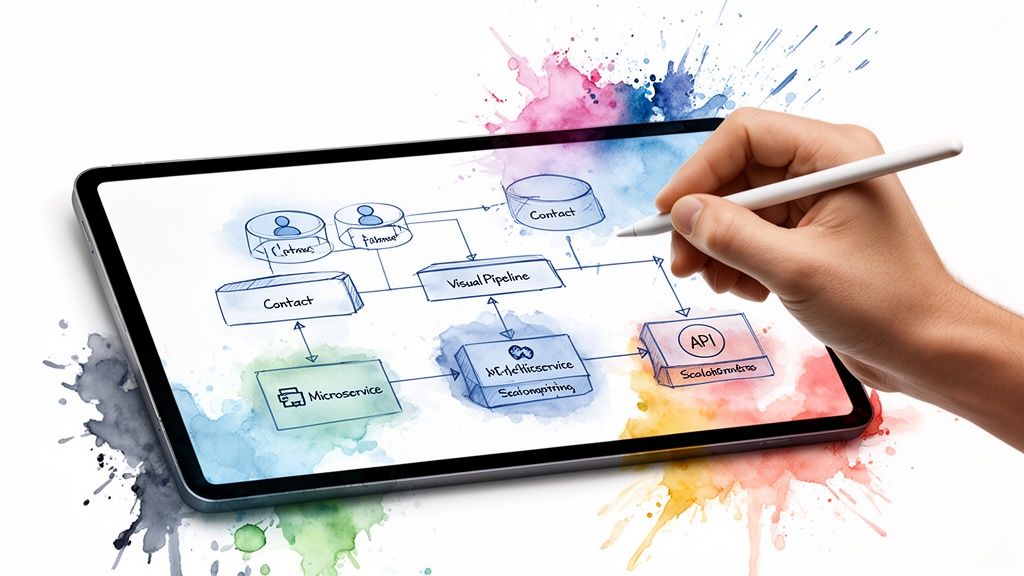
Core Architectural Decisions: Monolithic vs. Microservices
One of the first forks in the road is choosing between a monolithic or microservices architecture. A monolithic build is what most people picture: a single, all-in-one application. All the different parts—sales, marketing, customer service are tightly woven into one large codebase. This approach can be simpler to get off the ground, which makes it a solid choice for more straightforward CRM projects.
But for a growing enterprise, that tightly-knit structure can become a straightjacket. This is where a microservices architecture really shines. Instead of one big application, your CRM is built as a collection of smaller, independent services. Imagine your contact management system is one service, your lead scoring engine is another, and your email marketing tool is a third.
This separation gives you some serious advantages:
- Independent Scaling: Need to ramp up the lead-scoring service for a huge marketing campaign? You can scale just that one piece without touching the rest of the CRM.
- Technology Freedom: Your team can build each service using the best technology for that specific job, rather than being locked into a single tech stack.
- Improved Resilience: If one service has an issue, it doesn’t bring down the entire CRM. The rest of the system keeps running, which is a massive win for stability.
The table below breaks down the key differences to help guide your decision.
CRM Architecture Comparison: Monolithic vs. Microservices
| Attribute | Monolithic Architecture | Microservices Architecture |
|---|---|---|
| Development Complexity | Simpler to start; all code is in one place. | More complex initially; requires managing multiple services. |
| Deployment | Straightforward; deploy a single application. | Complex; each service is deployed independently. |
| Scalability | Must scale the entire application, even if only one part is busy. | Can scale individual services based on specific demand. |
| Technology Stack | Locked into a single technology stack for the whole application. | Allows for different technologies for different services. |
| Fault Tolerance | Low; a failure in one module can crash the entire system. | High; failure in one service doesn’t affect others. |
| Maintenance | Can become difficult to manage and update as the codebase grows. | Easier to update and maintain individual, smaller services. |
Choosing the right architecture is a long-term strategic decision. While monolithic might get you to market faster, a microservices approach often provides the flexibility and resilience that complex, growing businesses need to thrive.
The Power of an API-First Design
No matter which architecture you pick, an API-first design is non-negotiable for a modern CRM. This approach flips the traditional development process on its head. Instead of building the application and then figuring out how to connect it to other things, you design the Application Programming Interfaces (APIs) first. Think of an API as a universal translator, allowing your CRM to speak fluently with any other piece of software.
An API-first approach transforms your CRM from a walled garden into an open, connected ecosystem. It’s the key to making data flow effortlessly between your CRM, ERP, marketing platforms, and any other tool your business relies on.
This strategy is the secret to future-proofing your investment. It ensures your CRM can easily integrate with third-party tools or new applications you build down the road. It’s a cornerstone of any successful custom software development project and opens the door to endless expansion possibilities.
Choosing the Right Database Technology
The final pillar of your architecture is the database, the vault where all your priceless customer data lives. The choice usually boils down to two main camps: SQL and NoSQL.
- SQL (Relational) Databases: Tools like PostgreSQL or MySQL are the industry standard for structured data. They organize information in neat tables with clear relationships, making them perfect for things like contact details, order histories, and sales records where data integrity is paramount.
- NoSQL (Non-Relational) Databases: Databases like MongoDB are built for flexibility. They handle unstructured or semi-structured data beautifully, which is ideal for capturing massive volumes of varied information like social media comments, website clickstreams, or IoT sensor data.
In many cases, the best answer isn’t one or the other, but both. A hybrid approach lets you use a SQL database for core financial and customer data that needs to be perfectly structured, while a NoSQL database can handle the messy, high-volume data needed for advanced analytics or putting AI for your business. This smart combination ensures your CRM is both rock-solid today and ready for the data deluge of tomorrow.
Integrating AI to Build a Smarter CRM
Let’s be honest, a standard CRM is really just a sophisticated database. It stores information. But what if it could think? What if it could anticipate what your customers will do next? That’s where AI comes in.
By weaving artificial intelligence into your custom CRM, you’re essentially giving it a brain. It stops being a passive record-keeper and becomes an active, intelligent partner for your teams. It helps them see around corners, personalize conversations, and spot revenue opportunities they might have otherwise missed. This isn’t science fiction; it’s about giving your business a real, measurable edge right now.
Predictive Power in Sales and Marketing
One of the first things you’ll notice with an AI-powered CRM is how it revolutionizes lead scoring. Old-school methods are rigid, relying on a static point system for things like job titles or company size. AI, however, is dynamic. It sifts through thousands of data points from your past wins to learn the subtle DNA of your perfect customer.
The result? Your sales team stops chasing dead ends and starts focusing their energy on leads that are genuinely promising. And because the AI is always learning from new data, its predictions just keep getting better.
AI enables your CRM to answer critical business questions before you even think to ask them: Which customers are most likely to churn? Which leads are ready for a sales call? What is our projected revenue for the next quarter?
This forward-looking capability extends to sales forecasting, too. Instead of relying on gut feelings and simple pipeline math, machine learning models analyze everything—historical trends, seasonality, even individual rep performance—to generate forecasts that are far more accurate. This gives leadership a much clearer picture of the company’s financial health, paving the way for smarter strategic moves.
Personalization and Insight at Scale
Generative AI is a total game-changer for customer outreach. Imagine crafting a truly personal email for every single prospect without spending all day writing. These tools can scan a contact’s LinkedIn profile, recent company news, and your interaction history to whip up tailored email drafts or call scripts. Suddenly, one salesperson can have hundreds of meaningful, context-aware conversations every day.
But AI’s intelligence goes deeper than just crafting messages. Using Natural Language Processing (NLP), your CRM can analyze customer emails, support tickets, and call transcripts to read the room, so to speak. It can detect frustration, excitement, or confusion, flagging at-risk accounts or identifying your biggest fans so your team can step in at just the right moment.
The industry is moving fast on this. AI integration is a massive force pushing the CRM market, which is expected to hit $11.04 billion in 2025. Already, 65% of businesses have adopted AI-enabled CRM systems.
For a deeper dive into these advanced analytics, this definitive guide to AI-powered sales intelligence is an excellent resource.
Integrating these tools isn’t just a “nice-to-have” anymore; it’s a core part of a modern growth strategy. As we explored in our guide to AI software development solutions in our related article, harnessing artificial intelligence is key to building a truly intelligent system.
A Closer Look at the Custom CRM Development Lifecycle
Building a custom CRM isn’t a chaotic sprint; it’s a structured journey. Think of it like building a custom race car engine—every phase is meticulously planned and executed to ensure the final product is powerful, reliable, and perfectly tuned to your business. This lifecycle is what turns a good idea into an enterprise-grade asset that fuels real growth.
The numbers don’t lie. The global CRM market was valued at a staggering US$254.89 billion in 2024 and is expected to jump to US$298.61 billion by 2025. This isn’t just a trend; it’s a fundamental shift in how businesses operate. With 91% of companies with over 11 employees already using a CRM, it has become essential infrastructure for scaling operations and hitting sales targets.
Phase 1: Discovery and Strategic Planning
This first phase is, without a doubt, the most important. It’s where we lay the entire strategic foundation for the project. Rushing this step is like setting sail without a map, you’ll get lost, and it will be expensive to find your way back. The goal here is to get a deep understanding of the “why” behind the build, defining clear business objectives and getting everyone on the same page.
Here’s what happens during discovery:
- Defining Business Goals: We get specific. Is the objective to boost sales team efficiency by 30%? Or maybe reduce customer churn by 15%? Perhaps it’s automating marketing workflows to free up key personnel.
- Mapping User Needs: This means talking to the people who will actually use the system every day. We conduct workshops with your sales, marketing, and service teams to uncover their daily frustrations and map out their ideal workflows.
- Technical Scoping: We look under the hood of your existing tech stack to plan for smooth integrations and figure out the best architectural approach from the get-go.
This strategic blueprint ensures that the software CRM development process stays focused on solving actual business problems, not just building features for the sake of it.
Phase 2: Prototyping and MVP Development
With a solid strategy in place, it’s time to bring the concept to life with a Minimum Viable Product (MVP). An MVP isn’t a stripped-down, buggy version of your final CRM. Instead, it’s a lean, functional core that solves the most critical problem for a specific group of users, delivering value right away.
This approach lets you test your core assumptions without betting the farm on a massive, years-long project. For instance, an MVP might include basic contact management, a drag-and-drop sales pipeline, and a few simple task automations. That’s often more than enough to prove the concept, get user buy-in, and start seeing a return on your investment. The focus is on getting to value quickly.
The process of turning raw data into business intelligence is at the heart of any good CRM, as this flow shows.
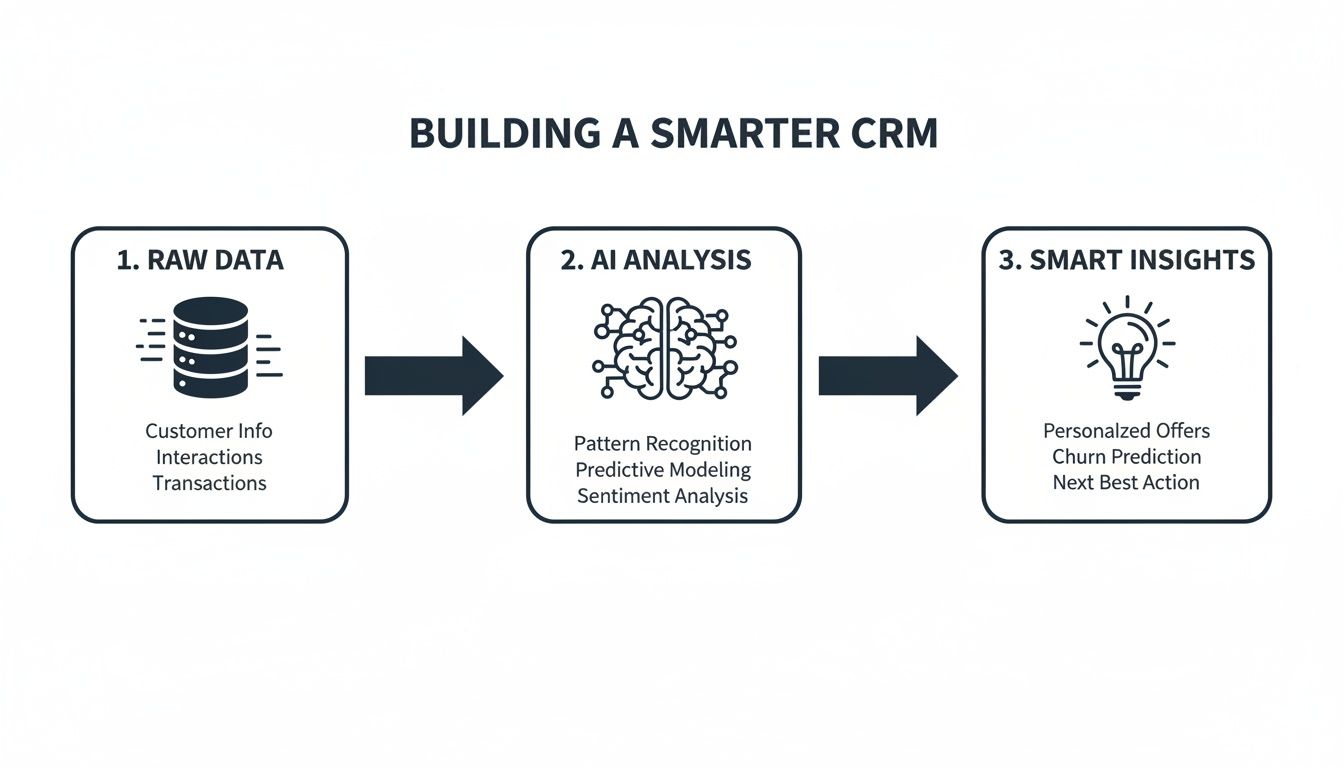
This illustrates how a well-designed architecture takes in data, applies intelligent analysis, and produces the kind of insights that lead to smarter decisions.
Phase 3: Agile Development and Iteration
Once the MVP is live and gathering real-world feedback, the project shifts into an agile development cycle. This just means we build out additional features in short, focused bursts called “sprints,” which usually last two to four weeks. Instead of being locked into a rigid, year-long plan, agile gives us the flexibility to adapt and improve the CRM based on what your teams actually need.
An agile lifecycle means the CRM grows and evolves right alongside your business. New features are prioritized based on their direct impact on revenue or efficiency, so we never waste time building something that doesn’t move the needle.
At the end of each sprint, stakeholders get to see the new features in action and give immediate feedback. This constant feedback loop is what makes a custom CRM so powerful—it is continuously being refined and perfected to meet the real-world demands of your organization.
Phase 4: Integration, Deployment, and Scaling
The final phase is where it all comes together. We connect the new CRM with your other critical business systems—your ERP, accounting software, marketing platforms—to create a single, unified source of truth. A carefully planned deployment ensures a smooth rollout for your teams with minimal disruption to their work.
But the work doesn’t stop at launch. A truly successful CRM is built to scale. As your company grows, your data volumes and user count will explode. The system’s architecture must be robust enough to handle that growth without slowing to a crawl. This is where having deep expertise in the secure software development lifecycle is crucial, ensuring your CRM is not just a tool for today, but a scalable platform for your future.
Choosing Your Technology Stack and Development Partner
Getting the tech and the team right is more than just a box-ticking exercise; it’s the bedrock of your entire CRM project. These decisions will directly impact your CRM’s performance, how well it can grow with you, and its staying power for years to come. Think of it this way: a solid tech stack is the engine, but the right development partner is the expert engineering team that knows how to build it for endurance.
Just as a master chef carefully selects ingredients that complement each other, a CTO needs to choose technologies that work in harmony to achieve a specific goal. This isn’t about chasing the latest trends. It’s about strategically aligning your tech with your core business needs—whether that’s lightning-fast performance, ironclad security, or the ability to scale on demand.
Selecting the Ideal Tech Stack
Your technology stack is essentially the set of ingredients you’ll use to build your software. It breaks down into a few key areas: the backend (the “engine room”), the frontend (what your users see and interact with), and the database and cloud infrastructure that holds everything together.
Here’s what to keep in mind when making your selections:
- Backend Technologies: This is the server-side logic. A language like Python (often with the Django framework) is a fantastic choice if your CRM will lean heavily on data analytics or AI features. On the other hand, Node.js is a powerhouse for applications that need to handle many simultaneous connections, like real-time chat or notifications. Your choice often hinges on the unique demands of your CRM and the skills your team already has.
- Frontend Frameworks: This is all about the user experience. Modern frameworks like React or Vue.js are the go-to for building snappy, intuitive interfaces that people actually enjoy using. A clunky UI is the fastest way to kill user adoption, so this choice is critical.
- Cloud Platforms: Let’s be clear: the cloud is no longer optional for modern CRMs. It commands a whopping 68.7% revenue share in the market because businesses need platforms that can scale effortlessly. Cloud-native stacks built on platforms like Amazon Web Services (AWS) or Microsoft Azure give you the raw power and flexibility required for a serious, enterprise-grade system.
Choosing a tech stack is a strategic bet on a technology ecosystem. You’re not just selecting a tool; you’re investing in its community, talent pool, and future development roadmap. Make sure it aligns with your long-term vision.
Finding the Right Development Partner and Team Model
With a technology plan in place, your next challenge is finding the right people to bring it to life. For most companies, this boils down to a classic dilemma: build an in-house team from scratch or work with a specialized development partner? Building in-house gives you total control, but finding, hiring, and onboarding top-tier talent is a slow, expensive, and often frustrating process.
This is where partnering with a global firm that offers offshore or augmented teams can be a game-changer. You get instant access to a curated pool of senior developers who have built complex systems like this before. This approach is invaluable for ambitious projects that require deep, specialized knowledge, such as building custom ecommerce solutions that need sophisticated CRM tie-ins to manage customer journeys and automate sales.
A partnership model doesn’t just speed up your timeline; it makes your budget go further. It lets your internal team focus on business strategy while your partner handles the heavy lifting of technical execution. As we’ve discussed before, choosing a strategic software delivery partner is one of the most critical decisions you’ll make. A great partner brings much more than just coding skills—they offer strategic insights, battle-tested processes, and a shared commitment to building a product that delivers real business value.
Frequently Asked Questions About Software CRM Development
Thinking about building a custom CRM from the ground up? It’s a big decision, and it’s natural to have questions. Here are some straightforward answers to the things we hear most often from business leaders just like you.
How Long Does It Take to Build a Custom CRM?
There’s no single answer here—it really depends on what you need. For a Minimum Viable Product (MVP) that covers the essentials—think contact management and a basic sales pipeline, you’re typically looking at a 3-6 month timeframe.
But if you’re aiming for a full-blown enterprise system with all the bells and whistles, like AI-powered analytics, complex workflow automation, and deep integrations with other platforms, the timeline can stretch to 9-18 months or even longer. The best approach is usually an agile one, where we roll out features in phases. That way, you start seeing value much sooner.
What Really Drives the Cost of a Custom CRM Project?
The final price tag is a mix of a few key things. The biggest cost drivers we see are:
- Feature Complexity: The more sophisticated the features, the more development time they require. A custom reporting dashboard or an AI-powered lead scoring model will naturally cost more than basic contact entry.
- Integration Needs: Connecting your CRM to modern, API-friendly software is usually pretty smooth. But if we need to hook into older, legacy systems, that can add significant time and complexity to the project.
- UI/UX Design: A clean, intuitive user interface is crucial for adoption. A highly polished, custom-branded design simply takes more work from our design and frontend teams.
- Team Makeup: The size, experience level, and location of your development team are always major factors in the overall budget.
Should I Build a Custom CRM or Just Customize Salesforce?
This is the classic “build vs. buy” debate, and it comes down to your unique business processes.
If your workflows are fairly standard, customizing an off-the-shelf platform like Salesforce can get you up and running faster. The catch? You can quickly hit limitations or find costs spiraling if your needs are highly specific. You’re also signing up for ongoing licensing fees and working within someone else’s ecosystem.
Building your own CRM is a bigger upfront investment, no doubt. But it gives you total freedom. You own the code, you pay no licensing fees, and you can build a system that becomes a genuine competitive weapon, perfectly molded to how you do business.
How Do I Make Sure My Custom CRM Is Secure?
Security isn’t something you can just add on at the end; it has to be baked in from day one. A solid security strategy starts with secure coding practices and includes continuous vulnerability scanning and strict access controls (like making sure a sales rep can’t see HR data).
We insist on encrypting all sensitive data, both when it’s stored (at rest) and when it’s moving between systems (in transit). If you’re in a regulated industry like finance or healthcare, meeting standards like GDPR or HIPAA is a non-negotiable part of the core architecture. Honestly, you should only partner with a development team that has a proven track record of building secure, compliant software.
Ready to build a CRM that actually gives you an edge? At Bridge Global, we specialize in creating high-performance, secure, and scalable CRM solutions that fit your business like a glove. Contact our experts to get help to turn your vision into a powerful reality.

About Upendra Jith
Upendrajith completed his Master's in English and has been a commercial content developer for the past three years. He's more inclined to develop content with a 'street-smart' delivery on topics such as technology, media, or anything he can get his hands on. He has a fixation on lyrics, dark poetry, media, technology, and flow arts.
View all posts by Upendra Jith →