



How to Integrate AI Into an App: A Practical Guide
By 2026, 56% of enterprises are using AI across three or more business functions, so integrating AI into an app is no longer a feature experiment; it's an operational requirement. The key question is whether your app can ship AI safely, keep it stable in production, and govern it without slowing the product down.
The hardest part isn't calling a model. It's deciding where AI belongs in the workflow, how much control it should have, and how your team will keep data, latency, security, and rollback behavior under control once users start depending on it. That's why the teams that succeed treat AI integration as product architecture, not just API wiring.
The Shift from Pilot Projects to Enterprise Integration
A pilot demo can look impressive while still being useless in production. The difference shows up the first week real users touch the feature, because enterprise AI needs routing, observability, approvals, and a clear failure mode, not just a polished prompt and a chatbot widget.
McKinsey's global survey shows the scale of the change clearly: 44% of respondents now report AI is scaling across their enterprise, up from 38% a year earlier, and 56% say they use AI in three or more business functions. Nearly nine in ten respondents use AI regularly in at least one business function, and 40% of large organizations with annual revenue above $1 billion report scaling AI agents, up from 27% the year before.
That's why “add a chatbot” is often the wrong framing. A chat surface can be useful, but it's still just one interface. The more durable pattern is to embed AI into the steps where work already happens: triage, drafting, summarization, extraction, search, and decision support. When the integration is done well, users don't feel like they've opened an AI app; they just get through their work faster.
Practical rule: if the AI doesn't change a workflow, a decision, or a handoff, it's probably not integrated deeply enough to matter.
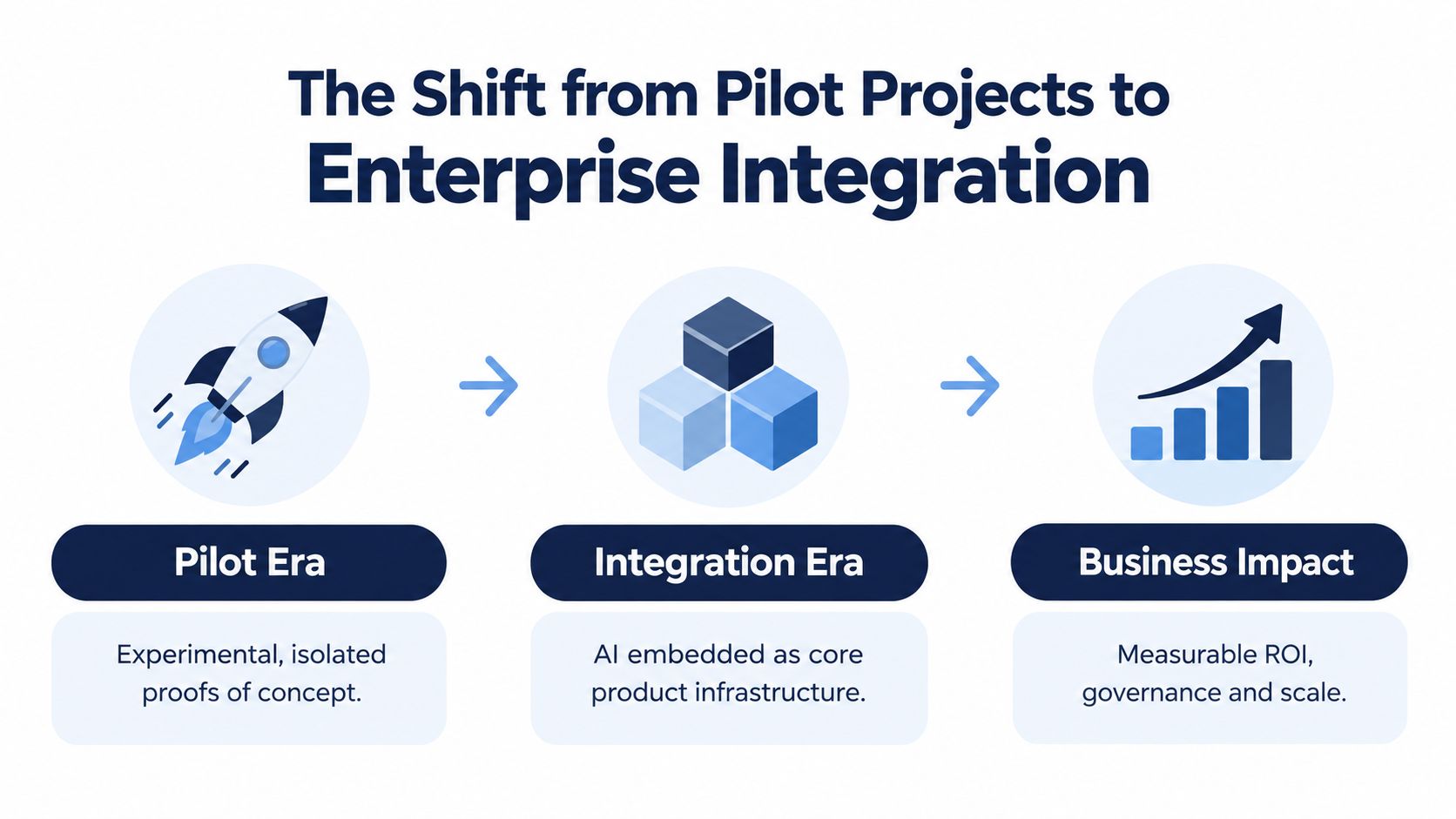
A useful way to think about the shift is in three layers. Pilot Era is experimentation, Integration Era is where AI becomes part of product infrastructure, and Business Impact is where governance and scale start to matter as much as the model itself. The companies that move fastest are the ones that stop asking, “Can AI do this?” and start asking, “What has to be true in our app for this to run every day?”
Choosing the Right Architecture Pattern
Picking an architecture pattern too early can box you into rework. A thin API wrapper is fast, but it can also become a liability if you later need grounding, routing, user-specific context, or strict security boundaries.
Match the pattern to the constraint
The easiest integration is a direct API wrapper. It makes sense when the use case is narrow, the data is low risk, and the team wants to prove value quickly. It's the wrong choice when the app needs local context from your own content, strict latency control, or multiple model calls chained together.
A retrieval layer, often called RAG, is a better fit when the model needs to answer from your data instead of inventing from memory. That pattern helps when product support, document search, or internal knowledge are the core use cases. Microservices are usually the right answer when different AI features need to scale independently, or when one team owns embeddings, another owns orchestration, and another owns the customer-facing app.
For teams in regulated or data-sensitive environments, the decision often depends on how much of the request can leave your system. That's where architecture and compliance overlap. A deeper internal design can reduce exposure, but it also raises maintenance costs, so the better pattern is the one that fits both the risk profile and the operating model. For a useful adjacent reference on infrastructure trade-offs, see Bridge Global's healthcare cloud architecture.
Compare options before you commit
| Pattern | Best fit | Main trade-off |
|---|---|---|
| API Wrapper | Fast proof of value, simple tasks | Limited control over behavior |
| Microservices | Multiple AI features, separate scaling needs | More orchestration overhead |
| Retrieval Layer | Responses grounded in your own content | Requires solid data preparation |
Rite NRG’s AI decision framework guide is helpful when the choice isn’t just technical, but organizational. The right answer often comes down to whether you need speed, control, or a system that can absorb more AI use cases later.
Keep the first version boring. The best early architecture is the one your team can observe, patch, and explain at 2 a.m. without guessing.
If you want a practical reference point for how AI gets woven into broader delivery work, Bridge Global’s AI development services fit naturally alongside custom app and platform work, especially when the AI layer has to live inside an existing product stack rather than a greenfield prototype.
Building Data Pipelines and Labeling Workflows
Most AI app failures start before inference, in the data path. Teams focus on prompts or model choice, then discover the bottleneck is messy ingestion, inconsistent labels, missing lineage, or a feedback loop that nobody owns after launch.
Design the pipeline for change, not just import
A production pipeline needs more than a one-time upload job. It has to ingest new records, validate structure, flag bad inputs, and preserve the versions that trained each release so you can audit what changed later. That matters because model behavior drifts when the underlying data shifts, and the app has to keep working while the dataset evolves.
Labeling is where many teams underinvest. Supervised systems need clear label definitions, reviewer consistency, and a way to handle disagreement without poisoning the training set. If the labels are unstable, the model will be unstable too, even when the code is clean.
Data lineage isn’t paperwork. It’s how you answer the question, “Why did the model do that?” without rebuilding the entire training history.
Keep feedback loops close to the product
The strongest workflow I’ve seen is simple. Capture the user action, store the model output, record whether a human corrected it, then feed that signal back into the next training or evaluation cycle. That closes the gap between app usage and model improvement without forcing the product team to invent a separate analytics stack.
For teams working through this in healthcare or other data-heavy environments, Bridge Global’s healthcare data pipeline architecture is a useful complement because it frames pipeline design as part of the product system, not a separate data science hobby.
Cloud and edge decisions belong here too. If the app needs local responsiveness, privacy, or offline behavior, edge processing can reduce dependence on round trips to a central service. If the use case needs broader orchestration or frequent updates, cloud-based processing is usually easier to maintain. The right answer is the one that preserves the data path you can operate.
Implementing MLOps and CI/CD Pipelines
A prototype becomes a product the moment the team has to ship updates without breaking behavior. That’s where MLOps starts to matter, because model versioning, test coverage, and rollback logic are just as important as app deployment.
Put models under the same release discipline as code
Model changes need version control, even when the weights are managed by a vendor API. The app should know which model version, prompt version, retrieval source, and schema definition produced a given output. Without that, you can’t reproduce failures or roll back safely when the response quality changes.
Automated testing should cover more than happy paths. Validate input shape, output schema, prompt injection resistance, latency budgets, and drift thresholds before a release goes live. If the model starts taking too long or the response format changes, the deployment should fail closed instead of silently degrading the user experience.
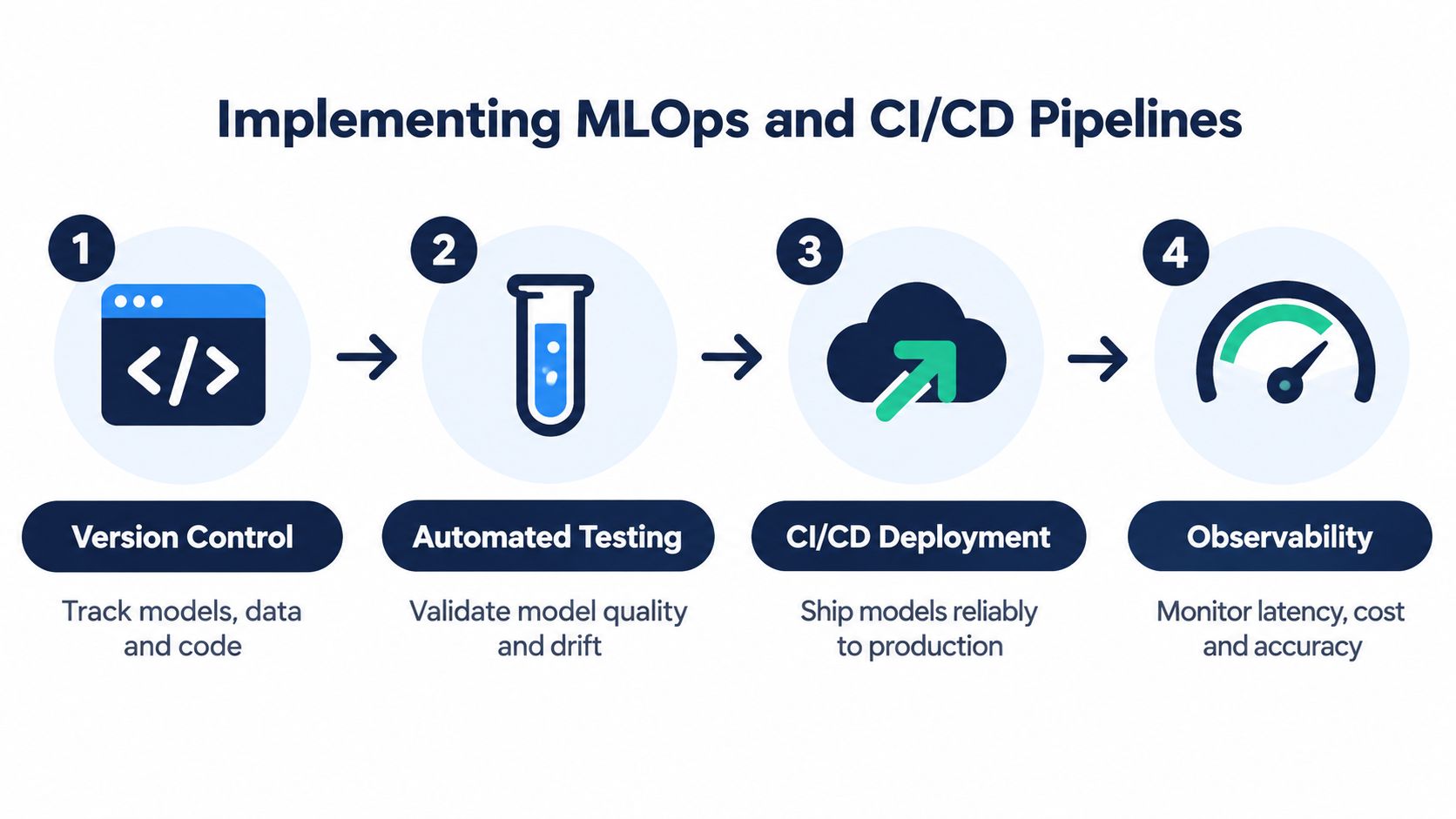
The operational pattern should be straightforward. First, track every model and prompt revision. Then run automated checks against known inputs. Deploy behind feature flags. Finally, watch the output, latency, and error rate in production before expanding exposure.
Make rollback a first-class feature
A lot of teams say they have rollback, but what they really have is “try again later.” Real rollback means the previous model or prompt can be restored quickly, and the app still knows which version served which request. That matters when a release changes tone, increases hallucinations, or starts producing incompatible output.
Bridge Global’s CI/CD pipeline guide for Friday deployments is relevant here because AI releases should follow the same discipline as any risky production change, only with stronger monitoring around the model layer.
Operational rule: if you can’t explain which version made the mistake, you don’t have a production process yet.
Security and Compliance for Regulated Applications
AI features in healthtech, finance, and insurance can’t be treated like ordinary product experiments. They touch sensitive data, they can shape real decisions, and they create new failure modes that a standard web app doesn’t have.

OWASP’s GenAI security guidance treats prompt injection and sensitive information disclosure as core application risks for systems that rely on LLMs. In practice, that means the AI layer needs input validation, output filtering, and least-privilege access controls around anything the model can read or trigger. If the model can reach a database, queue, or external action, that access has to be bounded in application code, not left to the model’s own behavior.
Draw a hard line around agency
The riskiest mistake is giving the model too much authority. OWASP also flags excessive agency as a separate issue, which means an LLM shouldn’t be allowed to take sensitive or irreversible actions without application-level controls. Keep credentials, state-changing permissions, and approval logic outside the prompt, then require human review for high-impact operations.
For regulated deployments, this becomes a product decision, not just an engineering one. If a recommendation, approval, or summary can affect a clinical, financial, or insurance workflow, the safer path is often to keep AI assistive rather than autonomous. The goal isn’t to block AI; it’s to define where the model can support a decision and where a human still has to sign off.
Check retention and access before launch
Two details often get missed during launch planning. OpenAI documents that, by default, abuse-monitoring logs for API feature usage are retained for up to 30 days, and the Responses API also uses a 30-day application-state retention period unless the store parameter is set to false or an exception applies. OpenAI’s enterprise privacy documentation also states that API inputs and outputs are removed from systems after 30 days unless legally required to be retained, with some endpoints subject to different rules.
A good secure-integration review asks three questions: what data leaves the app, what the model can act on, and how long the provider retains it. If those answers aren’t documented before production, the launch is too early.
Scaling Strategy and Governance Roadmap
Once the first AI feature works, the temptation is to expand immediately. That’s usually where teams create avoidable chaos. The better move is to make one use case stable, measurable, and governable before opening the door to multi-function rollout.
Scale only when the operating signals are solid
Deloitte’s 2026 AI report says worker access to AI rose by 50% in 2025, and that 66% of organizations already say AI has improved productivity and efficiency; it also says the share of companies with 40% or more of their projects in production is expected to double within six months. Those numbers point to a market that’s moving fast, but they don’t remove the need for discipline in your own stack.
The signal to expand isn’t excitement; it’s stability. If the app is still spending too much time on manual review, if monitoring catches frequent schema breaks, or if the cost curve is unclear, scaling just multiplies the mess. If the workflow is reliable, auditable, and easy to support, then adding another use case becomes a controlled extension instead of a reset.
Use governance as a product capability
A sane governance checklist should include version control for models and prompts, data retention policies, access reviews, human approval thresholds, observability dashboards, and rollback procedures. Those aren’t enterprise bureaucracy. They’re the mechanics that let product and engineering move without guessing.
Cost control belongs in the same conversation. AI usage can look cheap in pilot traffic and get expensive once real users start calling it repeatedly. The team should measure latency, token use or equivalent inference cost, retry behavior, and how often humans have to correct outputs, then use that data to decide whether to optimize, retrain, or narrow the feature.
A practical scale-up path looks like this, in order:
-
Stabilize one workflow: Prove that the AI output is useful and supportable before widening scope.
-
Lock the data path: Make sure the app knows where inputs come from, where outputs go, and who can see them.
-
Watch for operational drift: Monitor quality, cost, and latency continuously, not only after incidents.
-
Expand by adjacent use case: Add the next feature only when the first one is boring in production.
Bridge Global works on the same kind of cross-functional delivery model through its healthtech software development partner approach, and the practical value there is simple: product, engineering, and delivery concerns stay connected instead of being handed off in silos.
Bridge Global helps teams design, build, and integrate AI features into real software products, not just demos. If you’re planning an AI rollout that has to survive production, compliance review, and long-term support, visit Bridge Global to see how their software and AI delivery services fit into that work.

About Preethi Saro Philip
Preethi Saro Philip is a Post Graduate Research Degree holder in Economics with more than 10 years of experience in writing, editing, research and teaching. She has an intense passion for content crafting and calls herself a ‘wordsmith’. She enjoys writing on wide-ranging topics including business, technology, health & lifestyle, education, environment etc.
View all posts by Preethi Saro Philip →