



CRM Development Software: Custom & AI 2026
Your CRM probably isn’t failing because the vendor is bad. It’s failing because your business no longer fits the software.
Your sales team enters the same customer data in multiple places. Marketing runs campaigns from one system while support works from another. Finance wants cleaner account visibility. Operations wants workflow control. Everyone says the CRM is “in place,” but nobody trusts it as the operating system for revenue.
That’s the point where crm development software becomes a strategic discussion, not a tooling discussion. A CRM is no longer just a database for contacts and opportunities. For a growing company, it’s the control layer for customer relationships, handoffs, forecasting, automation, compliance, and decision-making.
Beyond Off-the-Shelf Limitations
A lot of CTOs inherit this situation. The company started with a sensible off-the-shelf CRM. It worked for a while. Then the business added more channels, more teams, more products, and more edge cases. What looked like fast adoption turned into workaround culture.
The market tells you this isn’t a niche problem. The global CRM market is projected to surpass $112 billion in 2025 and grow at about 12.8% CAGR toward $262 billion by 2032, while 91% of companies with over 10 employees use CRM software, according to Kixie’s CRM market insights for 2025. CRM is now standard infrastructure. The question isn’t whether you need one. It’s whether your current one still fits the way your business runs.
When generic software starts costing you
The warning signs are obvious once you stop normalizing them:
- Manual syncing: Teams copy data between CRM, ERP, support, and marketing tools.
- Broken process fit: Sales stages don’t match how deals really move.
- Reporting distrust: Leadership asks for pipeline visibility, then exports to spreadsheets anyway.
- Integration drag: Every new tool adds another brittle connector.
- Workflow compromise: The software dictates the process instead of supporting it.
That’s where crm development software earns its place. I’m talking about building or custom engineering a CRM around your operating model, your data structure, your permissions, and your integrations.
A CRM should reflect your business logic. If your team keeps bending to fit the tool, the tool is already too expensive.
What custom CRM development actually means
Custom CRM development doesn’t always mean rebuilding Salesforce or HubSpot from scratch. Sometimes it means building a focused platform for your core workflows. Sometimes it means creating a custom layer around existing systems. Sometimes it means replacing the generic stack entirely.
The strategic value is simple. You stop buying broad features you don’t need and start investing in process fit, usable data, and scalable architecture. That’s where competitive advantage lives.
The Core Dilemma Custom vs Off-the-Shelf CRM
Most CRM buying decisions are framed badly. The usual comparison is feature list versus feature list. That’s shallow and usually wrong.
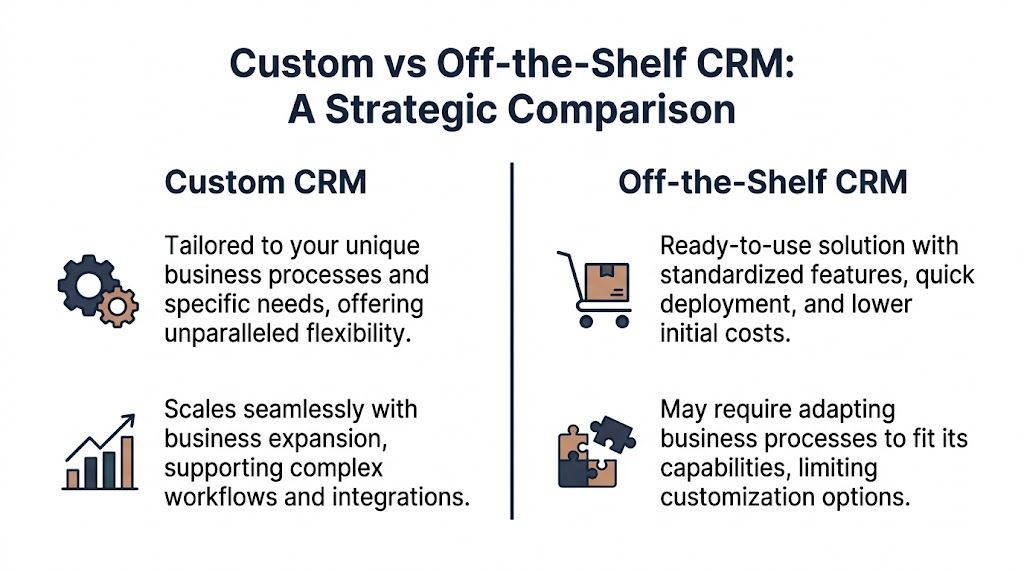
The better comparison is this. Off-the-shelf CRM is rented convenience. Custom CRM is owned capability. One gets you moving quickly. The other can become part of your business model.
What off-the-shelf gets right
Off-the-shelf platforms like Salesforce, HubSpot, and Microsoft Dynamics are strong when you need speed, standardization, and a broad ecosystem. They’re useful if your sales motion is conventional, your reporting needs are typical, and your competitive edge doesn’t depend on unusual workflows.
That makes them a practical choice for:
- Fast deployment: You need a working system quickly.
- Standard sales operations: Your pipeline process looks like the market default.
- Smaller process complexity: Fewer departments need deep customization.
- Admin-led evolution: Internal teams can manage configuration without a major engineering effort.
Where off-the-shelf breaks down
The hidden cost isn’t the subscription. It’s process distortion.
Through 2027, nearly 70% of generic CRM initiatives fail to meet business goals due to strategic misalignment rather than software limitations, as noted in this analysis of CRM implementation failures and solution patterns. That matches what CTOs see in practice. The software works. The business outcome doesn’t.
If your workflows involve regulated approvals, multi-entity account structures, territory exceptions, field operations, custom pricing logic, project delivery, or niche industry handoffs, generic CRM starts pushing your teams into friction.
Buy off-the-shelf when your process is standard. Build custom when your process is part of your advantage.
Side-by-side strategic comparison
| Factor | Off-the-Shelf CRM | Custom CRM Development |
|---|---|---|
| Initial setup | Faster to deploy with standard modules | Slower because architecture and workflows are designed intentionally |
| Upfront investment | Lower initial spend | Higher initial spend |
| Long-term fit | Often requires process compromise | Built around actual business operations |
| Customization depth | Limited by vendor model, extensions, and pricing tiers | High control over workflows, data model, permissions, and UI |
| Scalability | Good within vendor boundaries | Scales based on your architecture decisions |
| Integration strategy | Connector-heavy and sometimes brittle | API-first and designed around your stack |
| Competitive differentiation | Hard to create when competitors use the same system | Easier to encode unique process and service models |
| Data ownership and control | Vendor-governed patterns and platform constraints | Greater control over structure, access, and governance |
| Total cost over time | Predictable at first, but can rise with seats, add-ons, and complexity | Higher early cost, stronger value if CRM becomes mission-critical |
My recommendation to CTOs
Don’t ask, “Can this CRM do what we need?” Ask, “What happens to our operating model if we force ourselves into this CRM for the next few years?”
If the answer includes heavy workaround culture, custom objects piled on top of weak process design, and growing integration debt, stop treating custom as a luxury. It’s risk management.
If you’re evaluating broader enterprise architecture implications, our guide to custom enterprise software development is a useful companion read because CRM shouldn’t be isolated from the rest of your platform strategy.
Essential Features and AI-Powered Enhancements
A modern CRM shouldn’t start with AI. It should start with operational clarity.
Get the core wrong and AI will only automate bad decisions faster. Get the core right and AI becomes a powerful advantage.

The non-negotiable foundation
Every serious CRM needs a clean base layer:
- Contact and account management: Unified records, relationship hierarchies, ownership rules, and interaction history.
- Pipeline and opportunity management: Deal stages that match actual sales behavior, not a vendor template.
- Task and activity tracking: Calls, meetings, reminders, service follow-ups, and accountability.
- Role-based access control: Different visibility for sales, support, finance, operations, and leadership.
- Reporting and dashboards: Live operational views, not static reports generated after the fact.
- Integration support: Email, ERP, ecommerce systems, support tooling, marketing automation, and data platforms.
If your team hasn’t mapped the customer path well, fix that before you design screens. A useful external reference is this guide to customer journey mapping, because many CRM projects fail long before development starts. They fail in process definition.
Where AI changes the value of crm development software
Now the useful part. AI turns CRM from a record system into a decision system.
Predictive analytics is the first AI capability I’d prioritize. In CRM development, AI-powered predictive analytics can improve sales forecasting and lead to a 25% reduction in deal closure times by using machine learning models to analyze historical data and behavioral patterns, according to monday.com’s analytical CRM overview.
That matters because most CRM data is underused. Teams log calls, emails, product interest, support tickets, and buying signals. Then they treat the platform like storage. A custom AI-first CRM can score leads, flag stalled deals, identify churn risk, and prioritize accounts based on probability, not gut feel.
AI capabilities worth building in
Here’s where I’d push beyond generic automation:
Lead scoring with probabilistic models
Use historical win-loss patterns, engagement history, and buying behavior to rank pipeline value.Forecasting that learns
Replace spreadsheet-driven projections with models that adapt as rep behavior and market conditions shift.Sentiment-aware service workflows
NLP can detect urgency, frustration, or escalation risk from messages and tickets.Dynamic next-best actions
Recommend follow-up tasks, content, offers, or routing decisions based on live account context.Generative assistance for users
Draft summaries, compose follow-ups, and surface account intelligence inside the workflow.
Practical rule: Don’t add AI as a feature badge. Add it where a prediction or recommendation changes an operational decision.
If you’re evaluating where AI belongs in product architecture more broadly, this guide on AI software development solutions is worth reading. It’s a useful lens for deciding what should be model-driven, what should remain rule-based, and where human review still matters.
For companies that need implementation support, AI development services make sense when your CRM needs model training, data pipelines, embedded intelligence, and governance built into the product from the start.
Strategic Selection for Mid-Market and Enterprise Buyers
CTOs get into trouble when they buy CRM the same way they buy collaboration software. A CRM is much closer to operational infrastructure than office tooling.
The right decision usually has less to do with feature breadth and more to do with fit across revenue operations, service delivery, compliance, and integration architecture.
What you should evaluate first
Start with business mechanics, not demos.
Many businesses struggle to map core processes before CRM configuration, especially in niche verticals like construction or education, and that gap contributes heavily to CRM failure, as discussed in this article on industries that need CRM and their specific challenges. That’s exactly why broad vendor playbooks often miss the mark.
Ask these questions early:
- Where does customer data originate? Website, ecommerce, field teams, support, channel partners, ERP, or all of the above.
- Who needs to act on it? Sales, account management, service, finance, compliance, operations.
- What’s unique about your workflow? Approvals, contract steps, renewals, projects, dispatch, inventory, claims, or student lifecycle.
- What can’t break? Audit trails, access controls, service SLAs, or reporting integrity.
The strategic filters that matter
A serious evaluation should include at least these criteria.
| Decision area | What to look for |
|---|---|
| Process fit | Can the CRM reflect your actual operating model without constant workarounds? |
| Architecture | Will it support future integrations, new business units, and evolving data models? |
| Governance | Can you enforce permissions, auditability, and policy controls cleanly? |
| Usability | Will frontline teams actually work in it daily without friction? |
| Partner quality | Does your implementation team understand software engineering and your business model? |
Industry complexity changes the answer
A healthcare provider, a construction firm, and a B2B ecommerce company do not need the same CRM, even if vendors pretend otherwise.
For example, custom eCommerce solutions often depend on CRM logic that connects account history, order behavior, support interactions, promotion rules, and sales follow-up. That’s where custom eCommerce solutions need deeper integration than generic CRM packages usually deliver out of the box.
A construction firm may need project-based client records and field-service visibility. An education business may need relationship tracking across multiple stakeholders and strict access rules. An AV company may need device, installation, and service context tied to the customer relationship. These aren’t “nice-to-have” tweaks. They define whether the CRM helps or hinders the business.
Your CRM decision should support your business strategy. It should never force you to simplify the parts of your business that make you valuable.
Your Custom CRM Implementation Roadmap
A custom CRM succeeds when the project starts with operating reality, not screen design. If you begin with features, you’ll build a mess faster.
The implementation path should be disciplined, phased, and AI-aware from day one.
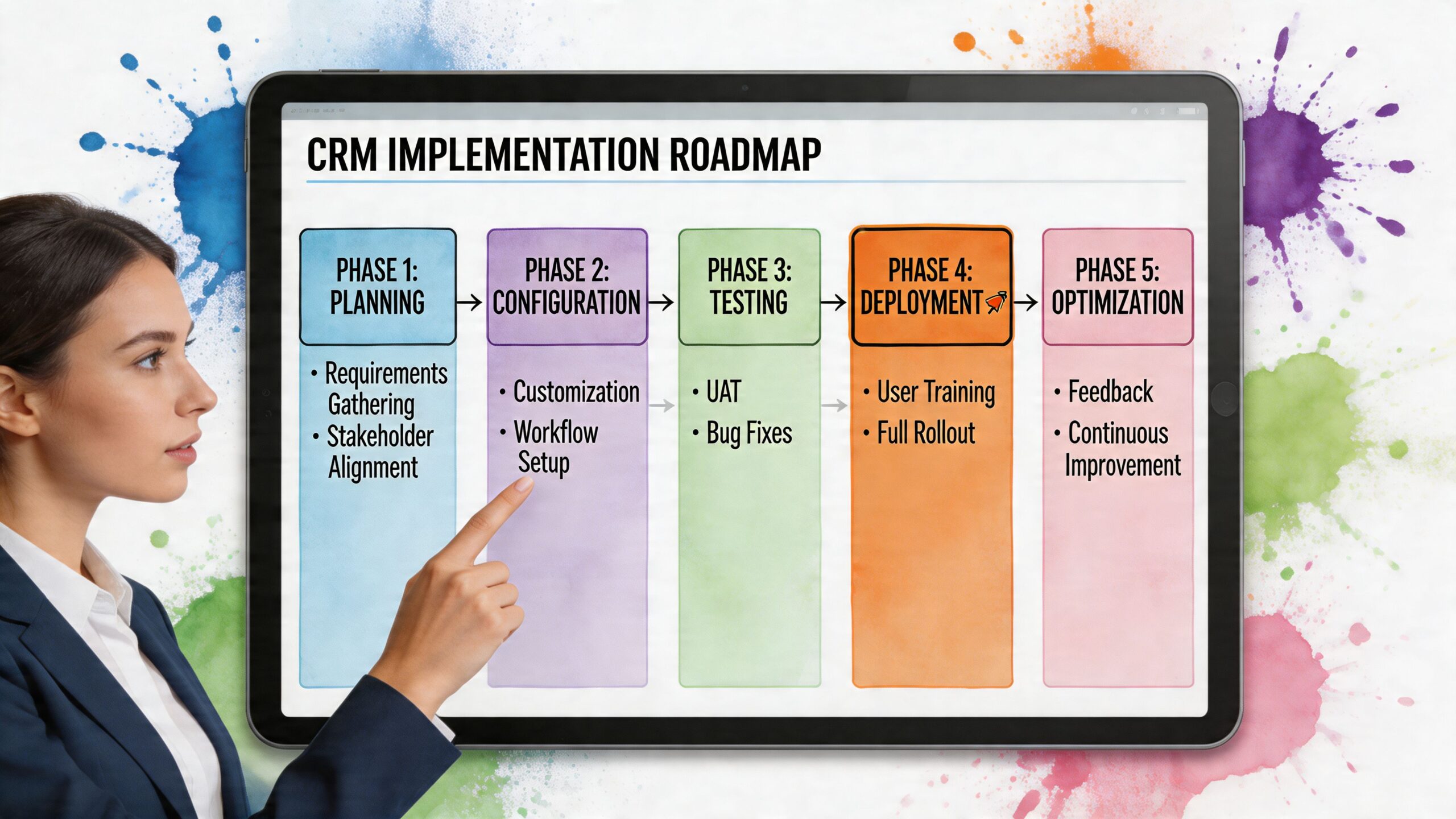
Phase 1 discovery and process mapping
At this stage, most failed CRM projects should have slowed down and didn’t.
Map how leads enter, how accounts evolve, how handoffs happen, where approvals sit, what reporting leadership needs, and which exceptions break the current system. Identify the workflows that create friction and the ones that create value.
This is also the right point to decide whether you’re building a full replacement, a hybrid architecture, or a custom layer on top of existing tools.
Phase 2 architecture and product scope
Define the product before anyone starts building.
That means choosing your system boundaries, integration model, permissions structure, reporting layer, and AI opportunities. Rule-based and AI-driven workflow automation can save over 200 hours per user annually by eliminating repetitive tasks, and using AI to predict and mitigate risks like scope creep matters because poor strategy and implementation drive CRM failures, according to IBM’s overview of CRM automation.
Phase 3 UX, workflow design, and data model
Good CRM UX is operational UX. Users should see what they need to act, not everything the database knows.
Design around roles. Sales needs pipeline flow and contact context. Service needs resolution history and urgency signals. Leadership needs confidence in dashboards. Finance may need account-level visibility tied to commercial terms. A clean data model matters as much as a clean interface.
Phase 4 agile build and integration delivery
Build in slices that map to business value, not technical vanity.
A practical sequence often looks like this:
- First slice: Core account data, contact management, pipeline flow, user roles
- Second slice: Email and calendar sync, activity capture, dashboards
- Third slice: ERP or ecommerce integration, service workflows, automation
- Fourth slice: AI scoring, forecasting, summarization, exception detection
This is where custom software development becomes more than engineering capacity. You need product thinking, API discipline, QA rigor, and delivery habits that keep business stakeholders aligned with what’s being built.
Phase 5 migration, rollout, and controlled adoption
Data migration is never just technical. It’s political and operational.
You need to decide what data is trustworthy, what gets archived, what gets transformed, and who signs off on it. Then you roll out in a way that limits disruption. Start with a controlled user group, measure real usage, and fix friction before broad deployment.
Launch isn’t success. Sustained user behavior is success.
Where AI should help the project itself
This is the part most vendors ignore. AI shouldn’t only live in the finished CRM. It should also help deliver the CRM.
Use AI during implementation to flag requirement drift, detect inconsistent workflow definitions, identify testing gaps, and monitor emerging adoption risks. That’s how you de-risk the project, not just the product.
One option in this space is Bridge Global, which works as an AI solutions partner for AI-driven software development and digital transformation, including custom CRM-related delivery where discovery, engineering, and AI lifecycle support need to work together.
Maximizing ROI and Ensuring Ongoing Compliance
A custom CRM has to earn its keep. If you can’t explain the value in operational terms, you’re not ready to fund it.
The good news is that CRM ROI is one of the clearest value cases in business software when the system is used and aligned to real processes.
What ROI should look like
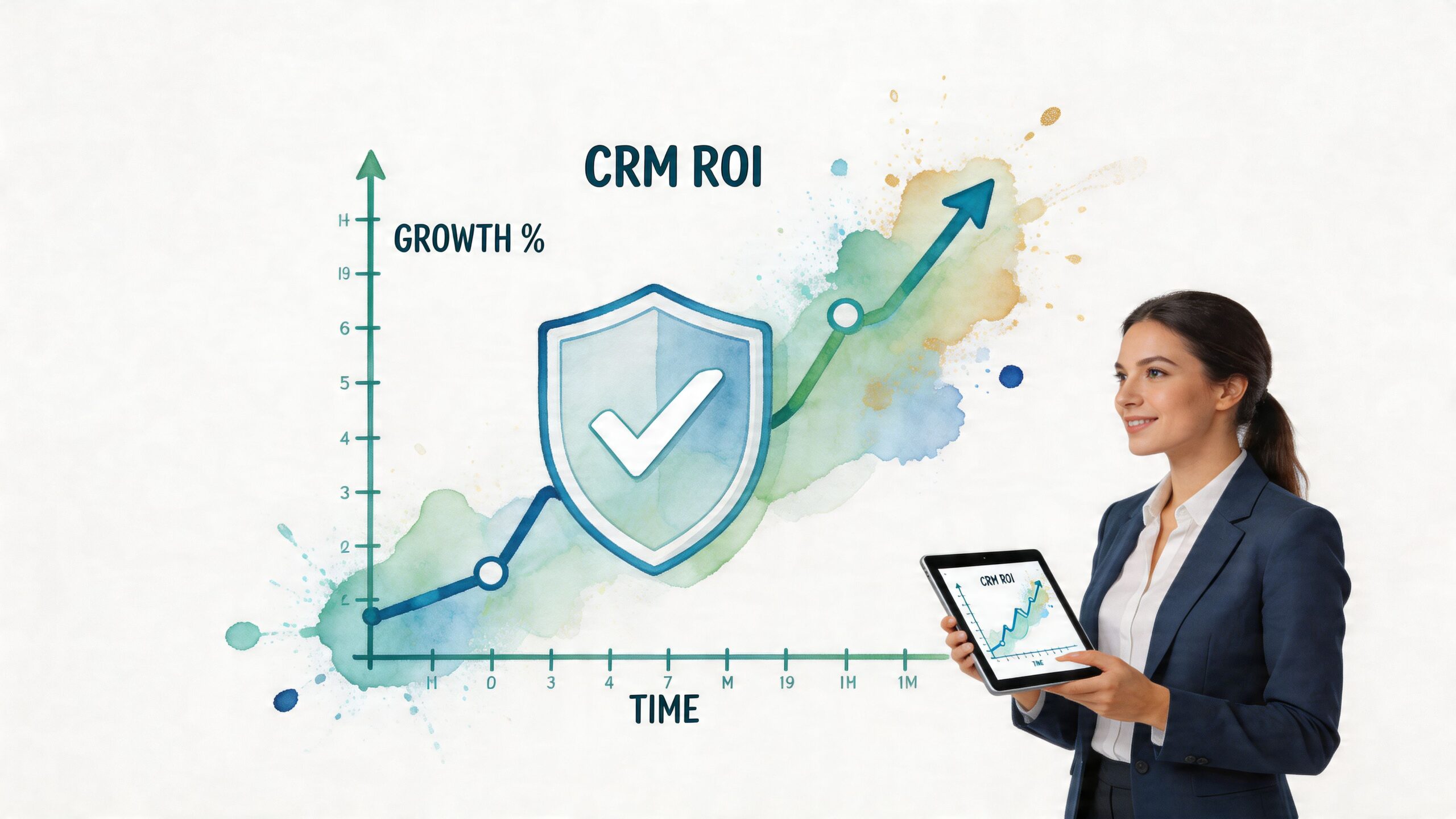
On average, CRM adoption delivers $8.71 for every dollar invested, with businesses reporting a 29% increase in sales, a 34% lift in sales productivity, and a 42% improvement in forecast accuracy. Also, 92% of organizations view CRM as essential for achieving revenue targets, according to Moovago’s CRM market statistics roundup.
Those numbers matter, but they only show up when the implementation matches the business. That’s why I tell executives to measure ROI in layers.
Commercial outcomes
- Revenue improvement: Better conversion flow, stronger pipeline discipline, better follow-up.
- Forecast confidence: Leadership stops managing from disconnected spreadsheets.
- Retention support: Account teams can see customer history and service context in one place.
Operational outcomes
- Productivity gains: Less manual entry, fewer duplicate actions, faster handoffs.
- Decision quality: Cleaner dashboards and role-specific views.
- Workflow consistency: Fewer exceptions handled through email or side systems.
Risk and governance outcomes
- Access control: Sensitive customer data stays visible only to the right roles.
- Auditability: Actions and changes are traceable.
- Compliance fit: Regulatory requirements can be designed into the product, not bolted on later.
A better way to think about case evidence
I won’t give you a fake mini case study with invented numbers. Too much CRM content does exactly that.
What I can tell you is this. In regulated environments, the return often shows up first in governance and reporting quality before it shows up in topline sales metrics. In multi-team commercial businesses, the return usually appears through pipeline consistency, better routing, and lower process friction. In service-heavy businesses, it often comes from cleaner handoffs and fewer dropped follow-ups.
If you’re weighing those trade-offs, our compliance-first software development guide is relevant because governance decisions should be made in architecture, not after rollout.
For real project examples, review client cases and look for signals that matter to you: complexity handled well, integrations delivered cleanly, adoption supported, and compliance treated as product design.
A CRM pays back when it reduces operational drag and improves decision quality at the same time.
Your Next Steps Toward a Smarter CRM
If your CRM still works as a glorified contact database, you’re underusing one of the most important systems in your business.
The strategic choice isn’t “custom versus standard” in the abstract. It’s whether your company wants to keep adapting itself to generic software or invest in a CRM that reflects how it sells, serves, governs data, and grows. For many mid-market and enterprise teams, an AI-first custom approach is the more rational long-term decision.
Start with process mapping. Identify where your current CRM creates friction, where your data loses value, and where AI could improve decisions instead of just automating administration. Then decide what should be configured, what should be integrated, and what should be built.
If you’re evaluating how to apply AI for your business, a CRM is one of the most strategic places to start because it sits at the center of customer data, workflows, and revenue execution.
Frequently Asked Questions
Is custom CRM development always better than buying a platform
No. If your processes are standard and your growth model doesn’t depend on workflow differentiation, buying is often the smarter move. Custom wins when your business has real complexity, strict compliance needs, or integration requirements that generic tools handle poorly.
Should we replace our CRM entirely or build around it
That depends on where the bottleneck sits. If the core data model and workflow engine are still usable, a custom layer or modular rebuild may be enough. If the platform forces constant workarounds, replacement becomes easier to justify.
Is data migration the biggest risk
It’s one of the biggest risks, but not the only one. Poor process mapping, weak stakeholder alignment, and unclear ownership can derail a CRM project faster than migration alone. Migration gets attention because it’s visible. Strategy failures usually do more damage.
What should a custom CRM MVP include
Start with the workflows that directly affect revenue operations and user adoption. In most cases, that means account and contact management, pipeline visibility, activity tracking, permissions, reporting, and the first key integrations. AI features should come after the foundation is stable, unless one predictive use case is central to the business value.
How do we justify the investment to the board
Tie the decision to operational outcomes, not feature ambition. Show where the current system creates inefficiency, reporting risk, compliance exposure, or missed commercial opportunities. Then frame the custom build as infrastructure for execution, not as a software vanity project.
What kind of partner should we look for
Choose a partner that can handle discovery, architecture, product thinking, engineering, integration, QA, and support. A CRM partner should understand your business process as well as the software stack. If they only talk about platform features, keep looking.
Bridge Global can help you assess whether to build, extend, or replace your CRM with an AI-driven approach grounded in business process reality. If you’re planning a smarter CRM strategy, explore Bridge Global and start the conversation with a discovery-led view of your workflows, integrations, and long-term product architecture.

About Preethi Saro Philip
Preethi Saro Philip is a Post Graduate Research Degree holder in Economics with more than 10 years of experience in writing, editing, research and teaching. She has an intense passion for content crafting and calls herself a ‘wordsmith’. She enjoys writing on wide-ranging topics including business, technology, health & lifestyle, education, environment etc.
View all posts by Preethi Saro Philip →