


A Guide to Maintenance and Support in Software Development
The day your software goes live isn’t the end of the road; it’s just the beginning of the journey. Too often, teams treat launch day like a finish line, popping the champagne and moving on. But maintenance and support in software development isn’t some optional add-on; it’s the very engine that keeps your application relevant, secure, and valuable long after the initial excitement fades.
The Unsung Hero of Software Success
Here’s a hard truth many businesses learn too late: the real work starts after deployment. Think of it like buying a brand-new car. It looks fantastic and runs perfectly off the lot, but its long-term performance depends entirely on regular oil changes, tire rotations, and tune-ups. Software is exactly the same.
Without a dedicated “pit crew” to handle ongoing upkeep, even the most brilliantly engineered application will eventually start to sputter. Performance will degrade, users will get frustrated, and what was once a valuable asset will slowly become a liability. A proactive approach is the only thing standing between a tool that delivers lasting returns and one that quietly fades into obsolescence.
Why Prioritize Maintenance and Support?
Putting post-launch care on the back burner is a direct threat to your reputation and your bottom line. A well-oiled maintenance strategy isn’t just about fixing things; it’s about protecting your investment.
Here’s what you gain:
-
Business Continuity: It’s simple – your software needs to work. Proper maintenance prevents the kind of costly downtime that kills sales, disrupts operations, and damages your brand’s credibility.
-
A Better User Experience: Nothing builds user trust like quick bug fixes and responsive support. When users feel heard and cared for, they stick around and become your biggest advocates.
-
Adaptability and Growth: The tech world never stands still. New operating systems, APIs, and security threats emerge constantly. Adaptive maintenance ensures your software can evolve with the market instead of being left behind.
-
Long-Term ROI: Good maintenance extends the functional lifespan of your software, ensuring you get the maximum possible value from your initial development spend.
To truly achieve long-term success and ensure your software remains a valuable asset, dedicated effort towards its upkeep is indispensable, as detailed in an article on Unlocking Long-Term Success with App Maintenance and Support.
Ultimately, a solid maintenance and support plan is a strategic necessity, not a cost center. It’s what protects your initial investment and keeps you competitive. Working with a skilled AI software development company can help you build this forward-thinking mindset, turning reactive fixes into a powerful advantage. In this guide, we’ll walk through exactly how to create a plan that secures your software’s future.
Understanding the Four Faces of Software Maintenance
If you think all software maintenance is the same, you’re setting yourself up for failure. It’s a common mistake that leads to mismanaged resources and a team that’s constantly putting out fires. A better way to think about it is like owning a car: sometimes you need an emergency tire change, other times it’s a routine oil change, and occasionally you might upgrade the engine for better performance.
Treating maintenance and support in software development as a single, generic task just doesn’t work. Each type of upkeep has a different purpose and a different impact on your bottom line. And the stakes are high. Historically, software maintenance has eaten up 60% to 80% of total lifecycle costs. A structured plan is essential when unplanned downtime can cost industrial companies an average of $260,000 per hour, a statistic you can read more about in this breakdown of software maintenance stats on getsockeye.com.
This isn’t just about fixing things. It’s about preserving and growing the value of your software investment long after the initial launch.
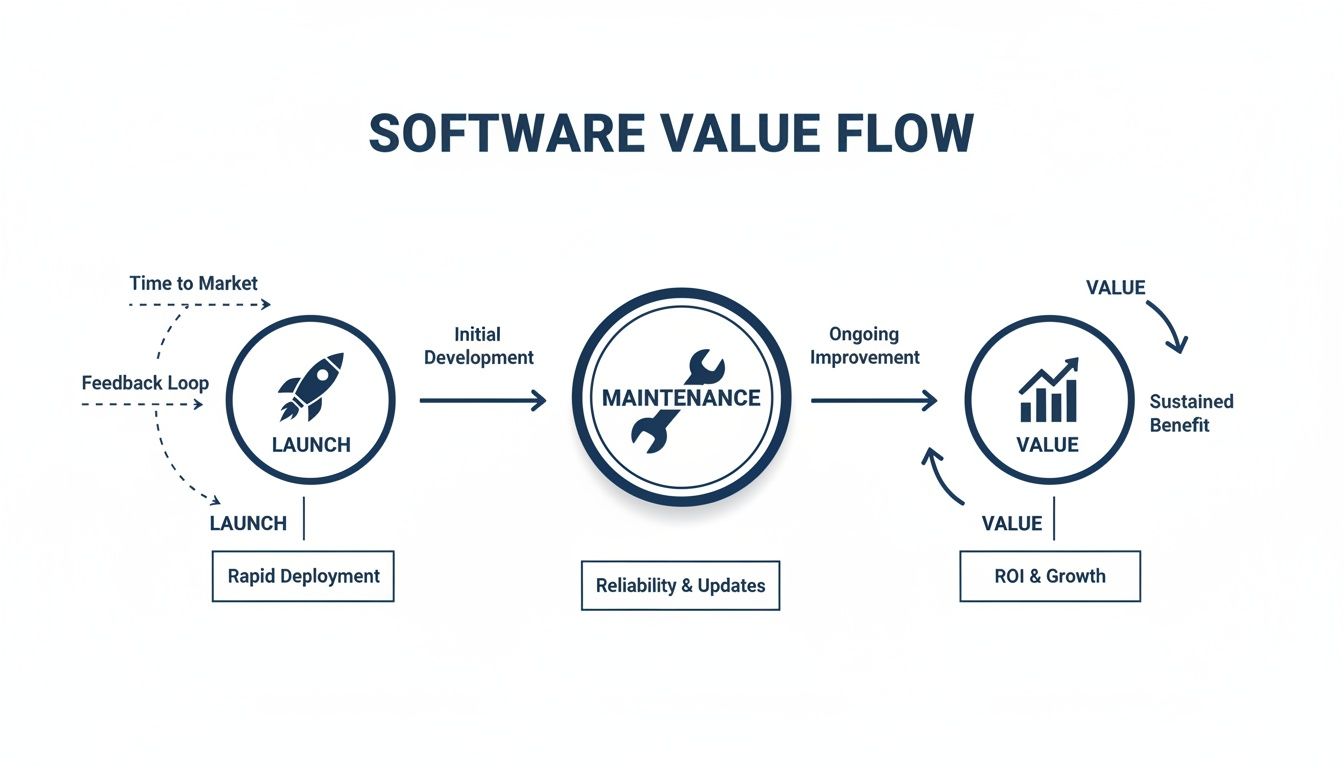
As you can see, maintenance isn’t a cost center; it’s the engine that drives sustained growth and ROI. Let’s break down the four distinct types.
Corrective Maintenance: The First Responder
Corrective maintenance is exactly what it sounds like: you’re correcting a problem that has already happened. This is your emergency response team, swooping in to fix bugs, errors, and other defects that real users are experiencing.
Maybe a customer gets a “404 Not Found” error on a critical page, or the app crashes right in the middle of a transaction. The goal here is to diagnose the issue and deploy a patch as fast as possible to get things running smoothly again. It’s absolutely necessary, but if your team is spending all its time on corrective fixes, it’s a clear sign your overall strategy is purely reactive.
Adaptive Maintenance: The Future-Proofer
Technology never stands still. Operating systems get security patches, browsers are updated, and the third-party services you rely on are constantly changing their APIs. Adaptive maintenance is the work you do to keep your software in sync with its environment.
It’s all about looking ahead. For example, if you know a payment gateway is retiring an old API, you’ll need to update your code to support the new one before the old one is switched off. This proactive work prevents your software from suddenly breaking and ensures it remains compatible with the ecosystem it lives in.
By focusing on more than just immediate fixes, you transition from a reactive state to a proactive one. This approach is fundamental to how expert teams offering custom software development build applications designed for longevity from day one.
Perfective Maintenance: The Experience Refiner
Once your software is stable and adapted to its environment, you can focus on making it better. Perfective maintenance is where you refine and enhance the product based on user feedback and new business opportunities. This is where you turn a good product into a great one.
It’s less about fixing what’s broken and more about adding value. Common examples include:
-
Improving Performance: Optimizing a database query so that a report that took ten seconds now runs in two.
-
Enhancing Features: Adding a new sorting option to a product list because customers have been asking for it.
-
Refining UX: Redesigning a confusing navigation menu to make the app more intuitive.
This is the work that directly improves user satisfaction and keeps your software competitive.
Preventive Maintenance: The Health Inspector
The most forward-thinking of the four types, preventive maintenance, is all about stopping problems before they even start. Think of it as a regular health check-up for your codebase and infrastructure.
This involves behind-the-scenes work like refactoring complex code to make it easier to manage, updating libraries to patch potential security holes, or optimizing server configurations to head off future performance issues. By investing a little time in prevention, you dramatically reduce the chances of a major outage, saving yourself from costly emergency fixes and protecting your brand’s reputation.
Choosing Your Support Model and Service Level Agreement
Even the most powerful software is only as reliable as the team standing behind it. Once you know what kind of maintenance you’ll need, the real question becomes: how will you get that support when you need it? This is where you choose a support model and lock it in with a solid Service Level Agreement (SLA). Get this right, and your software runs like a well-oiled machine. Get it wrong, and you’re in for a world of stress.
This isn’t just an operational detail; it’s a strategic decision that directly affects your budget, risk, and day-to-day stability. The right choice hinges on how critical the application is to your business, who uses it, and how much downtime you can truly afford. Picking the wrong plan can mean overpaying for services you don’t need or, worse, being left high and dry during a major failure.
Comparing Common Support Models
Software support isn’t a one-size-fits-all service. Each model strikes a different balance between cost, responsiveness, and how proactive the support is. Let’s break down the three most common approaches: Break/Fix, Managed Services, and Dedicated 24/7.
-
The Break/Fix Model: Think of this as the “call a plumber” approach. It’s purely reactive. When something breaks, you make a call and pay an hourly rate to get it fixed. This model works fine for non-critical systems where a bit of downtime won’t grind your business to a halt.
-
The Managed Services Model: This is a much more proactive, subscription-based partnership. You pay a consistent fee for a team to actively monitor your system’s health, perform routine maintenance, and tackle issues as they pop up. Because the provider is incentivized to prevent problems, it’s a fantastic fit for most business-critical applications.
-
Dedicated 24/7 Support: This is the top tier of service, built for mission-critical applications that simply cannot fail, especially those with a global user base. You get a dedicated team on standby around the clock, ready to jump on any issue immediately, day or night.
Choosing between these models is a fundamental part of good risk mitigation. As we explored in our guide on managing project risks in software development, making the right support choice is a critical step in protecting your project from unforeseen challenges.
To make the choice clearer, let’s compare these models side-by-side.
Software Support Model Comparison
This table helps you weigh the pros and cons of each support model, making it easier to see which one aligns with your specific business needs, budget, and risk tolerance.
| Feature | Break/Fix Model | Managed Services Model | Dedicated 24/7 Support |
|---|---|---|---|
| Approach | Reactive (Fixes problems after they occur) | Proactive (Focuses on prevention and monitoring) | Immediate & Proactive (Constant monitoring, instant response) |
| Cost Structure | Pay-as-you-go (Variable, hourly rates) | Subscription (Predictable, recurring fee) | Premium Subscription (Highest, fixed cost) |
| Best For | Non-critical apps with low impact from downtime | Business-critical applications that need stability | Mission-critical systems with zero downtime tolerance |
| Incentive | Provider profits from problems | Provider profits from stability | Provider’s sole focus is your system’s uptime |
| Response Time | Varies, can be slow | Defined in SLA, typically fast | Near-instantaneous |
Ultimately, the best model is the one that lets you sleep at night, knowing your software is in good hands and your business is protected.
Defining Your Service Level Agreement (SLA)
An SLA is your contract of accountability. It’s the formal document that takes vague promises about “support” and turns them into specific, measurable guarantees. Without one, you’re just hoping for the best. With a strong SLA, you have an enforceable agreement that protects your investment. The successful outcomes in our client cases are always built on this foundation of clear, documented expectations.
When you sit down to negotiate an SLA, insist on metrics you can actually track. Here are the must-haves:
-
Response Time: How quickly will the team acknowledge your support ticket? This should be spelled out clearly, often based on the issue’s severity (e.g., 15 minutes for a critical outage versus 4 hours for a minor bug).
-
Resolution Time: Beyond just responding, how long will it take to actually fix the problem? While this can be harder to guarantee, a good SLA will set target resolution times for different types of issues.
-
Uptime Guarantee: This is a big one. It’s a promise that your application will be up and running for a specific percentage of time, like 99.9% uptime. If the provider fails to meet this, there should be penalties or service credits for you.
-
Support Availability: This defines the hours of coverage. Are you covered during standard business hours (like 9-to-5), or do you have 24/7/365 protection?
An SLA isn’t just a legal formality; it’s a strategic tool. It aligns your business goals with your support partner’s performance, ensuring your investment in maintenance and support in software development delivers real, reliable value.
Optimizing Your Support Workflows and Tool Stack
Let’s be honest: even the most brilliant engineers can’t deliver great support without a solid process behind them. When your workflow is a mess, you’re just firefighting. Tickets get lost, users get angry, and your team burns out. But with a well-designed workflow, you can turn chaotic reactions into a predictable, professional operation that makes your maintenance and support in software development a real strength.
The whole point is to build a transparent system that tracks every issue from the moment it’s reported until it’s completely resolved. When you get this right, nothing falls through the cracks. You stop scrambling and start building customer confidence with every ticket you close.
The Anatomy of a Support Ticket
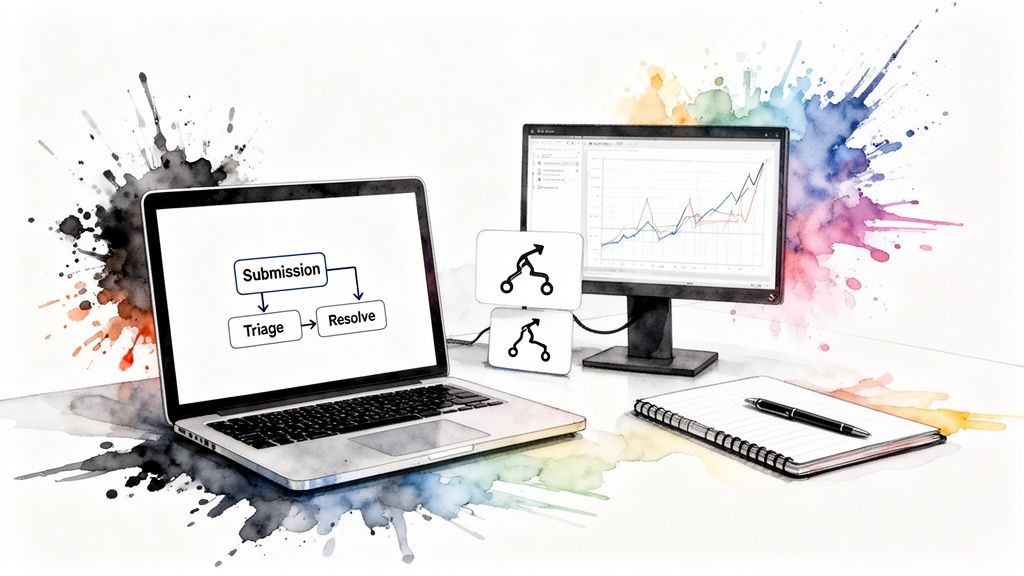
A smooth maintenance workflow follows a ticket through a few crucial stages. Think of it as a journey where every step is an opportunity to communicate clearly and get closer to a solution.
-
Submission & Triage: It all starts when a user reports an issue, usually through a portal or email. The first job is to figure out how serious it is. A system-wide outage is obviously a critical priority, while a minor typo on a webpage is a low priority. This quick sort is essential.
-
Assignment: Once you know the priority, the ticket goes to the right person. You assign it based on the skills needed, ensuring the engineer best equipped to solve that specific problem gets it right away.
-
Resolution: The engineer dives in. They investigate the problem, code a fix, and run tests to make sure it works. Documenting the steps they took is a non-negotiable part of this stage.
-
Verification & Closure: The fix is deployed, and you circle back to the person who reported the issue to confirm it’s actually solved. Only after they give the thumbs-up is the ticket officially closed.
This structured flow creates a single source of truth for every problem. It eliminates confusion and provides a clear, auditable trail from problem to resolution, ensuring accountability at every step.
Building Your Essential Tool Stack
The right technology is the backbone of any good workflow. A smart, integrated tool stack gives your team the visibility they need, helps them work together, and automates the tedious stuff so they can focus on actual problem-solving.
Here are the core components of a modern support tool stack:
-
Ticketing Platforms: This is your command center. Tools like Jira Service Management or Zendesk manage the entire ticket lifecycle, making sure every issue is tracked from start to finish.
-
Performance Monitoring Tools: You need eyes on your application’s health in real-time. Platforms such as Datadog or New Relic help you spot performance slowdowns and potential failures before your users do.
-
Version Control Systems: Git is absolutely essential. Managed through platforms like GitHub or GitLab, it gives you a complete history of every code change. This makes it incredibly easy to trace bugs back to their origin and safely manage fixes.
-
Communication Hubs: Your team needs a place to collaborate instantly. Tools like Slack or Microsoft Teams integrate with your other systems to send alerts and create a space for real-time troubleshooting.
Automation is what ties it all together. By integrating automated testing and CI/CD (Continuous Integration/Continuous Deployment) pipelines, you dramatically improve the quality of your fixes and the speed at which you can deploy them. This is also where partnering with a firm that specializes in AI development services can help you build a truly intelligent and efficient support operation.
How AI Is Revolutionizing Software Maintenance
Software maintenance has traditionally been a reactive job. You wait for something to break, then you scramble to fix it. But Artificial Intelligence is flipping that model on its head, turning maintenance into a smart, data-driven operation that anticipates problems before they ever affect a single user.
This isn’t just a futuristic concept; it’s happening now. Machine learning models are constantly sifting through system logs, performance metrics, and user behavior patterns. They spot tiny deviations that a human engineer would likely miss, allowing them to forecast potential failures with impressive accuracy. This fundamentally changes the game from constant firefighting to strategic, preventive action.
Predictive Maintenance and Root Cause Analysis
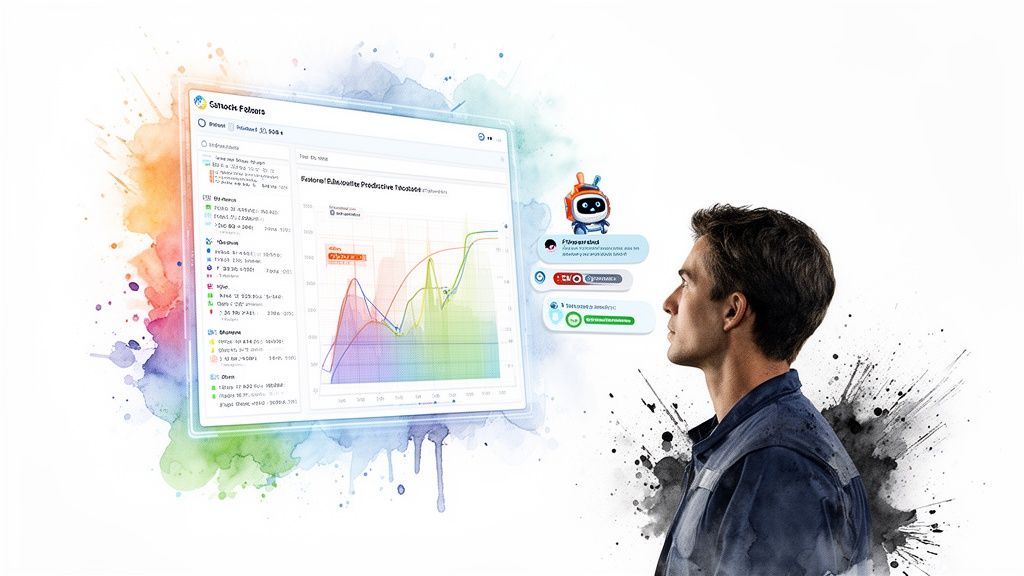
One of the biggest game-changers AI brings to the table is predictive maintenance. Think of it as an intelligent early warning system for your software. By crunching massive amounts of historical and real-time data, AI can flag components that are at risk or predict performance issues before they spiral out of control.
For instance, an AI model might notice that a specific database query has been slowing down by milliseconds each day for weeks. It can alert the team to optimize it long before it grinds the application to a halt. This gives engineers the breathing room to schedule fixes during low-traffic periods, completely avoiding emergency patches and costly downtime.
But AI doesn’t just predict problems; it helps solve them faster. AI-driven root cause analysis tools act like digital detectives, poring over gigabytes of logs in seconds to find the exact line of code or configuration error that caused a bug – a task that might take a human engineer hours, or even days.
This incredible speed drastically shortens the time it takes to resolve issues and frees up your senior developers from tedious diagnostic work. This power also extends to the development phase itself, as we explore in our article on Generative AI in software testing, which helps build more resilient applications from the very beginning.
The Rise of AI-Powered Support
The impact of AI isn’t just behind the scenes. It’s also making a huge difference on the user-facing side of support. Sophisticated AI-powered chatbots are now fully capable of handling a large volume of Tier-1 support requests.
Forget the clumsy, frustrating bots of the past. Today’s AI assistants can understand natural language, pull information from knowledge bases, and walk users through common troubleshooting steps without any human help.
This automation delivers a few powerful benefits:
-
Instant Responses: Users get immediate help 24/7, which significantly improves their experience and satisfaction.
-
Reduced Ticket Volume: By deflecting common and repetitive questions, AI cuts down the queue of tickets that need human attention.
-
Empowered Experts: With the simple tasks automated, your skilled support engineers can focus their energy on the complex, high-impact problems that truly require their expertise.
By integrating AI for your business, you build a support ecosystem that is faster, more efficient, and easier to scale. It’s a practical strategy that reduces operational costs, minimizes downtime, and ultimately builds a much stronger relationship with your users.
Finding the Right Maintenance and Support Partner
Let’s be honest: building a skilled, in-house maintenance team that’s on call around the clock is a huge commitment. The cost of finding, training, and keeping top engineers is steep, and that challenge multiplies when you need 24/7 coverage. For many businesses, the smarter path is to outsource maintenance and support in software development to a dedicated technology partner.
This isn’t just about handing off tasks. It’s about making a strategic play that gives you an immediate edge. Outsourcing plugs you directly into a deep well of engineering experience without the financial drag of direct hires. More importantly, it liberates your core development team from the constant pull of bug fixes, freeing them up to focus on what they do best: building the future.
What to Look for in a Partner
Choosing the right partner is everything. Think of it as a long-term relationship founded on technical skill and trust. The wrong choice can bleed resources and leave you with subpar service. To get it right, you need to know what to look for.
Here are the key things to evaluate in any potential partner:
-
Verified Technical Skills: They must have demonstrable expertise in your exact technology stack. This includes everything from programming languages and frameworks to your cloud infrastructure.
-
Relevant Industry Experience: A partner who already knows your market is invaluable. If you’re running an online store, for example, you want a team with a proven history of supporting custom ecommerce solutions.
-
Robust Security and Compliance: This team will have the keys to your kingdom – your code and your data. Make sure their security protocols are airtight, and they can meet any compliance standards your industry demands.
-
Cultural Alignment and Communication: The best partners feel like a natural extension of your own team. They should communicate transparently, share your standards for quality, and be genuinely invested in your success.
A partnership is more than a contract; it’s a strategic alliance to secure your software’s future. The right partner acts as a custodian of your technology, actively working to protect and enhance its value over time.
As we’ve covered before, nurturing this relationship is key. You can find more practical advice on this in our guide to building a long-term tech partnership model.
Ensuring a Smooth Handover
Once you’ve made your choice, the transition is the final, crucial hurdle. A clumsy handover spells chaos and leaves your new team struggling to catch up. A smooth one, however, paves the way for success right out of the gate.
A solid handover plan should always include these three steps:
-
Comprehensive Knowledge Transfer: Your current team needs to thoroughly walk the new partner through the application. This means deep dives into the architecture, codebase, and any known quirks or recurring issues.
-
Secure Asset Handover: Methodically transfer every necessary asset. This includes code repositories, databases, environment configurations, and all existing documentation. Nothing can be left behind.
-
Establish Clear Workflows: Define exactly how your team will submit tickets, how priorities will be communicated, and what the update cadence looks like. Both sides need to be crystal clear on the SLA and expectations from day one.
By picking your partner carefully and managing the transition with precision, you turn maintenance from a headache into a well-oiled machine. It’s a move that not only secures your investment but also gives your business the confidence to innovate and grow.
Frequently Asked Questions
What is the biggest cost in software maintenance?
The lion’s share of the budget typically goes to unplanned corrective maintenance; in other words, fixing unexpected bugs. This reactive work is disruptive because it pulls developers off planned projects. However, adaptive maintenance (updating software for new operating systems or APIs) also takes a big slice of the pie. The best way to shrink these costs is to adopt a proactive strategy that prioritizes preventive and perfective work.
How do I know if I need a dedicated support team?
You almost certainly need a dedicated team if your software is mission-critical, where any downtime translates directly to lost revenue or stalled operations. Other clear signs include having a global user base that needs 24/7 coverage, requiring constant security monitoring, or finding that the sheer volume of support tickets is keeping your development team from building new features.
Is it possible to switch support providers?
Absolutely. Switching providers is a common strategic decision to get better service or value. A smooth transition all comes down to a well-managed handover plan. This involves in-depth knowledge transfer sessions, the secure transfer of all code and documentation, and a short period where both the old and new teams run in parallel to ensure nothing gets missed. A professional partner will lead this process to guarantee a risk-free migration.
How does AI actually lower maintenance costs?
AI cuts costs in two main ways: proactive intervention and automation. Predictive tools flag potential system failures before they happen, helping you avoid expensive emergency fixes and downtime. AI can also diagnose the root cause of a bug in minutes, not hours. On top of that, AI chatbots automate responses to common user queries, reducing the need for a large support staff and letting your best engineers solve the toughest problems.

About Stephanie Cornelissen
Stephanie Cornelissen is a Technical Solutions Consultant with strong experience helping organizations navigate complex digital change. She works closely with teams to align business goals with practical, scalable technology solutions. With expertise in system architecture, integrations, and emerging technologies, she focuses on solving real-world problems through thoughtful execution. She enjoys working where technology meets business strategy and measurable growth.
View all posts by Stephanie Cornelissen →