

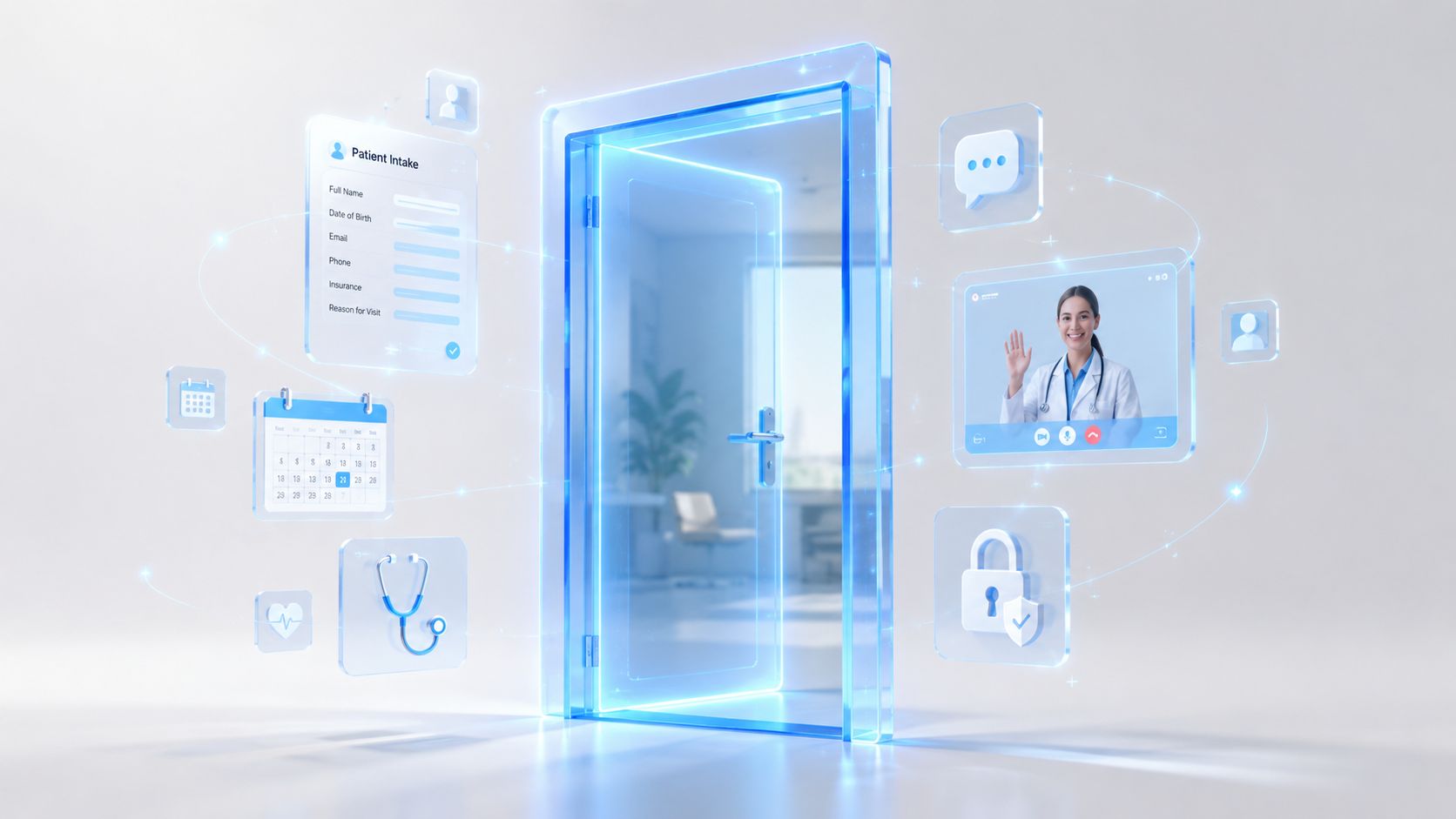

Healthcare Digital Front Door: An Ultimate Guide
A lot of hospital leaders are in the same spot right now. The website has been refreshed. Online booking exists in some clinics. The patient portal works for some use cases. The call center still carries too much of the load, and patients still repeat the same information across forms, phones, and visits. From the board's perspective, it can look like the organization has digital tools. From the patient's perspective, it still feels fragmented.
That gap is where the healthcare digital front door matters. It isn't a feature. It's an operating model for how people discover care, access care, prepare for care, receive care, and stay connected after the visit. When it's designed well, patients experience one coherent journey instead of a patchwork of separate applications and departments.
For innovation boards, the strategic question isn't whether digital access matters. It's whether your current tools behave like one front door or several side entrances that don't talk to each other.
Beyond the Website Welcome Mat
A patient notices a new symptom late at night. She opens the hospital website on her phone, searches for care, clicks into a service page, then hits a dead end. One page says to call. Another sends her to a portal account she doesn't have. A chatbot asks broad questions but can't route her to the right clinic. The next morning, she calls, waits, gives her details, then repeats the same information at registration and again in the exam room.
Most organizations don't create this experience on purpose. It happens when each digital touchpoint is procured or built in isolation. Marketing owns the website. Operations owns scheduling. IT owns the portal. Clinical teams adopt telehealth tools. Revenue cycle adds payment systems. Each piece may work on its own, but the patient experiences the seams.
A better version looks very different. The patient searches symptoms or services, finds the right care path, answers guided intake questions, books an appointment, receives preparation instructions, completes forms on her phone, joins a virtual visit if appropriate, and follows up through secure messaging without re-entering the same story. That is the healthcare digital front door in practice.
What the term really means
A healthcare digital front door is an omnichannel patient engagement strategy. It starts before the first appointment and continues after the encounter. It includes digital discovery, care navigation, scheduling, registration, communication, payments, follow-up, and the handoff into clinical systems.
That definition matters because boards often reduce the concept to one visible tool, usually the website or the portal. Those tools matter, but neither is the front door by itself. The front door is the connected experience across them.
Patients don't judge your digital maturity by the number of systems you own. They judge it by how little friction they feel.
This is also why implementation often stalls. Leaders approve separate products, then expect the experience to become unified on its own. It won't. Someone has to design the workflows, data flows, identity model, and governance behind the scenes. In many cases, that requires a specialized healthtech software development partner that can connect patient-facing channels with clinical and operational systems.
Why boards should care
The front door shapes three outcomes at once:
-
Patient acquisition: People choose the provider they can understand and access quickly.
-
Patient retention: A smooth journey makes patients more likely to return for future care.
-
Operational resilience: Digital self-service removes routine work from phone queues and front-desk staff.
If you've seen rising pressure around patient access, fragmented service lines, or inconsistent digital adoption, you're not looking at a website problem. You're looking at a journey design problem, something closely related to the patient engagement themes discussed as we explored in our guide.
The Core Components of a Digital Front Door
A digital front door becomes useful when leaders stop thinking in terms of features and start thinking in terms of connected patient tasks. Each component should remove a point of friction. Together, they should feel like one service.
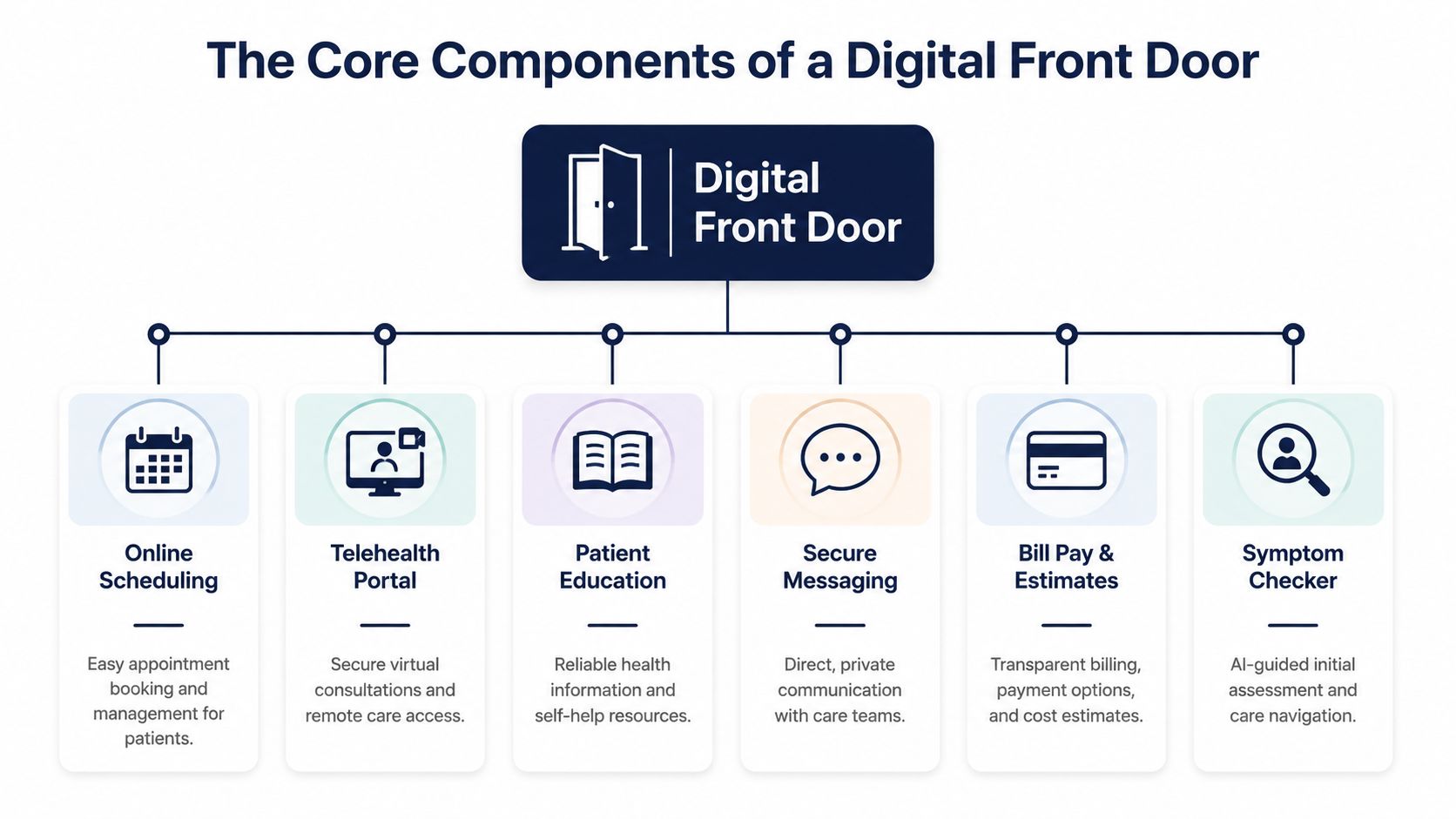
Patient intake and registration
What it is: Digital forms, identity capture, insurance submission, consent workflows, demographics, and medical history collection before the visit.
Why it matters: Intake sets the tone for everything that follows. If patients must print forms, scan cards, or retype data they already submitted, confidence drops early. For staff, poor intake creates downstream cleanup in registration, billing, and chart prep.
A strong intake layer should adapt to the visit type. A first-time specialist consult needs different data than a follow-up virtual appointment. That kind of workflow design often sits at the center of custom healthcare software development, especially when organizations need forms, validation logic, and data mapping suited to their care model.
AI-powered triage and symptom guidance
Symptom checkers and triage flows help patients answer a basic but critical question: where should I go next? Without guidance, patients either overuse urgent channels or abandon the process entirely.
The value isn't only convenience. Good triage improves routing. It can direct low-acuity needs to self-service, virtual care, or primary care while surfacing higher-risk cases for faster review. The triage layer should always fit clinical governance rules and escalation pathways, not operate as a freestanding chatbot.
Smart scheduling
What it is: Self-scheduling, waitlist management, reminders, rescheduling, referral scheduling, and rules-based appointment matching.
Why it matters: Scheduling is often the first true transaction in the patient journey. If patients can't find the right provider, visit type, or location, they call. That transfers complexity to staff and introduces inconsistency.
For teams comparing workflow options, this overview of best appointment scheduling software is a practical resource because it highlights the differences between generic booking tools and systems built for more structured service workflows.
Telehealth and virtual care
Virtual visits, remote follow-ups, and digital check-ins extend the front door beyond the hospital campus. They also change how capacity is used. Some visit types don't require a room, front-desk workflow, or on-site waiting experience.
What matters is continuity. A telehealth tool that requires separate login steps, duplicate scheduling, or disconnected notes doesn't strengthen the front door. It creates another hallway.
Patient portals and education
Portals remain important, but they work best as part of a broader ecosystem. Patients use them to view records, review instructions, pay bills, complete tasks, and message care teams. Education tools add another layer by giving patients trusted, contextual information linked to their care journey rather than a generic content library.
Secure messaging and billing touchpoints
Messaging keeps the relationship active between encounters. Billing tools reduce another common source of confusion by giving patients cost visibility, statements, and payment options in the same digital environment.
Practical rule: If a patient has to switch channels to complete a routine task, your front door still has gaps.
The architectural principle underneath
These six components only create value when they share context. That means a patient's identity, appointment data, communication preferences, and clinical workflow status must move cleanly across systems. APIs, event flows, and shared orchestration matter more than feature checklists. The patient doesn't care which vendor owns which module. The patient cares that the system remembers what already happened.
The Business and Clinical Case for Investment
Boards rarely approve a digital front door because the concept sounds modern. They approve it when the initiative maps to access, margin protection, staff capacity, and care quality.
Business benefits
The business case starts with access. If patients can find the right service line, book without friction, and complete pre-visit tasks independently, the organization becomes easier to do business with. That affects how new patients enter the system and how existing patients stay within it across follow-up visits, diagnostics, and specialty referrals.
Administrative efficiency is the second major driver. Staff spend too much time on repetitive work: answering scheduling calls, chasing missing forms, correcting demographic records, sending reminders, and handling avoidable questions that could have been resolved digitally. A connected front door shifts simple tasks to self-service and gives staff better context for the tasks that remain.
A third advantage is operational visibility. Digital workflows generate cleaner process data than phone-and-paper pathways. Leaders can see where patients drop off, where forms fail, where reminders aren't landing, and where appointment rules create confusion. That makes improvement continuous rather than anecdotal.
What executive teams usually care about
-
Growth with control: Better digital access can expand reach without requiring every interaction to pass through a staffed channel.
-
Staff utilization: Front-desk and contact center teams can focus on complex cases instead of basic transactions.
-
Experience consistency: Service lines stop inventing separate workflows that confuse patients and weaken the brand.
-
Scalable investment: Flexible software development service models make it easier to roll out high-value capabilities in stages rather than funding a single disruptive program.
Clinical benefits
The clinical case is just as strong, but it needs to be framed correctly. The goal isn't to make care feel digital. The goal is to remove friction that delays, distorts, or weakens care delivery.
When pre-visit intake is structured well, clinicians receive more complete information before the encounter. When symptom guidance routes patients appropriately, they reach the right setting faster. When reminders, instructions, and follow-up messages are timely, patients are more likely to arrive prepared and stay engaged after the visit.
There's also a quality dimension to consistency. A fragmented front door creates variation in how patients enter care. Some arrive with complete intake. Some don't. Some understand the next step. Some leave uncertain. Digital orchestration reduces that randomness.
Boards should treat digital access as part of care delivery design, not as a marketing convenience.
Clinical outcomes a front door can influence
| Clinical area | How the front door helps |
|---|---|
| Pre-visit readiness | Collects history, medications, insurance, and visit-specific information before arrival |
| Care navigation | Directs patients toward the appropriate service, clinician, or channel |
| Follow-through | Reinforces instructions, reminders, and next-step actions after the encounter |
| Continuity | Keeps communication open between visits without forcing unnecessary calls |
A useful internal argument is simple: every point of friction before care becomes a clinical risk later. The investment case becomes stronger when finance, operations, and clinical leadership all see the same chain of cause and effect.
Enhancing the Front Door with AI and Machine Learning
A static front door digitizes tasks. An intelligent front door improves decisions.
That distinction matters because many organizations already have digital forms, portals, and messaging tools. The next step isn't adding more screens. It's using AI and machine learning to make the journey more relevant, timely, and adaptive.
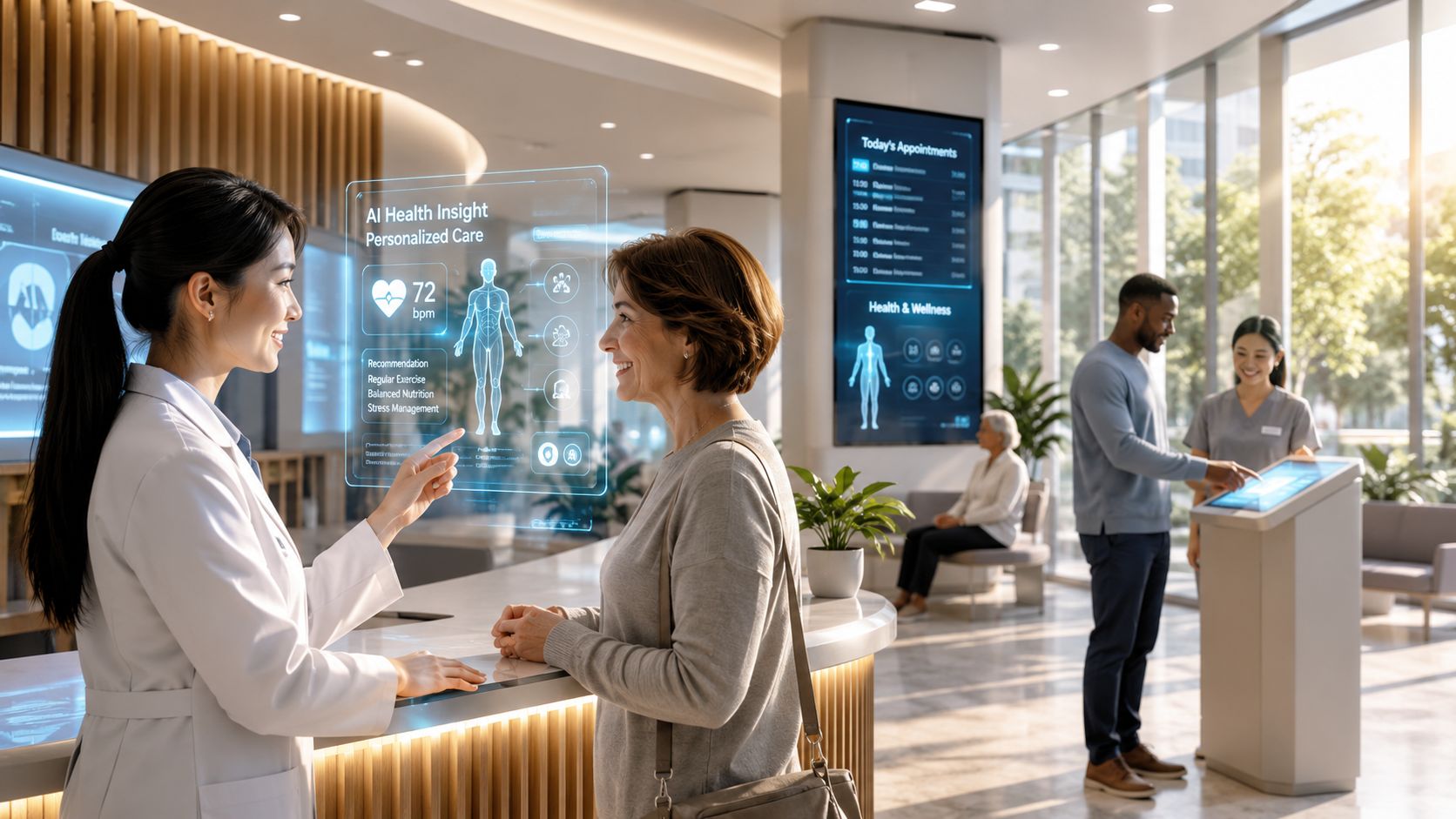
Before AI and after AI in patient navigation
Before AI, symptom guidance was usually a rigid decision tree. It asks everyone the same sequence of questions and often ends in generic advice. After AI is introduced with the right safeguards, the system can interpret free-text symptoms, recognize context, personalize follow-up questions, and present more relevant routing options.
The improvement isn't just speed. It's appropriateness. Patients need help deciding whether they should self-schedule, seek urgent assessment, start with virtual care, or contact an existing specialist. AI can support that navigation layer, provided clinical review rules and escalation logic remain explicit.
Scheduling moves from reactive to predictive
Traditional scheduling systems wait for patients to act. They show open slots, send reminders, and react to cancellations. AI-enhanced scheduling can do more. It can identify patterns in appointment demand, suggest slot configurations, surface likely mismatches between visit type and provider, and trigger outreach when patients appear to be dropping out of the scheduling flow.
That's where machine learning starts to improve operational efficiency. Scheduling stops being a calendar problem and becomes a capacity management function.
Messaging becomes more useful
Before AI, messaging systems mainly send templates. They're necessary, but blunt. After AI, communications can become more contextual. Patients can receive better-timed instructions, conversational assistance for routine questions, and support that reflects visit type, care plan stage, or language preference.
This area requires discipline. Generative AI should not invent clinical advice or operate without escalation boundaries. But within narrow, governed use cases, it can reduce friction for both patients and staff. Teams exploring secure knowledge pipelines for conversational systems often examine tools such as Web Scraping API for RAG when they need a reliable way to structure content inputs for retrieval-based experiences.
Feedback and signals that humans miss
Patient comments, messages, and support requests contain operational intelligence. Without AI, organizations read a small sample and rely on anecdote. With natural language processing, teams can identify recurring themes such as confusion around pre-op instructions, trouble completing intake, or billing questions linked to a specific service line.
That's one of the strongest use cases for enterprise AI solutions. The system doesn't just automate tasks. It learns where the journey is breaking.
-
Triage support: Improves initial guidance and routes edge cases to clinicians sooner.
-
Personalization: Adjusts education, reminders, and follow-up tasks to patient context.
-
Operational prediction: Flags scheduling gaps, likely drop-offs, and service bottlenecks.
-
Insight generation: Turns large volumes of patient language into actionable service improvements.
Organizations that want to move beyond isolated pilots usually need both AI development services and an implementation plan grounded in clinical workflow, governance, and data readiness. In this context, an enterprise AI solutions approach becomes more useful than adding a chatbot on top of disconnected systems.
Integration Patterns and Technical Architecture
The hardest part of a healthcare digital front door usually isn't the user interface. It's the system design underneath. Most health systems already have an EHR, scheduling logic, identity tools, communication platforms, revenue cycle systems, and specialty applications. The architecture question is how to make them behave like one operating environment.
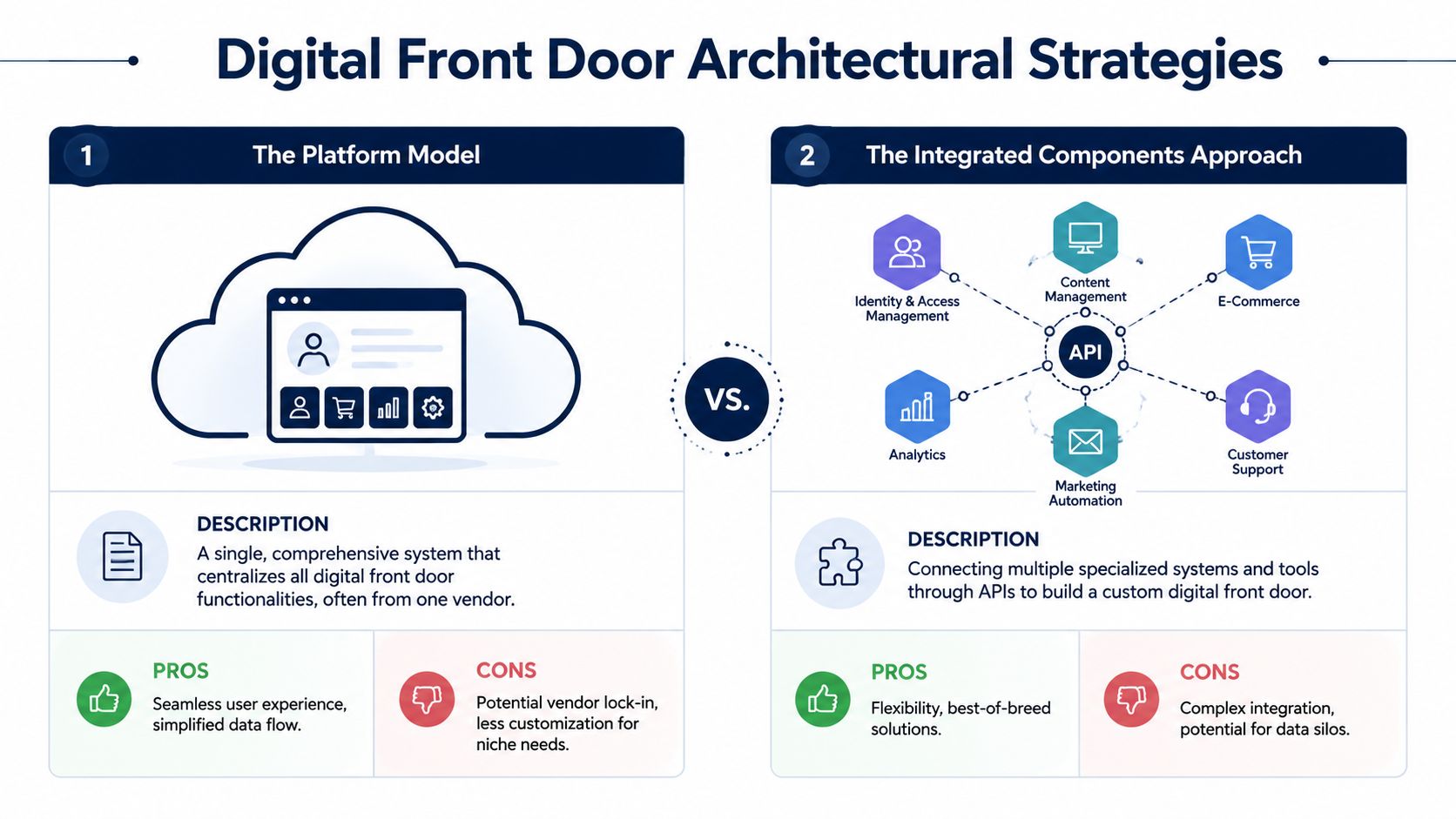
Platform model versus integrated components approach
Some organizations choose a single vendor suite. Others assemble specialized products and connect them through APIs and middleware. Both approaches can work. The right answer depends on existing systems, implementation speed, governance capacity, and long-term flexibility.
| Approach | Strengths | Tradeoffs |
|---|---|---|
| Platform model | Simpler vendor landscape, more consistent user experience, faster baseline deployment | Less flexibility, harder to swap components, risk of vendor lock-in |
| Integrated components approach | Better fit for specialized workflows, more control over feature selection, easier to evolve over time | Higher integration complexity, more governance overhead, greater testing burden |
When the platform model makes sense
A platform approach is often attractive when the organization needs speed and standardization. If digital maturity is uneven across departments, a single suite can reduce the number of moving parts. It may also simplify support, contracting, and user training.
The tradeoff shows up later. If one service line needs a niche intake workflow, if a telehealth module falls short, or if a preferred communication channel isn’t well supported, the suite can become constraining. Changing direction becomes harder once identity, workflows, and data models are tied tightly to one vendor.
When best-of-breed is worth the effort
The integrated components model fits organizations that already have strong internal architecture capability or highly differentiated care pathways. A specialty network may want a dedicated triage tool, a stronger communication platform, and custom intake connected to the EHR rather than replacing everything with a suite.
That flexibility comes with real engineering work. APIs need governance. Event flows need monitoring. Identity resolution needs consistency. Clinical and operational data need canonical definitions. A useful reference point for boards and technical leaders is this discussion of healthcare platform API engineering, because it reflects the reality that integration quality determines experience quality.
The patient experience is only as unified as the data model behind it.
The architectural capabilities that matter most
Whatever model you choose, certain capabilities are essential:
-
API management: Systems need reliable, well-documented interfaces for scheduling, intake, messaging, and patient context.
-
Integration orchestration: An integration engine should handle routing, transformation, retries, and event-driven workflows.
-
Identity and consent: The front door must know who the patient is, what they’ve completed, and what communication permissions apply.
-
EHR alignment: Core updates should write back to the system of record cleanly and predictably.
This is where healthcare integrations become the real strategic work. If the organization chooses a composable path, the effort often resembles SaaS product development more than a conventional website project. One practical example is Bridge Patient Portal from BridgeInteract, a mobile-first option that unifies intake, payments, and scheduling in a zero-login model. It’s one possible pattern for organizations that want fewer handoffs across patient-facing tasks.
Security Compliance and Data Governance
If the front door handles identity, communication, forms, payments, and care navigation, security can’t sit at the end of the project. It has to shape the architecture from the start. In healthcare, trust is built through reliability and privacy at the same time.
HIPAA is embedded in the workflow
HIPAA affects more than where data is stored. It affects how messages are sent, how access is granted, how logs are captured, how vendors are selected, and how workflows are designed. A symptom checker, intake form, telehealth session, and messaging system all create protected health information exposure points.
That means compliance work has to happen across product, legal, engineering, and operations. Teams that treat HIPAA as a documentation exercise usually discover gaps when integrations, support processes, or patient communications go live. This is why custom software development for healthcare needs a compliance-aware delivery process, not just good developers.
Controls that matter in practice
A secure digital front door should include:
-
Encryption: Protect data in transit and at rest across every connected system.
-
Authentication: Use strong identity verification and appropriate multi-factor controls where needed.
-
Audit trails: Record who accessed what, when, and through which workflow.
-
Role-based access: Limit staff and vendor access to the minimum necessary information.
-
Business Associate Agreements: Put BAAs in place with every vendor that handles protected health information.
For teams evaluating conversational workflows, this overview of Secure healthcare AI communication is helpful because it frames AI messaging in terms of privacy controls rather than novelty.
Governance is what keeps systems safe over time
Security failures often come from drift, not from initial design. A new integration is added. A message template changes. A vendor gets access for support. A form captures more information than intended. Without governance, compliant architecture slowly becomes noncompliant operations.
Compliance isn’t a feature you add. It’s a discipline you maintain.
That’s why governance needs owners, review cycles, vendor oversight, and release controls. If your organization is modernizing patient-facing systems, it helps to align the work with the practices outlined as we explored in our guide.
Implementation Roadmap and Success Metrics
Boards usually get into trouble when they fund a digital front door as a single transformation program with a single launch date. The safer path is phased delivery. Each phase should solve a concrete access problem and build the foundation for the next one.
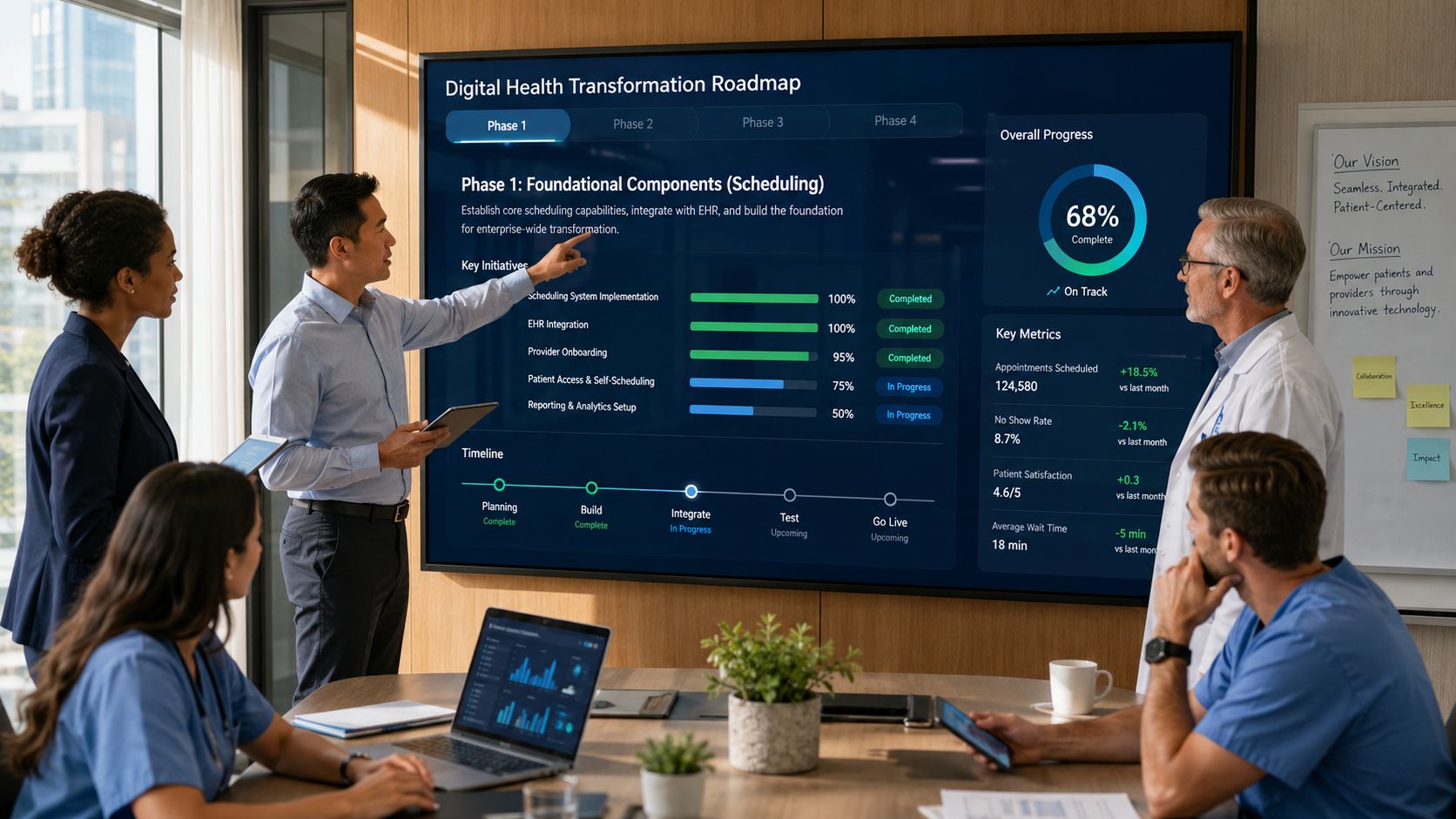
Phase one builds the access layer
Start where friction is most visible. For many providers, that means online scheduling, digital intake, reminders, and basic messaging. These workflows touch broad patient populations and reduce manual work quickly. They also reveal identity, data, and workflow issues before the architecture becomes more complex.
Phase two connects the clinical core
Once the access layer works, deepen integration with the EHR, referral flows, telehealth, and billing processes. This is the stage where many organizations discover whether their front door is effectively connected or still a thin interface over disconnected systems.
Phase three adds intelligence and personalization
The third phase introduces AI-driven routing, predictive scheduling, personalized communication, and experience optimization. This progression mirrors an AI implementation roadmap, where governance and operational readiness come before advanced automation.
Choose metrics that map to decisions
Don’t measure success with vanity metrics alone. A login count or app download figure won’t tell the board whether the front door is improving care access or operational performance.
Use a balanced scorecard:
-
Patient experience metrics: Satisfaction signals, task completion ease, and message responsiveness.
-
Digital engagement metrics: Self-scheduling usage, intake completion, portal activity, and adoption by service line.
-
Operational metrics: Call center burden, registration rework, staff handling time, and appointment flow consistency.
-
Clinical process metrics: Follow-up completion, pre-visit readiness, and adherence to next-step instructions.
A good rule is to connect each metric to an executive question. If finance asks whether overhead is dropping, track workload shift from staff to self-service. If clinical leaders ask whether the process supports care quality, track readiness and follow-through measures.
Anonymized client cases can help leadership teams benchmark what staged delivery and measurable outcomes look like in practice, even when the underlying technology stacks differ.
Frequently Asked Questions
How does a healthcare digital front door differ from a standard patient portal?
A patient portal is one tool inside the broader model. It usually serves established patients who already have an account and need access to records, messages, forms, or bills. A healthcare digital front door starts earlier and reaches further. It includes how people discover services, decide where to go, book care, complete intake, join virtual visits, receive guidance, and stay connected after the encounter.
Can a small practice implement a digital front door?
Yes. A small practice doesn’t need a large enterprise suite to start. It can begin with the essentials that remove the most friction, such as online scheduling, digital registration, reminders, and secure messaging. The important point is to design these components as one patient journey, even if the first version is simple.
What is the biggest challenge in implementation?
For most organizations, the hardest problem is integration with the EHR or EMR and the workflows around it. The user interface may look polished, but if appointment data, intake information, patient identity, and communication history don’t move correctly between systems, the experience breaks down. That’s why architecture, governance, and workflow mapping matter as much as feature selection.
If your board is evaluating how to turn disconnected digital tools into one coherent patient experience, Bridge Global can support the strategy, integration, AI, and compliant engineering work required to build a practical healthcare digital front door.

About Upendra Jith
Upendrajith completed his Master's in English and has been a commercial content developer for the past three years. He's more inclined to develop content with a 'street-smart' delivery on topics such as technology, media, or anything he can get his hands on. He has a fixation on lyrics, dark poetry, media, technology, and flow arts.
View all posts by Upendra Jith →