



A Developer’s Guide to CRM for Software Development
When you hear “CRM,” you probably think of sales pipelines and marketing funnels. That’s fair. But a CRM for software development is a completely different tool for a completely different job. It's the command center that pipes customer feedback directly into your development lifecycle, fundamentally changing how you build and improve your products.
Why Software Teams Need a Different Kind of CRM
For decades, the classic Customer Relationship Management system was built for one audience: the front office. Sales, marketing, support: their world revolves around managing leads, tracking deals, and logging customer chats after the product is already shipped. Think of it like a retail storefront, perfectly organized to manage finished goods and customer purchases.
But that model leaves engineering and product teams in the dark. Feedback gets filtered, delayed, and stripped of all the juicy context developers need. A critical bug report becomes a vague support ticket. A game-changing feature idea from a power user gets buried in a salesperson's notes. This messy, broken flow of information forces developers to build in a vacuum, making educated guesses instead of responding to direct user needs.
A CRM for software development flips this entire model on its head. It’s not the storefront; it's the workshop.
Inside this workshop, customer feedback, bug reports, and feature requests aren't just noise; they're the raw materials. The CRM acts as the central workbench where these materials are gathered, organized, and shaped into clear, actionable development tasks. It creates a single source of truth that finally gets everyone, from support to product to engineering, rallied around the customer’s actual voice.
As an AI solutions partner, we've seen firsthand how powerful it is when teams implement systems that turn this scattered data into real intelligence. It closes the all-too-common gap between what customers are asking for and what developers are building.
The Core Difference in Focus
The main distinction really comes down to purpose. A sales CRM is built to sell a product. A developer CRM is built to improve the product based on real-world user experience. Trying to force a generic CRM on an engineering team just doesn't work because its entire DNA is coded for a different mission. It’s designed to track contacts and companies, not user stories and bug lifecycles.
This mismatch creates some serious headaches for software teams:
-
No Context: Developers get a task but have no idea why it's important. They can't see the original customer conversation, making it ten times harder to build the right fix.
-
Clunky Workflows: Someone is always stuck manually copying and pasting information from emails, Slack threads, and support tools into a project board. It's slow, tedious, and things inevitably get lost.
-
Guesswork Roadmaps: Without a direct line to user feedback, product priorities are often based on internal assumptions, not hard evidence of what users truly need.
To make this crystal clear, let's break down how these two types of systems operate and who they're for.
Sales CRM vs. Developer CRM: A Quick Comparison
The table below gives a simple side-by-side look at where these tools diverge in their goals, users, and the data they care about most.
| Aspect | Traditional Sales CRM | Software Development CRM |
|---|---|---|
| Primary Goal | Drive sales revenue and manage customer accounts. | Improve the product by centralizing user feedback and bug reports. |
| Primary Users | Sales reps, marketing teams, and account managers. | Product managers, software engineers, and QA testers. |
| Key Data Points | Leads, deals, opportunities, and contact information. | Feature requests, bug reports, user feedback, and product usage data. |
| Core Function | Manages the sales funnel from prospect to close. | Manages the feedback loop from user insight to code deployment. |
Ultimately, one is focused on the transaction – closing the deal. The other is focused on the user’s journey with the product itself, creating a continuous loop of feedback, iteration, and improvement.
Connecting Code to Customers
A CRM for software development is all about closing the loop between the team building a product and the people actually using it. In most companies, customer feedback is a mess. It’s scattered everywhere: living in support tickets, buried in sales notes, or just getting lost in a noisy Slack channel. This chaos leaves product managers guessing and developers building features without knowing who they’re for or why they matter.
The real power of a CRM built for development teams is its ability to create a single, reliable source of truth. It pulls every bit of user feedback, from bug reports to feature ideas, into one place. This gives the entire team a clear picture of what users actually need, based on real data instead of just a gut feeling.
From Scattered Feedback to Actionable Insight
Think about it this way: a product manager can suddenly see that 35% of your most valuable enterprise customers are all asking for the same integration. Instead of throwing darts at a wall, they can build a roadmap based on clear, quantifiable demand. This kind of alignment is absolutely essential for successful custom software development because it makes sure you’re building things that solve real problems.
For developers, this is a game-changer. They finally get the “why” behind the “what.” A vague ticket that just says “Fix login button” can now be connected to the exact user reports, screen recordings, and support chats that triggered it. That context is gold. It helps them build smarter, more thoughtful solutions.
By linking development tasks directly to customer stories, a developer-focused CRM nurtures an engineering culture that truly cares about the user. The job shifts from just closing tickets to actively solving problems for real people.
This change does more than just improve the product; it smooths out a lot of the friction between departments. When sales, support, and engineering are all looking at the same customer data, decisions get made faster, and the blame game stops. The diagram below shows how a traditional sales CRM and a developer CRM serve very different, yet equally important, purposes.
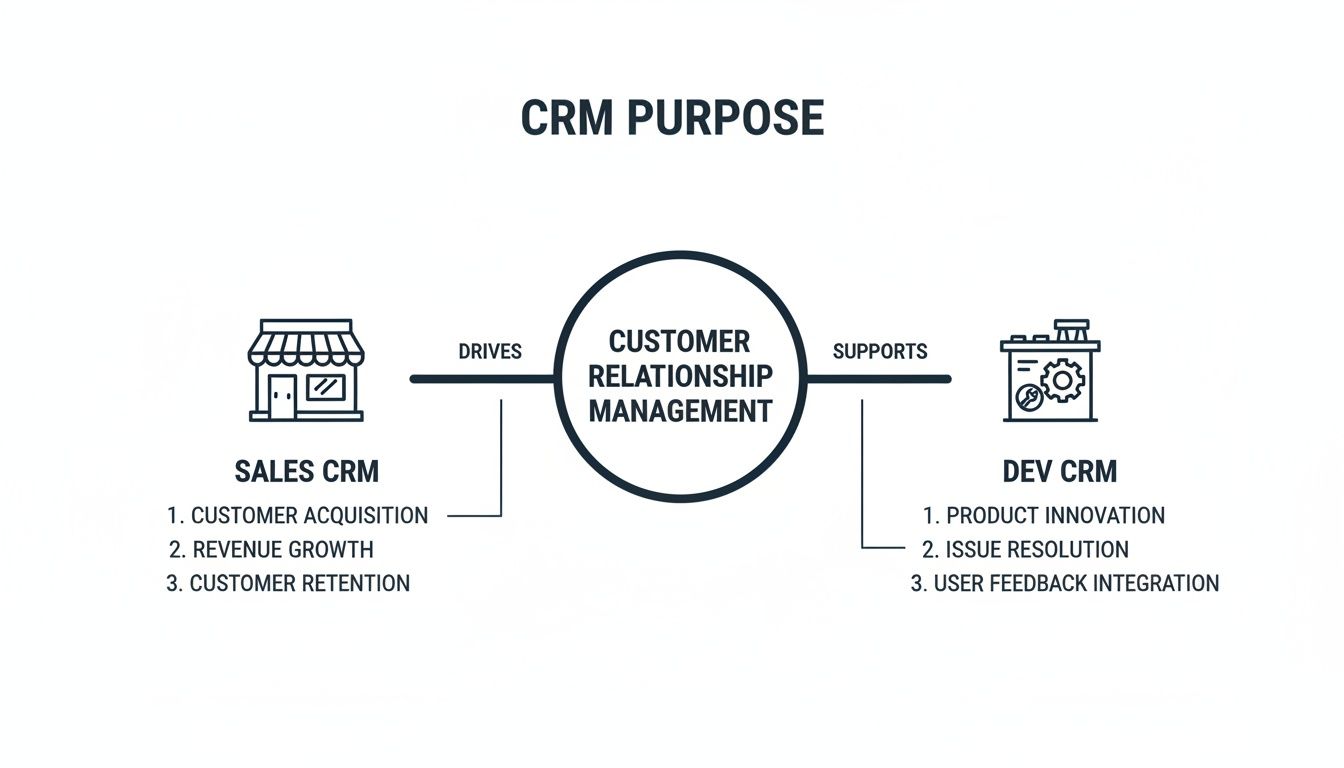
As you can see, a sales CRM is like the company’s storefront, focused on managing customer transactions. A development CRM, on the other hand, is the workshop where customer feedback is the raw material used to build and refine the product itself.
Building Bridges Between Teams and Tools
A CRM for developers doesn’t operate in a vacuum. Its true potential is unlocked when you understand the ins and outs of a solid CRM integration with the tools your engineering team already lives in every day.
When everything is connected, you can create powerful new workflows that weren’t possible before:
-
Automated Ticket Creation: A bug reported through a support form can instantly create a ticket in a tool like Jira, pre-filled with user details and session data.
-
Direct User Communication: A developer can reach out directly to a user to ask for more information or, even better, let them know their bug has been fixed.
-
Data-Driven Prioritization: Product teams can analyze feedback trends over time, group users by their requests, and make strategic choices backed by a mountain of data.
This connected system breaks down the walls that so often stand between technical teams and the rest of the business. As we’ve covered before, the role of AI in software development can boost these benefits even further by automatically analyzing feedback for sentiment and spotting trends. The end goal is to create a seamless flow of information that helps everyone build better software, faster.
Must-Have Features of a Modern Developer CRM
So, what separates a CRM for software development from being just another spreadsheet and turns it into a true command center for your engineering team? It really comes down to one thing: its ability to fit into a developer’s world, not the other way around. Generic CRMs just don’t work because they can’t translate what a customer is saying into something an engineer can act on. A proper developer CRM is built specifically to close that gap.
It all starts with deep, meaningful connections to the tools engineers live in every day. The CRM has to talk fluently with project management software like Jira, version control systems like GitHub and GitLab, and even communication hubs like Slack. If it can’t, it’s just another silo – creating more busywork, not less.
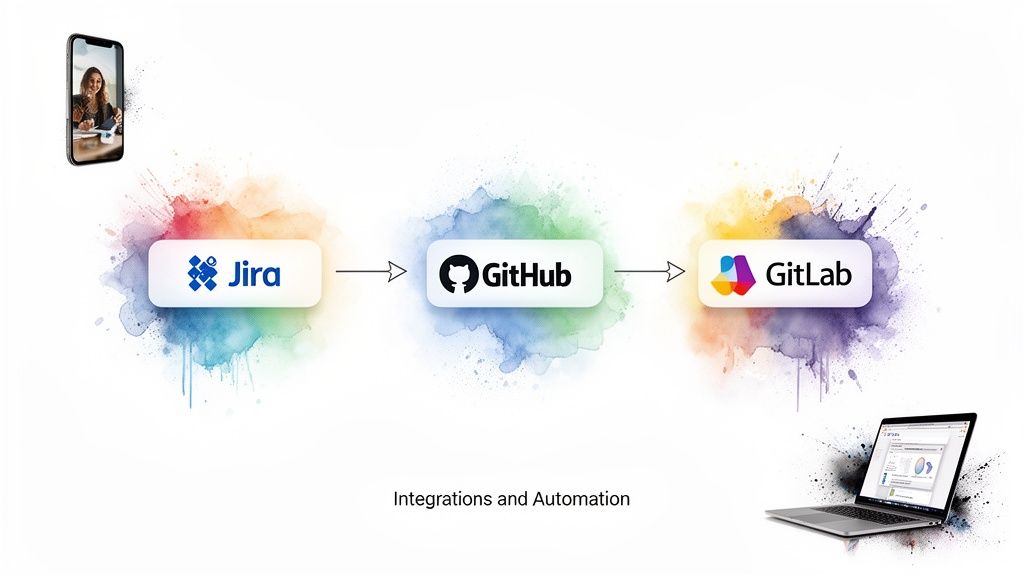
Core Integration and Automation Capabilities
When these tools are all connected and working together, you can create some incredibly powerful automations that just make life easier for everyone. This is where you see the real magic happen, as the CRM goes from being a passive database to an active part of your workflow.
Here’s what that looks like in the real world:
-
Automatic Ticket Creation: A customer hits a snag and files a bug report. Instead of a support agent manually copying and pasting, the CRM instantly creates a Jira ticket. That ticket comes pre-loaded with all the context a developer needs: user details, session info, and the original complaint.
-
Two-Way Syncing: A developer links that Jira ticket to a new pull request in GitHub. The CRM sees this and updates the status across the board. The product manager knows the feature is being worked on, and the support team can see a fix is in the pipeline. No more “any updates on this?” messages.
-
Smart User Notifications: The moment the code is merged and the bug is squashed, the CRM can automatically send a personalized “it’s fixed!” email to every single user who reported that issue. This is how you close the loop and show your customers you’re actually listening.
These automated workflows make sure information gets from the customer to the code and back again without friction, creating a transparent and efficient cycle. As we explored in our guide to CRM software development services, building these connections is foundational for success.
Advanced Feedback and Prioritization Tools
A great developer CRM goes beyond just connecting tools; it helps you make sense of all the user feedback you’re getting. It should be the single source of truth where users can drop ideas, flag problems, and vote on what matters most to them.
The real goal here is to turn a chaotic flood of feedback into a smart, data-driven product roadmap. You need to see not just what people are asking for, but who is asking for it.
Key features that help you do this include:
-
User Segmentation: The ability to connect feedback to specific groups, like “new sign-ups,” “power users,” or “enterprise accounts.” This helps product managers focus on the features that will actually move the needle for their most important business goals.
-
Feedback Portals: A dedicated home where your users can submit and upvote feature requests. This is a fantastic way to gather ideas, and it also helps build a sense of community around your product.
-
Roadmap Visualization: Tools that let you build and share public or private roadmaps. This transparency keeps everyone, from stakeholders to customers, in the loop, managing expectations and building a lot of goodwill.
The Rise of AI-Powered Intelligence
The smartest CRM platforms are now using artificial intelligence to give you a layer of insight you couldn’t get otherwise. As a firm that offers AI development services, we know this is a game-changer. AI can sift through mountains of unstructured feedback from emails, chats, and surveys to find patterns a human could easily miss.
These AI-driven features can:
-
Categorize Feedback on Autopilot: AI algorithms can read incoming feedback and automatically tag it with the right labels, like “bug,” “feature request,” or “UI/UX feedback.”
-
Spot Emerging Trends: By scanning feedback in real time, AI can alert your team to a sudden spike in bug reports after a new release or a growing demand for a particular feature.
-
Predict Churn Risk: Some systems can even identify subtle patterns in feedback and product usage that suggest a customer might be about to leave, giving you a chance to step in and help.
This kind of intelligence turns your CRM from a reactive tool into a strategic partner, helping you build better software by anticipating what your users need before they even ask.
How to Choose the Right CRM for Your Dev Team
Picking the right CRM for software development isn’t about finding the tool with the most features. It’s about finding the one your developers will actually use. Let’s be honest: if a CRM is clunky, slow, or feels completely disconnected from their workflow, it’s doomed. It becomes expensive shelfware, and you’re back to square one.
The only way to avoid that fate is to evaluate tools based on what truly matters to engineers and product managers. You have to look past the marketing slicks and scrutinize the developer experience, the quality of its integrations, and whether it can grow with you. A CRM that feels like a natural extension of their existing toolkit is a CRM that gets adopted.
Focus on the Developer Experience
If you take away only one thing, let it be this: the developer experience (DX) is everything. Engineers live in a world of highly optimized tools designed for efficiency. The last thing they need is another piece of software that feels like administrative busywork. A clunky UI, sluggish load times, or a confusing layout will get an immediate and permanent thumbs-down from your team.
When you’re demoing a potential CRM, put yourself in a developer’s shoes and ask:
-
Is it intuitive? Can an engineer quickly find the customer context behind a bug report without needing a two-hour training session?
-
Is it fast? Performance is a feature. If they’re waiting for screens to load, they’re not going to use it. Period.
-
Does it filter out the noise? The tool should surface relevant user feedback and support tickets, not bombard developers with sales forecasts and marketing campaign data.
A CRM with a great DX quickly becomes a go-to resource for building better software. One with a poor DX is just another chore to be ignored.
Evaluate the Integration Ecosystem
A CRM for your dev team is only as good as the company it keeps. Its real power comes from how deeply it connects with the tools your team already uses every single day. We’re not talking about flimsy, one-way data pushes, either. You need robust, bi-directional synchronization that makes the CRM feel like a central nervous system for customer feedback.
Look for a rich ecosystem of meaningful integrations, including:
-
Project Management: Deep connections with tools like Jira or Asana that allow for two-way updates on tickets and tasks.
-
Version Control: Links to GitHub or GitLab that tie code commits and pull requests directly to the customer issues they resolve.
-
Communication Hubs: Seamless Slack or Microsoft Teams integrations that push relevant notifications without creating more noise.
When shortlisting options, it’s wise to look at what the market offers. Comparing a few distinct solutions by exploring Octopus CRM alternatives can give you a much clearer picture of what’s possible. A powerful integration ecosystem automates the tedious work and turns your CRM from just another data silo into a single source of truth.
Software Team CRM Evaluation Framework
Choosing the right tool can feel overwhelming. This framework is designed to help you methodically score potential CRMs against the criteria that truly matter for a software organization. Use it to create a scorecard and compare your options objectively.
| Evaluation Criterion | Weight (1-5) | Key Questions to Ask | Considerations for Startups | Considerations for Enterprises |
|---|---|---|---|---|
| Developer Experience (DX) | 5 | Is it fast, intuitive, and clutter-free? Do developers want to use it? | Prioritize simplicity and speed. Adoption is everything. | Must be configurable to hide irrelevant modules for dev teams. |
| Integration Depth | 5 | Does it offer deep, bi-directional sync with Jira, GitHub, Slack, etc.? | Can it grow with our tech stack? Are the core integrations solid? | Does it support custom APIs and webhooks for proprietary tools? |
| Data Accessibility | 4 | Can engineers easily query and link customer feedback to technical issues? | Is the search function powerful and easy to use? | Can we create role-based views and dashboards for different teams? |
| Customization & Workflow | 3 | Can we tailor objects and automated workflows to our specific SDLC process? | Is it flexible enough for our process, or does it force us into a rigid model? | Can it handle complex, multi-stage approval and escalation workflows? |
| Scalability & Performance | 4 | Will the system perform well as our user base and data volume grow 10x? | Is the pricing model predictable as we scale? | Is there a proven track record of supporting large-scale data and user loads? |
| Reporting & Analytics | 3 | Does it provide actionable insights on bug trends and feature requests? | Are the default reports useful for product planning? | Can we build custom reports that join CRM data with engineering metrics? |
| Total Cost of Ownership | 2 | What is the true cost, including licenses, setup, training, and maintenance? | Is there a free or low-cost tier that lets us prove the value first? | Factor in the cost of integration, maintenance, and potential developer resources. |
By weighting these criteria according to your team’s unique priorities, you can move beyond feature lists and make a data-informed decision that sets your team up for success.
Customization and Scalability
The CRM that’s perfect for a five-person startup will likely fall apart in a 100-person enterprise engineering org. Your tool has to match not only where you are today but where you plan to go. This is where you need to think critically about how much flexibility you need.
You generally have a few paths to choose from:
-
Off-the-Shelf Products: These are often the fastest and most affordable to get running. They’re great for smaller teams with straightforward workflows, but can feel restrictive if you have unique processes.
-
Configurable Platforms: This is the sweet spot for many. They give you a solid foundation that can be heavily customized, letting you adapt workflows, data models, and user interfaces without having to build from the ground up.
-
Custom-Built Solutions: For large companies with very specific, complex needs, a bespoke solution built through custom software development might be the only answer. It offers total control but comes with a major investment of time and money.
Choosing wisely here does more than solve today’s problems. A well-architected CRM becomes an incredibly rich dataset of customer interactions. Over time, that organized data becomes the perfect fuel to explore AI for your business, allowing you to build models that can predict customer churn, identify emerging trends, and guide your product roadmap.
A Phased Roadmap for a Successful Rollout
Bringing a new CRM for software development into your organization shouldn’t be a “big bang” event that throws everyone into chaos. A much smarter approach is a phased rollout. Think of it less as a technology project and more as a change management initiative – the human side is what will make or break its success.
First things first, you need a small, dedicated team to spearhead the effort. Pull in a few champions from product, engineering, and maybe customer support – people who get the vision and are excited by the potential. Their first job is to define what winning looks like. Are you aiming for a 20% faster bug resolution time? A sharp drop in duplicate feature requests? Nail down these metrics from the start, as they’ll be your North Star.
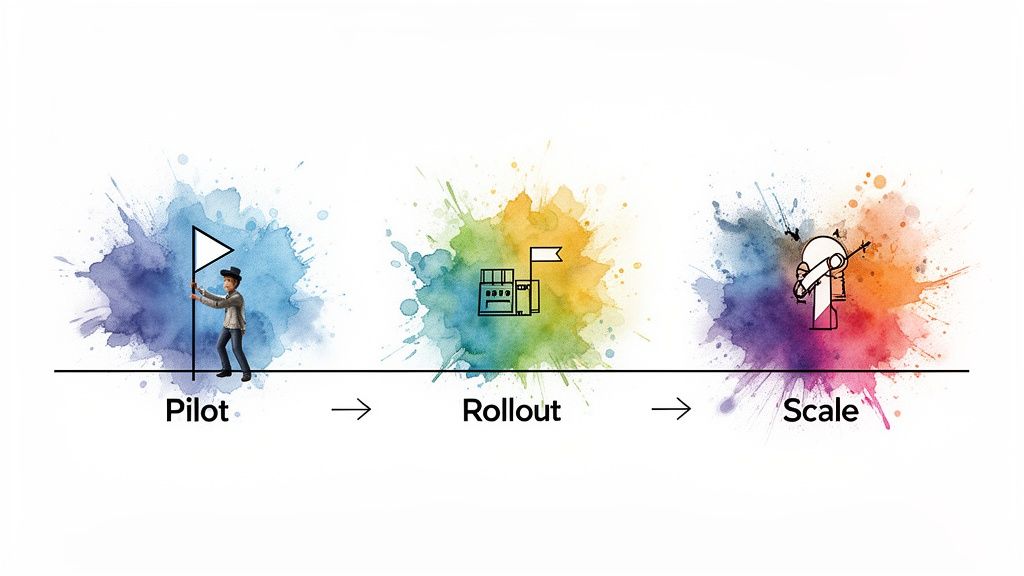
Phase 1: The Pilot Program
Before you even think about a company-wide launch, start with a pilot program. Hand-pick a small group of enthusiastic developers and product managers to act as your test group. This is your chance to experiment, refine workflows, and gather unfiltered feedback in a low-risk environment. The whole point is to prove the CRM’s value on a small, manageable scale.
During this phase, keep your focus tight:
-
Data Migration: Don’t try to boil the ocean. Just migrate the essential data for your pilot team, like recent bug reports or feedback tied to a single product.
-
Core Integrations: Set up only the most critical connections. Linking the CRM to your Jira or GitHub instance is a great starting point to test the core automation.
-
Feedback Collection: Check in with your pilot team constantly. Find out what they love, what’s clunky, and what’s just plain confusing.
Think of the pilot as a dress rehearsal. You’re ironing out the wrinkles and creating a success story you can use to get the rest of the company excited for what’s coming.
Phase 2: The Guided Rollout
Once the pilot program has proven its worth, it’s time to expand. But this isn’t about sending a mass email with a login link and wishing everyone luck. The rollout phase is all about thoughtful training and hands-on support.
Run separate training sessions for each department, focusing only on the workflows that matter to them. For your engineers, the key is to show them a direct, immediate win. Demonstrate how this new tool gets rid of mind-numbing manual tasks and gives them the full context they need to fix issues faster. This is the moment where you earn their buy-in – or lose it.
Phase 3: Scale and Optimize
Just because everyone is on the platform doesn’t mean the job is done. The final phase is all about continuous improvement and squeezing every drop of value out of the system. Go back to those metrics you defined at the very beginning. Are you hitting your goals? If not, the CRM data itself can probably tell you why.
At this stage, your focus shifts to expansion:
-
Expand Integrations: Start connecting the CRM to other key systems, like your business intelligence tools or marketing platforms.
-
Automate More Workflows: Now that people are comfortable, look for new opportunities to automate tedious processes and free up more time.
-
Gather Success Stories: Find and share specific examples of how the CRM helped solve a tricky problem or ship a feature faster. These stories are crucial for keeping the momentum going.
Taking a phased approach turns a potentially disruptive project into a manageable, even exciting, transition. By anticipating the challenges and having a plan, you can find a partner to guide you through it. For more on what to look for, check out our guide on choosing a strategic software delivery partner.
Measuring the ROI of Your Developer CRM
So, you’re considering a CRM for software development. Like any significant investment, you’ll need to prove it’s paying off. But how do you measure the value of a tool meant to connect your customers directly to your code? The truth is, it’s a mix of hard data and the kind of cultural shifts that don’t always fit neatly into a spreadsheet.
The real return on investment (ROI) goes far beyond just saving a few hours on a task. It’s about a fundamental change that leads to building better products that people stick with. When that happens, you see higher retention, a stronger position in the market, and an engineering team that’s finally focused on what matters. This isn’t just another tool; it’s an investment in creating a truly customer-obsessed engineering culture.
Tracking the Quantitative Wins
Let’s start with the hard numbers – the metrics you can take straight to a stakeholder meeting. The key is to benchmark these figures before you implement the CRM. This is the only way to create a convincing “before and after” story backed by data.
Here are the quantitative metrics that tell the clearest story:
-
Faster Time-to-Resolution: How quickly are bugs actually getting fixed? A CRM that gives developers rich context from the get-go should slash this cycle time. You’re no longer just measuring speed; you’re measuring clarity.
-
Reduced Duplicate Issues: By having one place for all feedback, you can instantly spot and merge duplicate bug reports or feature ideas. This metric is a direct measure of how much wasted engineering effort you’re cutting out.
-
Higher Feature Adoption Rates: When your product roadmap is built on a foundation of real user requests, you build features that people actually use. Tracking adoption is the ultimate proof that you’re building the right things.
-
Increased Developer Productivity: Keep an eye on core metrics like cycle time and how quickly pull requests are merged. A good developer CRM gets out of the way, removing the administrative friction that pulls engineers away from writing code.
Measuring the Qualitative Impact
While the numbers are crucial, the most profound changes are often qualitative. These are the shifts in how your teams work and feel, signaling a healthier, more collaborative organization that’s genuinely tuned in to its customers.
The most significant ROI often comes from a fundamental change in mindset. When developers feel connected to the people they’re building for, they become more invested, leading to higher-quality work and greater job satisfaction.
Keep an eye out for these positive signs:
-
Improved Developer Satisfaction: Are your engineers happier? Seriously, ask them. A tool that provides clear context and eliminates frustrating busywork is a massive boost for morale and helps you keep your best people.
-
Stronger Collaboration: Watch how your product, engineering, and support teams interact. When everyone is working from a single source of truth, the old departmental silos begin to crumble, fostering a unified team that solves problems together.
-
Better Product Decisions: Do your roadmap meetings feel less like guesswork and more like strategic, data-driven conversations? The quality of these discussions is one of the best indicators that the CRM is working.
At the end of the day, a CRM for software development justifies its cost by evolving your engineering team from a reactive, ticket-closing function into a proactive innovation engine. It’s a strategic asset that pays for itself through greater efficiency, superior products, and happier customers. You can explore some real-world examples in our client cases.
Frequently Asked Questions
1. Can we just use Jira or our existing sales CRM?
While it’s tempting to stick with familiar tools, they aren’t built for this job. Jira is excellent for managing development tasks, but lacks the customer context – the “why” behind the ticket. A sales CRM is designed to track deals, not bug reports. Using a purpose-built CRM for software development connects customer feedback directly to code, which other tools can’t do.
2. How do we get developers to actually adopt a new CRM?
Adoption comes down to demonstrating value. If the CRM eliminates manual data entry, provides instant context for bug fixes, and integrates seamlessly with tools like GitHub or Slack, developers will see it as an asset, not a chore. Start with a pilot program to let a small group of champions prove its worth and drive organic adoption.
3. What’s the biggest mistake to avoid during implementation?
The most common mistake is treating it as a simple software rollout instead of a change in team culture. Success hinges on cross-departmental buy-in. You must clearly define the shared goals and provide targeted training that shows each team: engineering, product, and support, how the tool makes their specific job easier. As we explored in our guide to strategic software delivery partnership, a lack of shared vision and training will lead to low adoption.
4. How much does a CRM for software development cost?
Costs vary widely. Off-the-shelf products often have a per-user, per-month fee, ranging from $25 to over $100 per seat. Configurable platforms offer more flexibility at a potentially higher cost. For highly specific needs, a fully bespoke system from a custom software development partner is an option, though it requires a significant investment.
5. Can a CRM help with more than just bug tracking?
Absolutely. A good developer CRM is also a powerhouse for product management. It centralizes feature requests, allows you to segment users, and helps you build a data-driven roadmap. It can also manage customer communication, automatically notifying users when a bug they reported is fixed or a feature they requested is launched, closing the feedback loop and building loyalty. For instance, it can enhance specialized systems like custom ecommerce solutions by channeling user feedback directly into the development pipeline.
Ready to bridge the gap between your customers and your code? At Bridge Global, we specialize in building intelligent software solutions that drive real results. As your dedicated AI solutions partner, we can help you implement a CRM strategy that empowers your development team and transforms your product.

About Shreesha Chandrabose
Shreesha Chandrabose is a commerce graduate with a growing passion for content writing and digital media. With a curious mind and a creative approach, she enjoys transforming ideas into simple, relatable, and engaging narratives. She loves poetry, photography, and editing, and enjoys bringing ideas to life through words and visuals.
View all posts by Shreesha Chandrabose →