



AI for Software Development: A Guide to Smarter Workflows
AI for software development is actively reshaping every single phase of the software development lifecycle (SDLC), from the first brainstorming session to long-term maintenance. Think of it less as a replacement for human talent and more as an intelligent co-pilot, amplifying your team’s existing skills. Read about human plus AI synergy here.
The New Reality of Building Software with AI
The days of viewing AI as a futuristic nice-to-have are long gone. It’s now a core component of modern software creation, delivering real, measurable results: dramatically faster development, higher-quality code, and a level of efficiency that was previously out of reach.
This isn’t just about automating grunt work. It’s about giving developers the leverage to solve bigger, more complex problems and freeing them up to focus on genuine innovation. The rise of AI-powered coding assistants, for example, has completely changed the day-to-day workflow for countless programmers, heralding a new era for the industry.

Driving Forces Behind AI Adoption
So, what’s behind this massive shift? It really boils down to two key technologies: generative AI and machine learning.
- Generative AI acts like an always-on pair programmer. It can instantly draft code snippets, write entire functions, generate clear documentation, and even create test cases from scratch.
- Machine Learning (ML) brings predictive power to the table. By analyzing historical data from past projects, ML models can forecast potential bugs, identify performance bottlenecks, and estimate project timelines with far greater accuracy.
This isn’t just hype; the numbers tell the same story. The global AI in software development market was valued at USD 674.3 million in 2024. Projections show it exploding to USD 15.7 billion by 2033, which is a compound annual growth rate (CAGR) of a staggering 42.3%. That kind of growth signals a fundamental market shift that businesses can’t afford to ignore.
Making sense of this new landscape requires a solid plan. Working with a dedicated AI solutions partner can be invaluable for pinpointing the right opportunities and implementing them without derailing your current roadmap. The right partner helps you bridge the gap between concept and execution, ensuring your AI investment translates into tangible business results.
AI’s Impact Across the Software Development Lifecycle
To really grasp what AI brings to the table, let’s break down its role at each stage of the development process. From clarifying initial requirements to monitoring live applications, AI offers specific tools that make a real difference.
The goal isn’t to replace developers but to supercharge them. AI handles the repetitive, predictable tasks, freeing human talent to focus on architecture, creativity, and the complex challenges that drive real innovation.
Here’s a quick look at where AI tools are already making their mark across the SDLC.
AI’s Impact Across the Software Development Lifecycle
| SDLC Phase | Key AI Application | Primary Benefit |
|---|---|---|
| Requirements & Design | Natural Language Processing (NLP) to analyze user feedback and generate user stories. | Faster feature validation and clearer project scope. |
| Coding & Implementation | AI-powered code completion, generation, and automated refactoring. | Accelerated development cycles and improved code consistency. |
| Testing & QA | Automated test case generation and predictive bug detection. | Higher code quality and reduced manual testing efforts. |
| Deployment (CI/CD) | Intelligent automation to optimize build and release pipelines. | Faster, more reliable deployments with fewer errors. |
| Monitoring & Maintenance | Anomaly detection and predictive maintenance alerts. | Proactive issue resolution and improved system stability. |
As you can see, AI’s influence is comprehensive. It’s not just about writing code faster; it’s about building better, more reliable software from start to finish.
Understanding the Core AI Technologies in Development
To really get a handle on how AI is changing software development, we need to look past the hype and see what’s actually running the show. This whole shift is basically built on three pillars: generative AI, machine learning, and intelligent automation. Each one does something different, but they all work together to make the development process smarter and way more efficient.
Think of generative AI as the best pair programmer you’ve ever had. It’s the assistant that can spit out code snippets, draft entire functions, write solid documentation, or even generate test cases from a simple English prompt. This alone slashes the time developers spend on the more repetitive, boilerplate parts of coding.
Generative AI: The Creative Coder
Generative AI is probably the technology getting the most attention right now, and for good reason. It’s all about creating something new—in our world, that’s code. It learns from mountains of existing software to understand not just what you’re typing, but the intent behind it. Tools built on this technology go way beyond simple autocomplete. They can suggest complex logic and offer up complete solutions.
Here’s a perfect example. You can see GitHub Copilot suggesting code completions right inside the IDE.
This isn’t just filling in the blanks; the AI is anticipating what the developer needs and offering a fully-formed function. That saves a ton of time and mental energy. It’s a clear example of AI acting as a proactive coding partner.
This space is exploding. Generative AI is the fastest-growing part of the AI software world, expanding at a 29% CAGR. In development, it’s the engine behind automated code generation, smart code completion, and even advanced debugging. While North American companies are currently ahead in adoption, the Asia-Pacific region is on track to overtake them by 2027. This just goes to show how essential generative AI has become to staying competitive. You can discover more insights about this rapid market expansion online.
Machine Learning: The Predictive Analyst
If generative AI creates, then machine learning (ML) predicts. ML algorithms comb through historical project data—everything from commit histories and bug reports to project timelines—to find patterns and forecast what’s likely to happen next. This predictive muscle is a huge deal for project management and quality assurance.
For example, an ML model can analyze past bug reports to pinpoint which parts of your codebase are most likely to have new defects. That helps teams focus their testing where it’s needed most, which is a cornerstone of modern software testing services.
Machine learning shifts development from being reactive to proactive. Instead of just fixing bugs as they pop up, teams can anticipate where they’ll occur and prevent them from ever reaching users.
A few other ways ML is being put to work:
- Timeline Estimation: By looking at data from past sprints, ML can deliver much more accurate estimates for when a project will actually be done.
- Risk Identification: It can flag tasks or modules that are likely to cause delays or suck up more resources than planned.
- Performance Optimization: ML models can analyze application performance data and suggest specific code improvements to make things run faster.
Intelligent Automation: The Tireless Assistant
AI for software development reaches its most practical impact through intelligent automation. It removes repetitive, manual work from the software development lifecycle by putting routine tasks on autopilot. This goes beyond basic scripting, using AI-driven tools that can make decisions and adapt in real time within CI/CD pipelines.
Intelligent automation can manage builds, run entire test suites, and handle deployments with very little human oversight. This gets developers out of the operational weeds and lets them focus on what they’re paid to do: build incredible software. By weaving these tools into the process, modern AI development services help companies build and ship more reliable products, faster.
Having this foundation is crucial as we start to explore how you can apply AI for your business.
2. Putting AI to Work: Practical Use Cases
The real magic of AI in software development isn’t in the theory. It’s in the application. Seeing how these tools solve tangible problems at each step of the software development lifecycle (SDLC) is what makes their value click. From the first spark of an idea to long-term maintenance, AI is no longer just a “nice-to-have” but a core part of the modern workflow.
This map breaks down the key AI technologies that are driving innovation today: Generative AI, Machine Learning, and Automation.
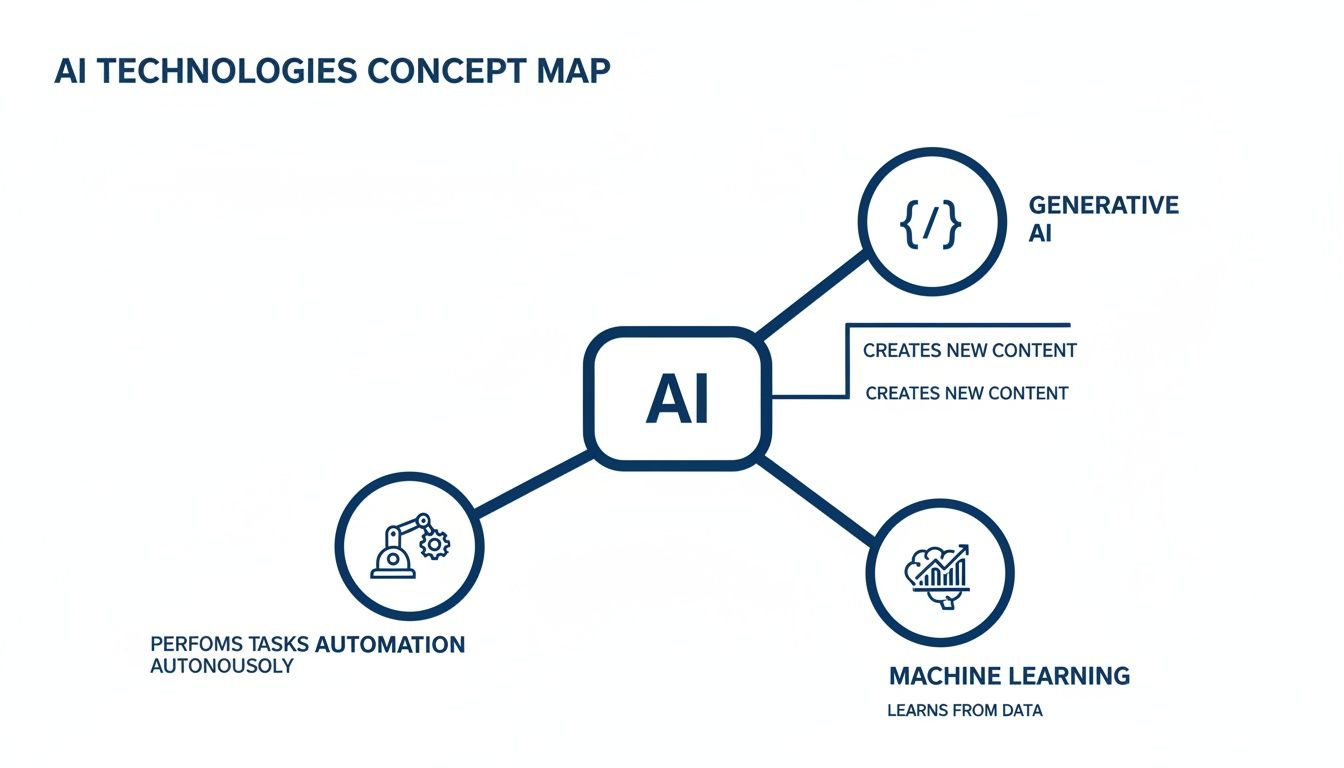
As you can see, these aren’t isolated concepts. They’re interconnected, working together to make every part of building software better. Let’s dive into what this looks like in the real world.
Requirements And Design
Every great project starts with understanding what the user actually needs. This initial phase is often fuzzy and ambiguous, but AI brings data-driven clarity right from the beginning.
- Sifting Through Feedback: Imagine trying to manually read thousands of App Store reviews, support tickets, and tweets. AI tools powered by Natural Language Processing (NLP) do this in minutes, spotting recurring pain points and feature requests to give product managers a clear, ranked list of what matters most.
- Drafting User Stories: Once you know what users want, generative AI can automatically draft initial user stories and acceptance criteria. This doesn’t just save a ton of time; it ensures the work is directly linked to real user needs from day one.
Coding And Implementation
This is where developers feel the most immediate impact. AI becomes a true collaborator: a tireless pair programmer that helps you write code faster and with higher quality.
Modern code assistants have moved way beyond simple autocomplete. They can generate entire functions or classes based on a simple comment, slashing the time spent on repetitive boilerplate code. This frees up engineers to focus on the hard stuff: architecture and complex problem-solving.
AI doesn’t just write code; it helps you write better code. By automating bug detection and suggesting improvements, it acts as a safety net, catching mistakes before they ever become a problem.
Here’s what else is happening in this phase:
- Spotting Bugs in Real-Time: AI models trained on millions of lines of open-source code can identify potential bugs, security flaws, and bad patterns as you type.
- Generating Documentation Instantly: AI can also create clear, accurate comments and documentation for your code, making sure projects stay easy to understand and maintain as they scale.
Testing And Quality Assurance
Testing has always been a potential bottleneck, filled with manual, repetitive tasks. AI flips the script, making QA more strategic, automated, and incredibly efficient.
Instead of a human manually creating test cases, AI algorithms can analyze an application and generate a comprehensive test suite on their own. They’re fantastic at thinking up edge cases that a person might overlook, leading to much better test coverage in a fraction of the time.
Another game-changer is visual regression testing. AI tools can spot tiny, pixel-level changes in a user interface after an update, preventing those subtle UI bugs from ever reaching customers.
Deployment and Operations
The work isn’t over when the code goes live. AI is becoming essential for making sure applications run smoothly and reliably in production, shifting the whole discipline from reactive to proactive.
AI-powered monitoring tools watch application logs and performance data 24/7, hunting for anomalies. This means your team gets an alert about a potential memory leak or a slow database query long before users even notice something is wrong.
Even better, these systems can predict future problems. By identifying patterns that usually lead to system failures, they empower engineering teams to fix the root cause during scheduled maintenance, preventing those dreaded emergency outages.
The following table brings all these ideas together, mapping specific AI tools to each phase of the development lifecycle and the business value they deliver.
AI Use Case Mapping by Development Phase
| SDLC Phase | Specific AI Use Case | Example Tool/Technique | Business Outcome |
|---|---|---|---|
| Requirements | AI-powered analysis of user feedback | NLP on support tickets, reviews | Faster feature prioritization |
| Design | Generating user stories & acceptance criteria | Generative AI models | Reduced planning time, better alignment |
| Coding | Real-time code completion & generation | GitHub Copilot, Amazon CodeWhisperer | 30-50% increase in developer productivity |
| Coding | Automated bug and vulnerability detection | Snyk Code, SonarQube | Improved code quality, reduced security risk |
| Testing | Automated test case generation | Mabl, Applitools | Broader test coverage, faster release cycles |
| CI/CD | Intelligent test selection for pipelines | A/B test analysis platforms | Faster builds, reduced CI costs |
| Observability | Anomaly detection in logs & metrics | Datadog, Dynatrace | Proactive issue detection, reduced MTTR |
| Maintenance | Predictive maintenance & failure alerts | Custom ML models | Higher system uptime, fewer outages |
This map demonstrates that AI isn’t a single tool but a collection of capabilities that can be strategically applied across the entire value chain. By understanding where and how to implement them, development teams can unlock significant gains in speed, quality, and efficiency.
Your Roadmap for AI Implementation
Bringing AI into your software development process isn’t something that happens overnight. It’s a strategic journey, not a one-off tool purchase. If you want real results, you need a clear plan. For AI for software development, a phased approach is the best way to manage risk, prove value early, and build the kind of momentum you need to make AI a core part of how you operate.
The first step is figuring out where AI can actually make a difference. It’s easy to get caught up in the hype, but the real wins come from solving tangible problems in your existing workflows. This deliberate focus ensures your first steps with AI are both meaningful and measurable.
Start with an AI Discovery Approach
The best way to get the ball rolling is with a focused AI discovery approach. It’s a structured session designed to pinpoint the highest-value opportunities for AI in your development lifecycle. Get the right people in the room, including product managers, lead engineers, and business leaders, to map out your current processes and shine a light on the real friction points.
During the workshop, focus on targeted questions:
- Where are our biggest bottlenecks? Is it manual testing, a slow requirements-gathering process, or endless code reviews?
- What repetitive tasks are eating up our developers’ time and contributing to burnout?
- What data do we already have that could train a model to predict bugs or estimate timelines more accurately?
You should walk out with a prioritized list of potential AI use cases, each one tied to a clear business goal. This keeps everyone aligned and sets you up to solve problems that truly matter.
Launch a Targeted Pilot Project
Once you have a promising use case, fight the urge to go all-in. Instead, launch a small, targeted pilot project. Think of it as a controlled experiment. The goal here is to prove AI’s value on a small scale, learn what works (and what doesn’t), and build support internally before you commit major resources.
For example, you could pilot an AI-powered code completion tool with just one scrum team for a couple of sprints. Or, you might use an AI tool to generate test cases for a single, specific feature. The key is to keep the scope tight and the success metrics crystal clear. A successful pilot gives you the hard data and the internal success story you need to make the case for a wider rollout.
A well-executed pilot project is your most powerful tool for advocacy. It moves the conversation from “What if we used AI?” to “Look at what we achieved with AI,” making the case for wider adoption undeniable.
Make the Critical Buy vs. Build Decision
As you move from pilot to a broader implementation, you’ll inevitably hit the classic “buy vs. build” crossroads. This is a critical decision that hinges entirely on your specific needs, your team’s skills, and your long-term strategy.
- Buying an off-the-shelf AI tool is almost always faster and doesn’t require a team of specialized data scientists. This is the perfect route for common problems like code assistance or test automation where mature solutions already exist.
- Building a custom AI model gives you a unique competitive edge but requires a serious investment in talent, infrastructure, and ongoing maintenance. This path only makes sense for core business challenges where a generic solution just won’t cut it.
For many, a hybrid approach works best. Start with commercial tools to score some quick wins and solve immediate problems, then build custom solutions for your most strategic initiatives. As we explored in our guide, you can learn more about implementing AI in your business.
This strategic approach is becoming the norm as enterprise AI adoption picks up speed. Recent studies show that AI adoption among companies has surged to 72%, a huge jump from the 50% rates we saw between 2020 and 2023. This rapid growth isn’t just a trend; it’s a fundamental shift in how modern software gets built. You can read the full research about these AI adoption findings for a deeper dive.
Measuring the Real Impact and ROI of AI
Bringing AI into your software development workflow is a serious investment. To justify the cost, you need to do more than just point at cool new tools. It’s about proving their worth by tracking the right metrics and calculating a clear return on investment (ROI). Success isn’t about how many AI tools you’ve adopted; it’s about the tangible business results they drive.
This means we have to move past vague claims of “productivity gains” and get down to specific, measurable Key Performance Indicators (KPIs). These are the numbers that tell the true story of how AI is affecting your engineering efficiency and product quality.
Key Metrics for AI in Development
The first step in building a strong business case is tracking the right data. It’s easy to get lost in vanity metrics, so it’s better to focus on KPIs that directly show improvements in speed, quality, and cost.
Start by looking at these core areas:
- Developer Velocity: This is a classic agile metric, usually measured by the number of story points a team completes per sprint. When this number goes up, it’s a good sign that your AI tools are helping the team deliver more value in the same amount of time. A sustained lift of 15-20% in velocity is a powerful indicator of positive ROI.
- Time-to-Market: How fast can you take an idea and get it into a customer’s hands? AI can speed up every stage, from writing code to running tests. By tracking the average cycle time for new features, you can draw a straight line from AI adoption to better business agility.
- Bug-Fix Time (MTTR): Mean Time to Resolution is a huge one. AI-driven diagnostic tools can help developers pinpoint and squash bugs much faster, which means less downtime and a happier user base. A noticeable drop in MTTR shows that AI is making your systems more stable and your team more efficient.
Quantifying Code Quality and Cost Savings
Beyond just moving faster, AI’s effect on code quality is where much of its value lies. Better code means fewer bugs, lower maintenance overhead, and a much more reliable product down the line.
The ultimate goal of measuring ROI is to connect every dollar spent on AI to a measurable improvement in your development lifecycle. It shifts the conversation from “AI is cool” to “AI is profitable.”
To really nail this down, concentrate on these technical metrics:
- Code Coverage: AI can generate unit tests automatically, which can dramatically increase the percentage of your codebase that’s actually tested. More coverage gives you more confidence in every release and helps prevent old bugs from creeping back in.
- Cyclomatic Complexity: This metric basically scores how complicated your code is. AI-powered refactoring tools can spot overly complex functions and suggest ways to simplify them, making the code easier for humans to maintain and less likely to break.
- Direct Cost Reduction: This is the most straightforward piece of the ROI puzzle. Just add up the hours your team saves on manual tasks that AI now handles. For instance, if AI automates 40 hours of regression testing every month, that’s a direct cost saving you can take straight to the bank.
7. Navigating AI Security and Compliance Challenges
AI for software development can be a game-changer, no doubt. It accelerates everything. But with that power comes a whole new set of security and compliance hurdles you can’t afford to ignore. We’re talking about more than just writing code faster; we have to make sure the code we’re creating is safe, secure, and doesn’t accidentally expose the company to risk.
Think about it: when your team uses a third-party AI coding assistant, you’re potentially beaming snippets of your secret sauce to an external server. That should set off immediate alarm bells around data privacy and intellectual property (IP) leakage. If your core algorithms or sensitive business logic get out, the damage could be significant.

Mitigating Risks with a Proactive Stance
So, how do you manage this? The best approach is to treat AI-generated code like you would a pull request from a brand-new junior developer. It’s a great starting point, but it absolutely must be verified.
AI models learn from massive datasets of public code. The problem is, that public code is riddled with outdated libraries, insecure coding patterns, and known vulnerabilities. Just accepting that code without a second thought is like leaving the front door wide open for a security breach.
A smart mitigation strategy needs multiple layers of defense:
- Rigorous Security Scans: This is non-negotiable. You need to plug automated security scanning tools (SAST, DAST, SCA) directly into your CI/CD pipeline. Every line of code an AI writes gets scanned for vulnerabilities before it even thinks about touching production.
- Clear Governance Policies: Don’t leave it to chance. Create firm guidelines on which AI tools are approved and how they can be used. Clearly define what data is off-limits for external AI services to protect your IP.
- Private, Self-Hosted Models: If you’re working with highly sensitive data, the best move might be to run your own private, self-hosted AI models. This keeps everything in-house, giving you total control and eliminating the risk of a third party seeing your code.
Your mantra for using AI in development should be simple: “trust, but verify.” Go into it assuming every AI suggestion could have a flaw, and build your review process around that reality.
Fostering a Culture of Responsible AI
At the end of the day, tools and policies can only do so much. The real solution is building a culture where security awareness and responsibility are second nature. As we’ve detailed before, creating a framework for responsible AI implementation is about striking a careful balance between innovation and safety.
This means training your developers to be critical thinkers. They need to question AI suggestions, understand the potential security fallout, and always put secure coding practices ahead of pure speed. When you get that balance right, your organization can confidently push forward with AI, knowing you haven’t cut corners on security or compliance.
Answering Your Top Questions About AI in Software Development
As engineering leaders and their teams start looking at AI, the same questions tend to pop up. Let’s tackle some of the most common ones head-on so you can move forward with a clear picture of how these tools fit into your world.
Will AI Replace Software Developers?
Not a chance. AI for software development works best as a co-pilot, not a replacement for the pilot. AI is fantastic at handling the grunt work, spitting out boilerplate code, generating unit tests, and flagging obvious bugs.
This frees up your developers to focus on what humans do best: designing complex systems, solving tricky architectural problems, and innovating. The job isn’t disappearing; it’s evolving. Developers are becoming less like manual coders and more like strategic problem-solvers who use AI to build better software, faster.
What’s the First Step to Integrating AI Into Our Workflow?
Start small. Seriously. The biggest mistake is trying to boil the ocean. Instead, find one specific, nagging pain point in your current process. Is it a manual testing bottleneck? A mountain of technical debt that never seems to shrink?
Pick that one thing and run a small pilot project with an AI tool designed to solve it. This approach gives you a quick, measurable win, provides invaluable lessons, and helps you build a rock-solid case for expanding its use later on, all without disrupting your entire team.
How Do We Make Sure AI-Generated Code Is Secure?
Simple: treat all AI-generated code like it was written by a new junior developer. It’s a great first draft, but it absolutely needs a second pair of eyes.
Make code reviews by senior engineers mandatory for any AI-assisted work. You should also have automated security scanning tools (like SAST and DAST) baked right into your CI/CD pipeline to catch vulnerabilities before they ever make it to production.
The golden rule here is “trust, but verify.” And be sure to have clear policies around intellectual property and data privacy, especially if you’re using third-party AI services.
What Kind of Data Do We Need to Use AI Effectively?
It really depends on what you’re trying to do. For general-purpose tools like code assistants, they come pre-trained on massive public codebases, so you don’t need to bring your own data.
But if you want to build something more specific to your team, like a model that predicts bugs or estimates project timelines, you’ll need your own historical data. We’re talking about things like your commit histories from GitHub, bug reports, and project tickets from a system like Jira. For these custom models, the quality and quantity of your internal data are everything; it’s what teaches the AI to understand your team’s unique context.
Frequently Asked Questions (FAQ)
What are the main benefits of using AI for software development?
The primary benefits include accelerated development cycles, improved code quality through automated bug detection, enhanced developer productivity by automating repetitive tasks, and more accurate project planning using predictive analytics. AI ultimately allows teams to build better, more reliable software faster.
Which AI tools are most popular for software development?
Popular AI tools include code assistants like GitHub Copilot and Amazon CodeWhisperer for real-time code generation, AI-powered testing platforms like Mabl and Applitools for automated test creation, and security tools like Snyk for vulnerability scanning. Project management tools are also integrating AI for better timeline and resource predictions.
Can AI help with legacy code modernization?
Yes, absolutely. AI tools are highly effective at modernizing legacy systems. They can help by automatically refactoring complex code to improve readability and maintainability, generating documentation for poorly-documented systems, and translating code from outdated programming languages to modern ones, significantly reducing the manual effort involved.
Ready to unlock the full potential of AI in your software development lifecycle? Contact Bridge Global, your trusted AI solutions partner, to help you build smarter, faster, and more efficiently.

About Upendra Jith
Upendrajith completed his Master's in English and has been a commercial content developer for the past three years. He's more inclined to develop content with a 'street-smart' delivery on topics such as technology, media, or anything he can get his hands on. He has a fixation on lyrics, dark poetry, media, technology, and flow arts.
View all posts by Upendra Jith →