

A Guide to CRM Software Development For Scalable Solutions
At its core, CRM software development is all about building a system from the ground up to manage how your company interacts with every single customer and lead. This isn’t about picking a pre-packaged tool; it’s about creating a platform that is a perfect reflection of your specific workflows, data requirements, and business goals.
Why Off-the-Shelf CRMs No Longer Cut It
Platforms like Salesforce or HubSpot are great starting points. They get you up and running with the essentials for tracking contacts and managing sales pipelines. But as a business scales and its operations get more complex, the limitations of these one-size-fits-all solutions start to show, and they can become a real source of frustration.
Think of it this way: an off-the-rack suit is fine for most occasions, but a bespoke suit is made just for you. It fits perfectly, moves with you, and instills a different level of confidence. CRM software development does the same for your business, transforming a basic tool into a true strategic advantage.
The Problem With Generic Solutions
The cracks in a pre-made CRM often appear over time, creating small points of friction that eventually slow down the entire company. We see businesses run into the same walls again and again:
- Rigid Workflows: Generic CRMs expect you to bend your processes to fit their software. This can break well-established, efficient ways of working that are a key part of your competitive advantage.
- Feature Bloat and Unused Tools: You end up paying for a massive suite of features when your team only ever touches a small portion of them. This clutters up the interface and means you’re wasting money on your subscription.
- Rising Costs and Vendor Lock-in: The moment you need to add more users or unlock an advanced module, the licensing fees for standard CRMs can skyrocket. You’re effectively trapped by their pricing structure and their product roadmap.
A generic CRM often feels like trying to hammer a square peg into a round hole. You might make it fit eventually, but it’s never seamless, and all the constant workarounds burn up time and energy.
The Strategic Shift to Customization
The market is clearly shifting as more companies demand solutions built just for them. The global CRM software market hit a value of US$254.89 billion in 2024 and is expected to climb to $298.61 billion in 2025. This growth is driven by massive adoption, a staggering 91% of businesses with more than 11 employees now use a CRM.
With nearly everyone using a CRM, just having one isn’t a competitive edge anymore. Having the right one is. (Read the full research about CRM market growth trends).
Working with a custom software development partner lets you build a platform that grows with you, not against you. It gives you complete ownership of your data, allows for clean integrations with your other tools, and lets you innovate without being held back by a vendor’s agenda. If you’re looking for a solid foundation on the topic, this guide to customer relationship management (CRM) basics is a great place to start. Building your own system is how you create a real, lasting advantage in the market.
Making The Strategic Build vs. Buy Decision
Sooner or later, every growing business hits a fork in the road with its software: do you build a custom CRM from the ground up, or buy an off-the-shelf solution? This isn’t just about features and costs; it’s a strategic decision that digs deep into your company’s unique processes, competitive edge, and vision for the future.
Ready-made CRMs like Salesforce or HubSpot have an obvious appeal. They’re fast. You can get a team onboarded and working in days, not months, and the initial price tag looks much friendlier. These platforms are great for companies with fairly standard sales cycles.
But that convenience can come with strings attached. You might find yourself locked into a vendor’s ecosystem, watching subscription fees climb with every new user, or hitting a wall when your needs don’t quite fit their pre-built boxes.
Weighing Your Strategic Priorities
The “buy” option is essentially about adopting someone else’s process. The “build” option is about creating a system that amplifies your own.
When you decide on custom CRM software development, you’re making a serious upfront investment of time and money. It’s a path that demands a crystal-clear understanding of your workflows and a real commitment to getting it right.
The payoff, however, can be huge. You get total ownership of your software, your data, and your future development. You can seamlessly connect it with your other essential business systems, creating a true single source of truth and smashing data silos for good. More importantly, you’re building a strategic asset—something your competitors can’t just go out and buy.
The real question to ask is this: “Are our unique business processes a key part of our competitive advantage?” If the answer is yes, then your software should be designed to enhance that advantage, not force it into a generic box.
This decision tree gives you a clear visual guide for when your current system is no longer cutting it and a custom solution might be the answer.

As the diagram shows, if your tools are actively holding you back, a custom-built system often becomes the logical next step to unlock your team’s full potential.
A Detailed Comparison Framework
To help you navigate this choice, the table below breaks down the key factors to consider. Every business will weigh these points differently, so use this as a framework for your own internal discussions and strategic planning. For a deeper dive into what it takes to build large-scale systems, as we explored in our guide on custom enterprise software development, it provides some valuable perspective.
Build vs Buy: A Strategic Comparison for CRM Solutions
| Factor | Build (Custom CRM) | Buy (Off-the-Shelf CRM) |
|---|---|---|
| Process Alignment | Perfectly tailored to your unique workflows and competitive differentiators. | Requires you to adapt your processes to fit the software’s predefined structure. |
| Upfront Cost | Higher initial investment in development, design, and project management. | Lower initial cost, typically a subscription fee. |
| Long-Term ROI | Potentially higher ROI through increased efficiency, no licensing fees, and competitive advantage. | ROI can be limited by rising subscription costs and workflow inefficiencies. |
| Speed to Deploy | Slower implementation, with timelines ranging from months to over a year. | Very fast deployment, often possible within days or weeks. |
| Scalability | Designed to scale precisely with your business needs and growth trajectory. | Scaling can be expensive and may be limited by the vendor’s feature tiers. |
| Integrations | Unlimited integration possibilities with any proprietary or third-party systems. | Limited to the integrations available in the vendor’s marketplace. |
| Data Ownership | You have complete ownership and control over your data and infrastructure. | Your data is stored on the vendor’s servers, creating potential dependencies. |
Ultimately, the right answer depends on whether you’re looking for a tool that gets the job done or an asset that propels your business forward in a way that’s unique to you.
Architecting a Modern High-Performance CRM
Building a custom CRM is less like stacking bricks and more like designing a modern skyscraper. You wouldn’t start construction without a detailed blueprint, and the same goes for your software. That blueprint—the system’s architecture defines how every single part works together. Get it wrong, and you’re setting yourself up for performance bottlenecks, integration nightmares, and a system that can’t grow with you.
A well-thought-out architectural plan is the first, most critical step in CRM software development. This decision determines how flexible, resilient, and future-proof your investment will be. It’s what allows your CRM to handle today’s workload and adapt to whatever comes next without needing a complete tear-down.

Choosing Your Architectural Blueprint
In the past, most big applications were built as a single, massive unit. We call this a monolithic architecture. Think of it as a building where the electrical, plumbing, and support beams are all fused into one inseparable block. Sure, it seems simple at first, but what happens when you need to fix a leaky pipe? You risk destabilizing the entire structure just to make one small change.
Today, there’s a much smarter way: microservices architecture. This approach breaks the CRM down into a collection of smaller, independent services that talk to each other. Each function—contact management, sales automation, reporting—is its own self-contained module. It’s like our skyscraper having separate systems for each utility. If the plumbing on the 10th floor needs an upgrade, it has zero effect on the electricity flowing to the 20th.
This modular approach brings some huge advantages to the table:
- Scalability: If your marketing automation service is getting hammered with traffic, you can give just that service more resources without having to beef up the entire CRM.
- Resilience: A failure in one service doesn’t crash the whole system. The rest of your CRM keeps running, which is crucial for business continuity.
- Flexibility: Different teams can work on different services at the same time, using the best technology for that specific job. This speeds up development and makes it far easier to introduce new features.
A microservices architecture, especially when designed for the cloud, gives you a CRM that’s not just powerful but also incredibly adaptable. It’s built for change, allowing your business to pivot and grow without being chained to rigid, outdated technology.
The Power of an API-First Design
For all those independent microservices to work together, they need a common language. That’s where an API-first approach becomes essential. An API (Application Programming Interface) is simply a set of rules that lets different software applications communicate effectively.
When you design with an API-first mindset, you’re building your CRM’s core functions with the primary goal of making them accessible to other systems from day one. This transforms your CRM from a locked-down data silo into an open, connected hub. It’s the secret to seamless integrations with your ERP, marketing platforms, and every other tool in your tech stack. As a leading AI solutions partner, we’ve seen firsthand how this connectivity is the foundation for creating intelligent, data-driven workflows.
Must-Have Features of a Modern CRM
With a solid architectural foundation in place, you can start building the features that will actually make a difference for your teams. A modern CRM is much more than a digital address book; it’s an active, intelligent system designed to boost efficiency and uncover hidden opportunities.
Here are the essential capabilities that define a truly high-performance custom CRM:
- 360-Degree Customer View: This is the holy grail. It pulls every customer touchpoint—emails, support tickets, purchase history, social media DMs—into one unified profile. No more data silos. Just a complete picture that gives every team member the context they need to deliver exceptional service.
- Intelligent Sales Pipeline Automation: Take the grunt work off your sales team’s plate. Automate routine tasks like sending follow-up emails, moving deals to the next stage, and scheduling meetings. This frees them up to do what they do best: build relationships and close deals.
- Integrated Marketing Tools: Run email campaigns, track where your best leads are coming from, and measure the ROI of your efforts—all right inside the CRM. This tight alignment ensures your marketing spend is directly fueling sales success.
- Powerful Analytics and Reporting Engine: Go beyond basic reports. A custom analytics engine can give you deep insights into sales performance, customer behavior, and market trends. It can even provide predictive forecasting, helping you make proactive decisions based on data, not just gut feeling. This is where you can truly leverage AI for your business to find patterns no human ever could.
Supercharging Your CRM With AI and Machine Learning
Artificial intelligence isn’t some far-off concept anymore; it’s arguably the most powerful tool you can add to your CRM software development toolkit. When you integrate AI, you’re not just tacking on a few flashy features. You’re turning a passive database into an active, intelligent partner, one that anticipates needs, uncovers hidden opportunities, and helps automate complex decisions.
This is a fundamental shift. It empowers your sales and marketing teams to finally move past the grind of manual data entry and reactive problem-solving. An AI-powered CRM works ahead of the curve, guiding your team toward the most valuable activities at any given moment.

From Data Collection to Predictive Action
Think of it this way: a traditional CRM is great at answering the question, “What happened?” But an AI-enhanced CRM answers the far more valuable questions: “What will happen next?” and, critically, “What should we do about it?” This is where you find a real competitive edge. Our AI development services are all about building these predictive capabilities directly into your core business workflows.
The financial impact is hard to ignore. The cloud CRM app market is on track to hit $34.5 billion by 2025, with AI integration being a massive reason why. The AI-in-CRM slice of that pie is expected to reach $11.04 billion in 2025, which proves this is a core component, not a luxury add-on. The technology also delivers an impressive ROI, with some studies showing an estimated $8.71 returned for every $1 invested in sales CRM.
Game-Changing AI and ML Features
So, let’s talk about the practical, high-impact AI features that actually deliver results. These aren’t just theories; they are proven tools that top-performing teams rely on every single day.
- Predictive Lead Scoring: Instead of treating every lead the same, machine learning models dig into your historical data to figure out the DNA of your best customers. The AI then automatically scores new leads based on how likely they are to convert, letting your sales team focus their energy where it counts—on high-potential prospects.
- Customer Sentiment Analysis: AI can read emails, support tickets, and even social media comments to get a real-time pulse on customer sentiment. It’s like an early warning system, flagging unhappy customers before they churn and highlighting brand champions your marketing team can work with.
- AI-Driven Product Recommendations: Personalization is everything for retention. An AI-powered CRM analyzes a customer’s purchase history and browsing behavior to suggest the right cross-sells and upsells at the right time, boosting customer lifetime value. This is especially critical for businesses that need custom ecommerce solutions.
- Automated Next-Best-Action: This feature takes the guesswork out of sales. Based on the context of every customer interaction, the AI suggests the single most effective next step—whether that’s sending a specific case study, scheduling a demo, or making a quick call.
An AI-powered CRM doesn’t just store information; it connects the dots. It finds the subtle patterns in your data that a human might miss and turns those patterns into actionable, revenue-generating insights.
Unlocking Massive Efficiency Gains
The “how” behind these features can involve complex algorithms, but the “why” is incredibly simple: efficiency and effectiveness. By automating predictive analysis, you free up your team’s most valuable resource—their time—to focus on building relationships and thinking strategically.
For instance, a machine learning model can analyze past sales data and spot a high-value lead in seconds, a task that might take a sales rep hours of manual digging. This is the core idea behind using machine learning for businesses to drive real operational gains. Ultimately, a custom CRM with AI baked in isn’t just a tool for managing customers; it’s an engine for accelerating growth.
Your CRM Development Roadmap From Concept to Launch
Building a custom CRM can feel like a massive undertaking, but it’s not as daunting as it seems when you have a clear roadmap. Think of it like constructing a house: you don’t just show up and start laying bricks. You begin with a vision, draw up a detailed blueprint, and then build it out in carefully planned phases. This structured approach cuts through the complexity, keeping everyone on the same page and ensuring every decision serves the end goal.
A successful CRM project is so much more than just writing code. It’s a collaborative effort that turns a real business need into a powerful software asset, one your team will actually want to use. Each stage logically builds on the last, taking you from a high-level strategy all the way down to a fully functional platform.

Phase 1: Discovery and Strategy
This is easily the most critical phase. It’s where we lay the entire foundation for the project. Before a single line of code is written, we need to get to the ‘why’ behind it all. We dive deep into your business to truly understand your objectives, your team’s biggest pain points, and what your users actually need to succeed.
We’ll run workshops with key people from sales, marketing, and customer service to map out your current workflows. The goal is to pinpoint the real bottlenecks and find opportunities to make things better. The main deliverable here is a detailed project scope document that becomes our North Star for everything that follows.
Phase 2: UX/UI Design and Prototyping
With a solid strategy in hand, we shift our focus to the user experience (UX) and user interface (UI). A CRM can have the most powerful features in the world, but if it’s confusing or clunky to use, your team simply won’t adopt it. Our job is to create an intuitive interface that makes their jobs easier, not harder.
This stage involves creating wireframes and, more importantly, interactive prototypes. This lets your team click through a simulated version of the CRM and give feedback early on. This back-and-forth ensures the final design isn’t just nice to look at—it’s highly functional and matches how your team really works.
Phase 3: Agile Development Sprints
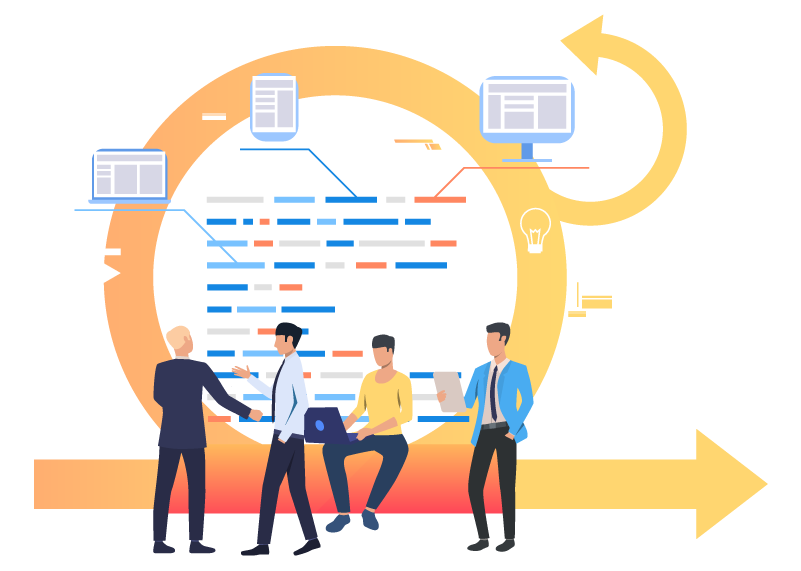
Alright, now the building begins. We use an agile development methodology, which means we break the project into small, predictable cycles called “sprints.” Each sprint usually lasts two weeks and is dedicated to building, testing, and refining a specific set of features. This approach gives us incredible flexibility.
Instead of waiting months to see any progress, you get to review a working piece of the software at the end of every single sprint. This creates a constant feedback loop, which keeps the project on track and allows us to adapt if requirements change. Our deep expertise in custom software development allows us to build robust and scalable features within these quick cycles.
An agile approach turns a long, uncertain marathon into a series of predictable, short races. It minimizes risk by keeping everyone aligned and allowing for course corrections along the way, ensuring the final product truly meets business needs.
Phase 4: Integration and Data Migration
A CRM can’t exist on an island. A huge part of the development process is connecting your new system to the other tools your business depends on, whether that’s an ERP, a marketing automation platform, or accounting software. We build solid APIs to create a seamless flow of information, establishing a single source of truth for all your customer data.
At the same time, we’ll execute the data migration strategy. This is a careful process of extracting, cleaning, and importing all your existing customer data from old spreadsheets or legacy systems. Getting the migration right is absolutely crucial for ensuring business runs smoothly from day one.
Phase 5: Deployment and Ongoing Support
The final phase is launch. We handle the entire deployment, moving the CRM from the testing environment to a live production server. But our job doesn’t end when you go live. We provide thorough training to make sure your team is comfortable and confident with the new system.
After launch, we stick around to offer ongoing support and maintenance. This means we’re here to fix any issues, perform necessary updates, and keep the system running at peak performance. As you can see from our client cases, this partnership is key to long-term success. We turn a one-time project into a strategic asset that keeps evolving with your business. As a dedicated AI solutions partner, we help businesses not just launch, but thrive.
Calculating the Costs and Long-Term ROI
When you start talking about building custom CRM software, the conversation inevitably turns to money. And rightly so. You need a clear, honest breakdown of the financial side to make a smart investment. Getting a handle on what drives the cost is the first step toward setting a realistic budget and avoiding any nasty surprises down the road.
The biggest variables impacting your initial investment are complexity and scope. A CRM loaded with AI-powered forecasting and predictive analytics will naturally have a higher price tag than a system designed for straightforward contact management. Likewise, the more third-party tools you need to connect—and the messier the data you’re migrating from old systems—the more that will factor into the final cost.
Shifting Focus from Cost to Value
While that upfront number is important, the real conversation should be about long-term value. A custom CRM isn’t just another line item on an expense report; it’s a strategic asset that should pay for itself many times over. The goal is to build a business case that shows exactly how it will deliver tangible returns. When planning your budget, it’s also wise to consider proven strategies to reduce software development costs that don’t compromise on quality.
A custom CRM pays for itself by plugging efficiency leaks, unlocking new revenue opportunities, and eliminating the recurring subscription fees that plague off-the-shelf software users. The goal is to move from a recurring operational cost to a one-time capital investment that generates value for years.
A Simple Framework for Calculating ROI
Figuring out your potential return on investment doesn’t require a degree in finance. You can start with a simple formula that pits the gains against the cost.
ROI (%) = (Net Profit from CRM – Total CRM Cost) / Total CRM Cost * 100
To get to your net profit, you need to focus on concrete, measurable benefits. Here are a few of the most important metrics to track:
- Increased Sales Productivity: How much time will automation save your sales reps? If you have 10 reps and each one gets back 5 hours a week, that’s 50 extra hours of selling time every single week.
- Improved Customer Retention: Even a small improvement here makes a huge difference. If you can track a 5% increase in retention after launching the CRM, you could see profits jump by 25% to 95%. It’s that powerful.
- Software Subscription Savings: Tally up what you’re currently paying for all the separate tools your new CRM will make redundant. Think email marketing platforms, sales trackers, helpdesks—it all adds up.
- Ongoing Maintenance Costs: Don’t forget to factor in long-term upkeep. As detailed in our guide on software maintenance and support services, having a solid plan for support is essential for an accurate total cost of ownership.
FAQs about CRM Software Development
Let’s tackle some of the most common questions we hear from clients when they’re thinking about building their own CRM. Getting these answers upfront can help you make much smarter decisions down the road.
How Long Does It Really Take to Build a Custom CRM?
The honest answer? It depends on what you’re building. For a Minimum Viable Product (MVP) with just the core, must-have features, you’re likely looking at a 3-6 month timeframe. This gets you up and running quickly. But if you’re aiming for a comprehensive, enterprise-grade CRM packed with complex integrations and AI-driven features, the project could easily extend to 9-12 months or more. We prefer an agile development process, which means we deliver the system in stages. You get to start using the most important functions early on while we continue building out the rest.
What’s the Single Biggest Risk in a Custom CRM Project?
The number one pitfall we see is building a system that doesn’t actually solve the business’s real problems. This almost always stems from a rushed or incomplete planning phase. We guard against this with a deep-dive discovery process at the very beginning. We work with your team to map out every workflow and nail down exactly what you need the CRM to accomplish. Regular check-ins and feedback loops throughout the project ensure we stay on track and that the final product truly fits your business.
Can a Custom CRM Connect With the Software We Already Use?
Yes, absolutely. In fact, that’s one of the biggest reasons to go custom in the first place. We design our CRMs with an API-first mindset, which is a fancy way of saying we build them to talk to other systems from day one. This allows your new CRM to connect smoothly with your ERP, marketing automation tools, accounting software, and anything else you rely on. The goal is to create a single, unified hub for all your customer data.
Who owns the code and data in a custom CRM project?
You do. Unlike with off-the-shelf software where you’re essentially renting the platform, custom development means you have complete ownership of the intellectual property, source code, and all the data within the system. This provides long-term security and eliminates the risk of vendor lock-in. As your dedicated AI solutions partner, we ensure a transparent handover of all assets upon project completion.
Ready to build a CRM that’s a genuine strategic asset? At Bridge Global, we specialize in creating custom CRM solutions that are built around your unique workflows and designed to grow with you. Contact us today to start your CRM development journey