

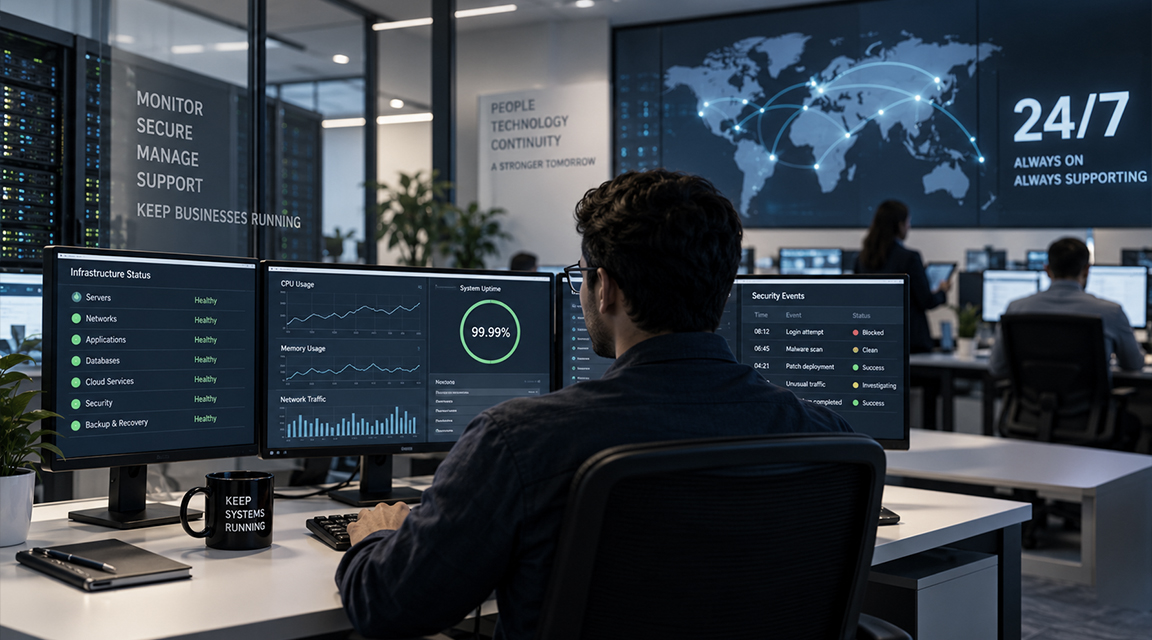

Behind the Scenes: How IT Infrastructure Management Keeps Organizations Running 24/7
You log in, your inbox opens, Wi-Fi connects, and the video call starts on time. Most days, tech just… works. You don’t think about it.
That’s not luck. It’s a team of people working around the clock so you never have to notice them.
That quiet reliability is what effective IT infrastructure management looks like in practice. It brings together monitoring, security, access management, backups, hardware, software, and business continuity, so employees can work without constantly thinking about the underlying systems.
It’s Not Just “Fixing Stuff”
There’s a common idea that IT only shows up when something breaks. Truth is, if they’re doing their job right, things mostly don’t break.
Instead of waiting around for something to go wrong, a good IT team spends its days:
- Watching system health, constantly
- Pushing updates before bugs turn into real problems
- Tuning performance so nothing lags when everyone’s online at once
- Staying ahead of new security threats
Here’s the strange part: when everything runs smoothly, it looks like IT isn’t doing anything at all. But that invisible calm is often the real evidence of good work happening underneath.
Much of IT infrastructure management is preventive rather than reactive. The goal is to spot small changes before they become outages, security incidents, or productivity problems.
Why IT Infrastructure Management Never Really Stops
Between cloud platforms, physical servers, network switches, VPNs, databases, and however many laptops the company hands out, there’s a lot that has to stay coordinated at once. So IT keeps an eye on the small stuff:
- A server’s memory creeping up
- Odd network traffic at 2 am
- An app that’s loading half a second slower than usual
On their own, none of these signal an emergency. But catching them early means fixing things quietly, in the background, before anyone even notices a hiccup.
This kind of infrastructure monitoring helps teams understand what “normal” looks like, making unusual behaviour easier to identify before it affects users.
For organizations running cloud and distributed environments, this kind of continuous monitoring also overlaps closely with modern DevOps practices, where application performance, infrastructure health, deployment activity, and operational issues are monitored together.
Security Isn’t a One-Time Thing
Antivirus software isn’t something you install once and walk away from. Threats keep shifting — phishing emails get harder to spot, ransomware gets nastier, and new weak spots turn up in ordinary software all the time.
So the work never really lets up. IT is regularly:
- Rolling out security patches quietly, in the background
- Auditing who has access to what, so people only see what they need
- Locking down laptops and phones people use remotely
- Watching for logins that don’t look right
Not noticing it happening is usually a good sign. It means it’s working.
Good IT security is built around ongoing processes rather than a single security product. Access control, authentication, monitoring, patching, and recovery all need regular attention.
The NIST Cybersecurity Framework similarly treats cybersecurity as an ongoing cycle of identifying, protecting, detecting, responding, and recovering rather than a one-time activity.
Figuring Out Where AI Fits
As AI tools show up everywhere, IT has a genuinely tricky job: figuring out how to adopt them without opening the company up to risk.
It takes more than just turning a feature on. Part of the job is checking whether a given AI tool could expose sensitive company information to a public model, then weighing that risk against what the tool actually offers.
For IT teams, AI adoption is increasingly becoming another part of technology governance. The question is not simply whether a tool is useful, but whether it fits the organization’s security, privacy, access, and data-handling requirements.
That balance becomes especially important when AI features are built into tools employees already use every day.
Backups: Boring Until You Need Them
A business can lose critical data in minutes, and the cause rarely matters at that point — an accidental delete, a failed drive, a ransomware attack, they all land the same way.
That’s why backups aren’t a “set it and forget it” thing. IT automates regular backups, keeps protected copies, and actually tests whether recovery works. Because a backup you can’t restore isn’t really a backup, it’s just a false sense of security.
Backup and disaster recovery planning therefore has two parts: creating recoverable copies of important data and regularly proving that those copies can actually be restored.
CISA specifically recommends maintaining protected backups and testing them regularly as part of ransomware preparedness.
For cloud-based environments, these practices also form part of broader cloud infrastructure planning, including failover, recovery testing, and resilience.
Keeping the Lights On, Literally and Figuratively
Every piece of software and hardware in a company has a lifecycle, and someone has to manage it.
Software and licensing: Every tool has a license attached to it. Someone tracks who’s using what, reclaims seats nobody’s using anymore, and makes sure the company stays compliant with vendor contracts. Boring, but it saves real money and avoids real legal trouble.
Hardware: From the day a laptop gets unboxed to the day it’s wiped and retired, someone’s managing that whole journey: setup, repairs, upgrades, secure disposal. It’s why your laptop usually just works when you need it to.
This is a core part of IT asset management. Knowing what hardware and software the organization owns, who uses it, and when it needs to be replaced is essential for both security and cost control.
It’s why your laptop usually just works when you need it to.
Making Remote Work Actually Work
Work isn’t tied to an office anymore : home, a coffee shop, another country, doesn’t matter. IT is the reason that’s even possible.
Between VPNs, cloud access controls, multi-factor authentication, and endpoint protection, there’s a whole layer of security working quietly so you can connect from wherever you are, without turning the company’s network into an easy target for anyone sharing that same coffee shop connection.
Remote work security therefore depends on more than providing access. IT teams have to make sure the person connecting is authorized, the device is appropriately protected, and access is limited to what that user actually needs.
NIST guidance recommends unique user accounts, appropriate access restrictions, and multi-factor authentication as part of protecting organizational systems and information.
Planning for Things Going Wrong
No matter how solid a network is, bad things happen. A fiber line gets cut, the power grid fails, or a cloud provider has a bad day.
A lot of IT’s time goes into imagining those situations before they happen.
That means:
- Building redundancy where it matters
- Preparing backup connectivity or power
- Writing disaster recovery procedures
- Testing failover processes
- Identifying which systems need to recover first
Business continuity is less about pretending failures can be eliminated and more about reducing the impact when they inevitably happen.
A recovery plan that has never been tested is difficult to trust during a real incident.
At the End of the Day, It’s About People
Underneath all of this, IT is fundamentally about helping people do their jobs.
Onboarding a new hire, fixing a printer that’s decided not to cooperate, resetting a forgotten password, or setting up access for a new project may not sound strategic, but these tasks keep everyday work moving.
IT teams also do something less visible: they help employees understand how to use technology safely.
Teaching people to spot phishing attempts, use stronger authentication habits, and handle company data carefully turns employees into part of the organization’s security posture rather than leaving security entirely to the IT team.
That is another reason IT infrastructure management cannot be separated from the people using the infrastructure. Technology controls matter, but so do habits, awareness, and clear support processes.
Success Looks Like Nothing Happening
Most jobs measure success by what got built or shipped. IT is different. Many of its wins are invisible:
- The security issue detected before it became an incident
- The failing system fixed before users noticed
- The backup that restored correctly when it was needed
- The morning everything simply worked
Technology gets all the credit for moving a business forward. But the systems people rely on every day only remain dependable because someone is monitoring, maintaining, securing, and improving them continuously.
That is ultimately what good IT infrastructure management delivers: fewer surprises, faster recovery when something does go wrong, and an environment where people can focus on their work instead of the technology supporting it.
If your organization is dealing with growing infrastructure complexity, cloud reliability, monitoring, or business continuity challenges, an experienced engineering team can help you assess where the biggest operational risks sit.
Contact us to discuss your infrastructure requirements.

About Viswajith A
Viswajith is a Junior System Administrator at Bridge Global with hands-on experience in DevOps, cloud infrastructure, and IT systems administration. He works with technologies including AWS, Docker/Docker Compose, CI/CD pipelines (GitHub Actions, GitLab CI/CD), Nginx, Jenkins, and Kubernetes fundamentals, alongside networking (OpenVPN, NAT/routing) and monitoring with AWS CloudWatch. He also brings working knowledge of Microsoft SQL Server for database-related troubleshooting and support. He is passionate about continuous learning, exploring new tools, and building reliable, automated infrastructure solutions.
View all posts by Viswajith A →