

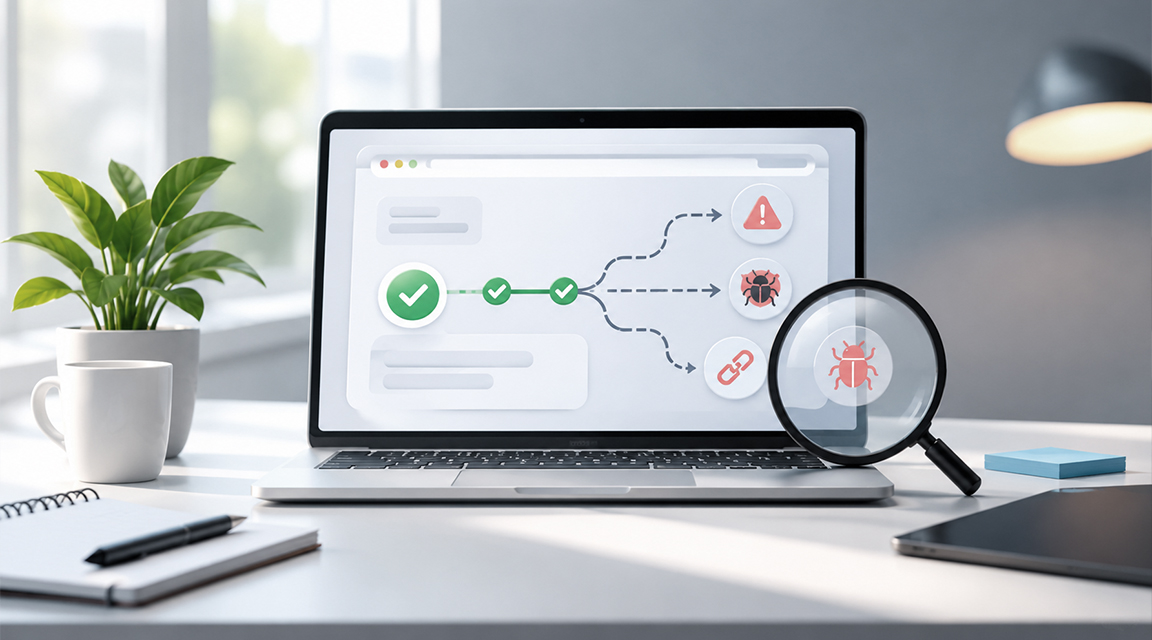

Beyond the Happy Path: Where Real-World QA Begins
The Happy Path Is Only the Beginning
A feature can work exactly as designed and still surprise us in real use. A user enters the right information, follows the expected steps, and gets the expected result. That is the happy path. Happy path testing checks this expected sequence, but software testing should begin here, not stop here.
In real projects, users refresh midway through a process, click twice, press Back, leave a mandatory field empty, open another tab, lose a session, or simply interpret a screen differently from the way the team expected. These moments are not just edge cases. They are where the product’s real behaviour starts to show.
For QA, this creates an important shift in perspective: we are not only checking whether a feature works. We are exploring what happens when people use it in realistic, imperfect and sometimes unexpected ways.
Requirements Define the Flow. Users Define the Reality.
User stories and acceptance criteria describe the intended behaviour of a feature. They are essential, but they cannot capture every interaction a user may have with the product.
Take a simple form. The requirement may explain what should happen when valid data is entered and Save is clicked. QA naturally asks what happens around that flow: What if Save is clicked twice? What if the user changes a value and chooses Cancel? What if the session expires? What if the API is slow? What happens after a refresh? Is the user’s progress preserved, or does the application return to a predictable state?
These questions are not about inventing unrealistic scenarios. They help expose missing requirements, unclear designs, and assumptions before those gaps become defects.
A Good Test Is Often a Question, Not Just a Step
A test case can verify an action, but a good QA mindset also asks what that action means in the wider product.
Consider an online checkout flow. The straightforward test is to add an item, enter valid details, click Place Order once, and verify that the order is created. But users may not always wait for a response. If the network is slow, a customer may click Place Order again because there is no immediate feedback. If repeated submission is not handled correctly, a payment retry can create a duplicate order or even charge the customer twice. A scenario that looks like a small UI behaviour can therefore become a refund, a support ticket, manual cleanup, and a loss of customer trust.
This is why a good QA question is not only ‘Does the button work?’ but also ‘What happens if a real user repeats the action?’ The first check confirms the feature. The second helps us understand its business risk.
Navigation and Interrupted Flows Reveal More Than We Expect
Many defects appear not when a workflow is completed exactly as designed, but when that workflow is interrupted.
A user navigates away while editing. A browser refreshes while a request is processing. A confirmation dialog is closed. A filter is applied, and the user returns to an earlier page. The user updates the same record in another tab. Each transition can expose behaviour that is invisible on the happy path.
That is why navigation is part of functionality, not merely interface behaviour. Where does the user land after Save, Cancel, Delete, Login, Logout, or an error? What state do they return to? These details shape whether the workflow feels predictable and trustworthy.
Access and Application State Can Change the Meaning of a Feature
The same workflow can behave differently depending on the user’s access and the application’s current state. A common example is a long registration, application, or onboarding form that takes several minutes to complete.
The happy path verifies that the user can complete the form and submit it successfully. But what happens if the session expires just before submission? If the application redirects the user to Login and discards everything they entered, session security may be working as designed, yet the overall experience has failed. The user may have to repeat the work, abandon the process altogether, or contact support.
For the business, that can mean incomplete registrations, additional support effort, lower conversion, and avoidable frustration. Edge case testing can expose this problem before release, giving the team an opportunity to provide a clear warning, preserve data where appropriate, or offer a predictable recovery path.
Don’t Ignore the Small States
Teams naturally focus on successful states because they are central to the business flow. In real use, however, the small states around success often determine how clear and trustworthy an application feels.
What does the user see while an action is processing? Can the button be clicked again? Is an error message clear and accurate? Can the user recover without starting again? What happens when there is no data to display?
Loading indicators, disabled states, empty states, validation messages, and error messages are not decoration. They are part of the communication between the system and the user, and therefore part of the feature QA needs to test. When these states are missed, the impact can extend beyond a visual defect: users may repeat actions, enter incorrect data, abandon a workflow, or raise support requests because the system does not clearly communicate what is happening.
These details should be considered throughout development, not left until testing. That’s an important consideration when choosing a software development partner.
Exploratory Testing Connects the Gaps Between Test Cases
Detailed test cases give us structure, repeatability, and known coverage. Exploratory testing adds another layer by allowing us to follow the application as a user might and connect behaviours that were documented separately.
Search can be combined with pagination. Permissions can be combined with navigation. Validation can be combined with refresh. An interrupted workflow can be combined with session expiry. These combinations are difficult to capture exhaustively because the number of possible interactions grows quickly.
Test cases protect known behaviour. Exploration helps us discover behaviour we did not know we needed to test.
What We Learn From Bugs Matters as Much as the Bug Itself
Fixing a defect and closing the ticket should not always be the end of the process. Repeated defects can reveal patterns that improve how we test future work. Root cause analysis helps teams look beyond the immediate fix and understand why an issue occurred.
If navigation issues appear repeatedly, post-action navigation should become an earlier question. If permission defects recur, role combinations deserve stronger coverage. If failures frequently occur during loading or API errors, recovery states should become part of standard test design.
Over time, QA becomes stronger when defects are turned into reusable knowledge about the product, its architecture, its users and the risks that matter most. Looking at impact also changes prioritisation: risk-based testing helps teams focus on defects according to their potential consequences. A seemingly minor issue that can cause duplicate transactions, lost user input, or blocked customer journeys deserves attention because of the cost it can create after release.
Quality Improves When QA Joins the Conversation Early
It’s usually less costly to address potential issues as questions than to fix them as defects later. When QA joins requirements and design discussions early, alternate flows can be clarified before development begins.
What happens if the operation fails? Which roles can perform it? What is the default state? Where does Cancel return the user? What should happen after a refresh? Is the behaviour the same on the listing page and the detail page?
These questions are not about making requirements unnecessarily complicated. They help the team build a shared understanding of the feature. A few minutes of clarification can prevent hours of investigation and rework later – and, more importantly, prevent the same gaps from reaching customers, where they could generate support requests or delay a release while an urgent fix is prepared.
This kind of collaboration between QA, development, and DevOps is also reflected in Bridge Global’s work with a Canadian cyber insurer.
Building a Practical Beyond-the-Happy-Path Habit
Going beyond the happy path does not mean testing every imaginable combination. The goal is to focus on realistic risks.
For each important workflow, look through a few simple lenses: different users, different data, different application states, interruptions, failures, repeated actions, and navigation. This also means considering negative testing, such as how the application handles invalid or incomplete inputs. Then ask not only whether a scenario can happen, but what it could mean in production. Could it block a customer journey, create duplicate data, cause financial impact, increase support effort, require urgent rework, or introduce unnecessary business risk?
With experience, this becomes less of a separate testing technique and more of a mindset. We notice assumptions earlier, connect behaviours across modules and select scenarios based on risk rather than volume.
Final Thoughts
Real project testing shows that software quality depends not only on whether the expected flow works, but also on how the application responds when users change direction, make mistakes, lose a session, encounter delays, or repeat actions. These situations can turn seemingly small defects into customer issues or expensive production fixes.
QA brings an important perspective: understanding not only how a system is designed to be used, but how people may actually use it. By exploring what happens beyond the happy path, teams can identify potential issues earlier and better understand their impact on users and the business.
Looking to strengthen your QA approach? Talk to our team.

About Aleena Mariam Gem
Aleena Mariam Gem is a passionate Test Engineer at Bridge Global with 5 years of experience in software testing and quality assurance. She believes that quality goes beyond identifying defects and focuses on understanding user behaviour, improving testing practices, and delivering reliable digital experiences. With a keen interest in AI-driven testing and emerging QA technologies, she continuously explores innovative ways to make testing smarter, more efficient, and effective. Beyond her professional life, she enjoys socializing and gaming.
View all posts by Aleena Mariam Gem →